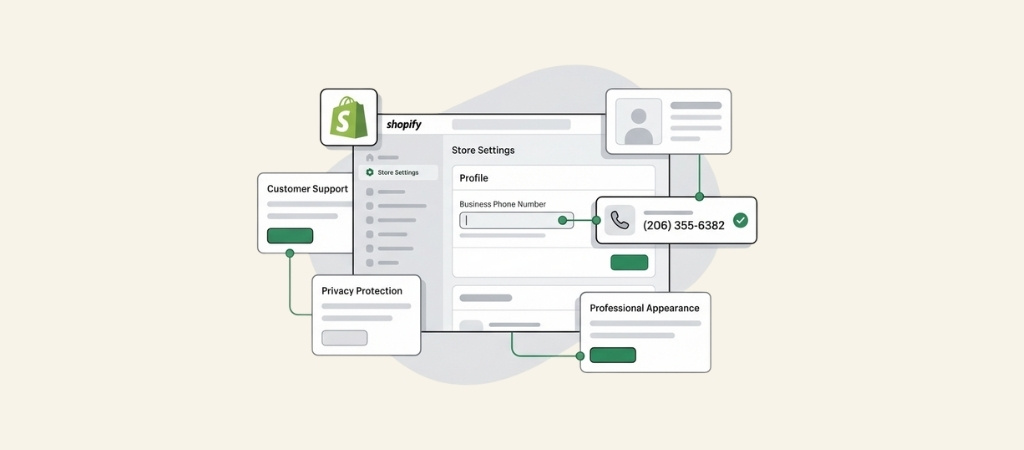
Running a Shopify store means your phone number shows up in more places than you might realize.
It appears on customer bank statements when they pay via Shopify Payments, gets shared with fulfillment providers, and may be required for platform verification.
Using your personal cell for all of this creates two problems: your privacy takes a hit, and your store looks less professional.
The fix is getting a dedicated business phone number, and in 2026, you have more options than ever.
This guide breaks down the best ways to get a business phone number for your Shopify store, from free solutions to AI-powered alternatives that actually answer calls for you.
Editor’s note: Want to hear some sample support calls made for your Shopify store?
- Just paste your store URL
- Get sample calls in under 20 seconds (no email required)
- Listen to demo calls for my store
Why your Shopify store needs a dedicated business phone number
The most obvious reason to get a business phone number is professionalism.
Customers trust stores that look established, and a dedicated business line signals legitimacy.
But there is a more practical reason: your phone number gets shared whether you display it publicly or not.
Shopify requires a phone number in your store settings, and that number is passed along to third-party apps, shipping label services, and payment processors.
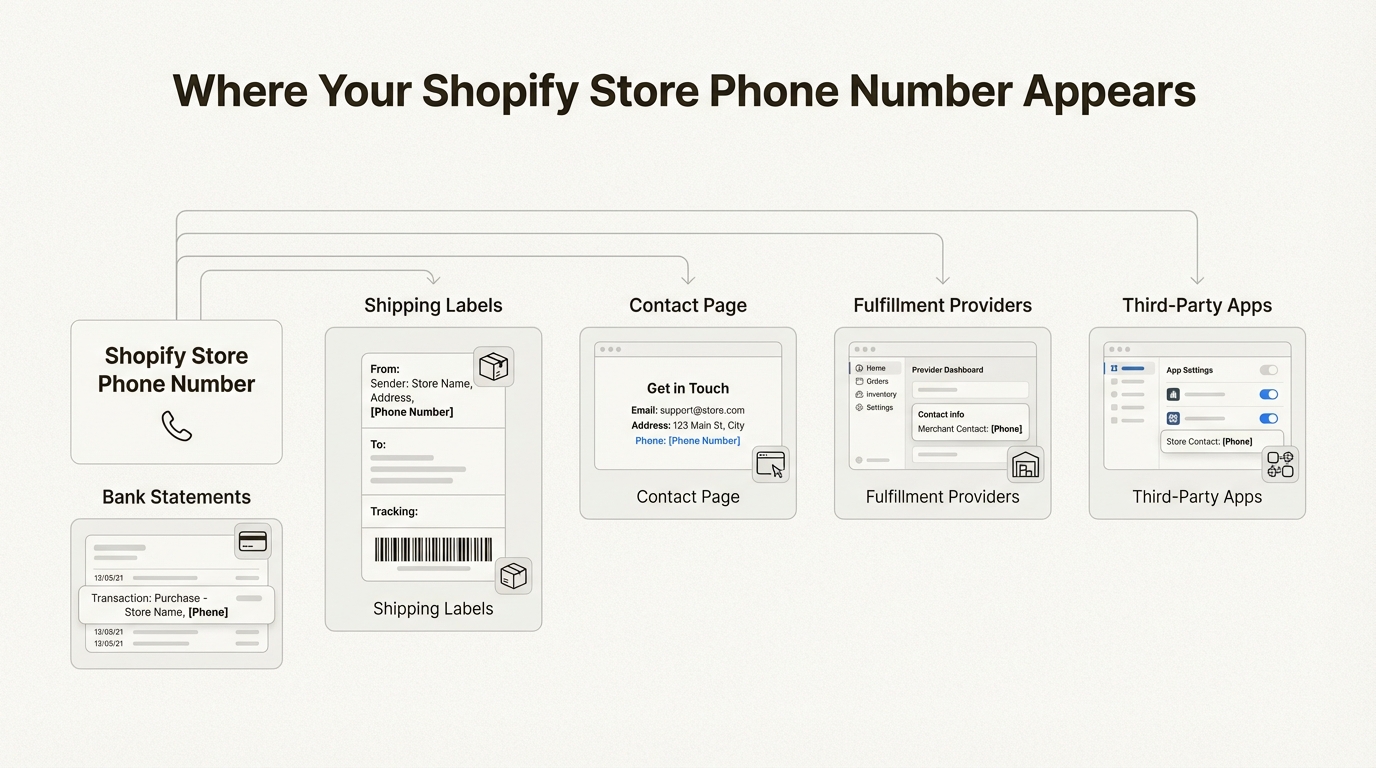
If you use Shopify Payments, your phone number appears on customer bank statements.
That means anyone who buys from you sees it. Fulfillment providers and dropshipping suppliers get access to it as well.
Privacy aside, a dedicated business number also helps with verification.
Google Merchant Center, Facebook Business Manager, and Alibaba all require phone verification for seller accounts. Having a consistent business number makes this process smoother.
Finally, as your store grows, so does your call volume.
Starting with a proper business line means you can scale support without scrambling to separate personal and business communications later.
Your options for getting a business phone number
There are four main categories of solutions for Shopify merchants in 2026:
Free options like Google Voice give you a basic phone number at no cost.
They work well for testing or side hustles but come with limitations.
Shopify app store solutions such as SBoard (Switchboard) integrate directly with your store.
These typically cost $8-20/month and include features like SMS, call forwarding, and voicemail.
VoIP providers like Grasshopper offer more robust business phone features including vanity numbers, multiple extensions, and professional voice greetings. Pricing starts around $14/month.
AI-powered phone support from platforms like Ringly.io takes a different approach. Instead of just giving you a number, you get an AI agent (named the AI) that actually answers calls, looks up orders, and handles returns. This costs more ($349-$799/month) but automates the support work itself.
The following sections break down each option with current pricing and features.
Best business phone number solutions for Shopify stores
Here is a closer look at the top options for getting a business phone number for your Shopify store.
1. Google Voice (free option)
Google Voice is the go-to free option for merchants who want to test the waters. You get a US phone number, voicemail transcription, call forwarding, and spam blocking at no cost.
The catch is that the free version is limited.
You cannot get a toll-free number, business texting requires a paid Google Workspace subscription due to FCC 10DLC rules, and features like ring groups and auto-attendants are locked behind paid tiers.
| Plan | Price | What You Get |
|---|---|---|
| Free (Personal) | $0 | US number, voicemail transcription, call forwarding, and basic spam blocking. (US only) |
| Starter (Solo) | $10/mo | Standalone for @gmail users. No Workspace needed. Includes 3-way calling and desk phone support. |
| Starter (Business) | $10/user/mo + Workspace | Up to 10 users, unlimited US/Canada calls/texts, 24/7 support, and mobile/web apps. |
| Standard | $20/user/mo + Workspace | Unlimited users, multi-level auto attendants, ring groups, and on-demand call recording. |
| Premier | $30/user/mo + Workspace | Everything in Standard plus automatic call recording and advanced reporting via BigQuery. |
The real cost of Google Voice for business use is $16-26/month per user once you factor in the required Workspace subscription ($6-8/month minimum).
Google Voice works best for solopreneurs who already use Gmail and Google Calendar.
If you are testing whether phone support makes sense for your store, it is a solid starting point. But there is no native Shopify integration, so setup is entirely manual.
2. SBoard (Switchboard)

SBoard (also known as Switchboard) is a Shopify-native app that provides toll-free US numbers starting at $8/month.
It is the cheapest dedicated phone solution in the Shopify App Store.
The app includes call forwarding (even to international numbers), SMS support, voicemail, and call recording with 90-day retention.
The scheduling feature automatically routes calls to voicemail during off-hours, which is useful for solo operators.
| Plan | Price | Minutes | Key Features |
|---|---|---|---|
| Grow | $349/mo | 1,000/mo | Full autonomous resolution, order edits/returns, AI call insights |
| Enterprise | Custom | 5,000+/mo | Enterprise AI support, white-glove setup, private Slack channel |
SBoard has a 4.5/5 rating on the Shopify App Store from 10 reviews. Users praise the easy setup and scheduling features.
The main limitations are that you cannot port existing numbers in or out, and only US toll-free numbers are available.
One user on the Shopify App Store noted: "I needed a number I could provide for my store and this option seem to provide the best price point and ease of setting up."
SBoard works best for budget-conscious Shopify merchants who want a professional toll-free number without complexity.
3. Grasshopper

Grasshopper is a more established virtual phone system trusted by over 150,000 small businesses.
It offers toll-free, vanity, and local numbers with unlimited users on higher plans.
The standout features include vanity numbers (like 1-800-YOURBIZ), unlimited extensions, professional voicemail greetings recorded by voice actors, and desktop/mobile apps rated 4.8/5 on the Apple Store.
| Plan | Price | Numbers | Extensions | Users |
|---|---|---|---|---|
| True Solo | $14/mo | 1 | 1 | 1 |
| Solo Plus | $25/mo | 1 | 3 | Unlimited |
| Small Business | $55/mo | 4 | Unlimited | Unlimited |
Add-ons can increase costs quickly. Extra phone numbers run $9/month each, additional extensions cost $3/month, and call blasting (ringing multiple lines at once) adds another $9/month.
Grasshopper does not have a native Shopify app, so you will need to manually add your number to your store settings. It works best for growing teams that need multiple extensions and a professional phone presence without building a full call center.
4. Ringly.io (AI-powered phone support)

Ringly.io takes a fundamentally different approach. Instead of just providing a phone number, you get the AI, an AI phone agent that actually answers calls 24/7.
the AI integrates directly with your Shopify store. When a customer calls about an order, the AI pulls up the order details automatically.
It can handle tracking inquiries, process return requests, answer product questions, and escalate to your team only when necessary.
The numbers back this up: across Shopify stores, The AI resolves approximately 73% of calls without human intervention.
That translates to significant time savings if you are currently answering repetitive calls yourself.
| Plan | Price | Minutes | Best For |
|---|---|---|---|
| Start | $349/month | 250 mins | Smaller stores beginning with AI phone support (Overage: $0.36/min) |
| Grow | $349/mo | 1,000 mins | Most Shopify stores with moderate call volume (Overage: $0.19/min) |
| Enterprise | Custom | 5,000+ mins | High-volume stores needing custom setup and Slack support |
Every plan includes phone number provisioning (local or toll-free US/Canada), call recordings and transcripts, analytics, and support for 40+ languages.
You can also bring your own Twilio number or port an existing number.
The pricing page shows overage minutes billed at $0.19/min after your plan allowance.
There is also a guarantee: you get your last 3 months refunded if Seth resolves under 65% of calls in 90 days.
Ringly.io works best for Shopify stores that receive significant call volume and want to automate support rather than just receive calls.
If you are spending hours answering "where is my order?" questions, the ROI math often works out in your favor.
Business phone number comparison table
Here is how the four main options stack up side by side:
| Feature | Google Voice | SBoard (Switchboard) | Grasshopper | Ringly.io |
|---|---|---|---|---|
| Starting Price | Free / $10/mo | $8/mo | $14/mo | $349/month |
| Toll-free option | No (14-day free trial) | Yes | Yes | Yes |
| SMS support | Yes (Paid) | Yes (Inbound) | Yes | Yes (Via AI Agent) |
| Shopify integration | Manual | Native App | Manual | Native App |
| AI call handling | No | No | No | Yes (Seth AI) |
| Multiple languages | No | No | No | 40+ Languages |
| Best for | Testing / Solo | Budget-conscious | Growing human teams | Automating support |

Price alone does not tell the full story since a $99 AI agent can replace hours of manual work
The cheapest option is not always the best value.
A $349/month AI agent that handles 73% of your calls may save more money than a $8/month number that requires you to answer every call yourself.
How to add your phone number to your Shopify store
Once you have a business phone number, you need to add it to your store in several places.
Adding phone number to store settings
Start by going to Settings > Store details in your Shopify admin. Enter your business phone number in the contact information section.
This number is shared with third-party apps, fulfillment providers, and payment processors. It also appears on customer bank statements if you use Shopify Payments. For this reason, never use your personal cell here.
Displaying phone number on your contact page
Your contact page is where customers go when they need help. Edit your contact page template to prominently display your phone number.
For mobile users, format your number as a click-to-call link: <a href="tel:+18001234567">1-800-123-4567</a>. This lets smartphone users tap to call directly.
Consider adding your number to your site header or footer as well. Visibility builds trust, and customers should not have to hunt for ways to contact you.
Setting up phone number in email templates
Add your business phone number to transactional emails. Order confirmations, shipping notifications, and customer service emails should all include your contact information.
Go to Settings > Notifications in Shopify to customize these templates. Adding a phone number to your email signature creates a consistent experience and gives customers an easy way to reach you if they have questions about their order.
Choosing the right solution for your store
The best business phone number solution depends on your store's stage and call volume. Here is a quick decision framework.
Just starting out or testing: Google Voice (free) or SBoard ($8/mo) lets you get a professional number without significant investment. You can always upgrade later.
Growing store with occasional calls: Grasshopper ($14-25/mo) or SBoard ($8-10/mo) provide professional features like call recording and custom voicemail. Grasshopper works better if you need multiple extensions as you add team members.
High-volume store wanting to automate: Ringly.io ($349-$799/month) makes sense when you are spending hours on repetitive phone support. The AI handles order inquiries, returns, and common questions while you focus on growth.
Before choosing, ask yourself these questions:
- How many calls per month do you expect?
- Do you need SMS or just voice?
- Do you want to answer calls yourself or automate?
- Is multilingual support important for your customer base?
If you are spending hours on repetitive phone support, try Ringly.io free for 14 days and let the AI handle your calls.
Frequently Asked Questions
How much does a business phone number cost for a Shopify store?
Costs range from free (Google Voice personal tier) to $8-99/month depending on features. SBoard starts at $8/month for basic calling. Grasshopper starts at $14/month. AI-powered solutions like Ringly.io start at $349/month but include automated call handling.
Can I set up a Shopify store without a business phone number?
You can operate a store without publicly displaying a phone number. However, Shopify requires a phone number in your store settings. This number gets shared with fulfillment providers, payment processors, and third-party apps even if customers never see it on your site.
What is the best free business phone number app for Shopify?
Google Voice is the best free option for a basic business phone number. It includes voicemail transcription, call forwarding, and spam blocking at no cost. For Shopify-native integration, SBoard at $8/month is the cheapest paid option with a 7-day free trial.
Where does my Shopify store business phone number appear?
Your phone number appears on customer bank statements (if using Shopify Payments), shipping labels, and anywhere you choose to display it (contact page, footer, emails). It is also shared with third-party apps and fulfillment providers connected to your store.
Do I need a real business phone number for my Shopify store?
Yes, Shopify requires a valid phone number in your store settings. This number is used for verification purposes and gets shared with fulfillment and payment partners. A dedicated business phone number protects your personal privacy and looks more professional.
What is the difference between a regular business phone number and AI phone support for Shopify?
A regular business phone number simply receives calls that you or your team must answer. AI phone support like Ringly.io goes further by having an AI agent (the AI) actually answer calls, look up orders, handle returns, and only escalate complex issues. This automates roughly 70% of typical support calls.
Can I get a toll-free business phone number for my Shopify store?
Yes. SBoard, Grasshopper, and Ringly.io all offer toll-free numbers. Google Voice does not include toll-free numbers on its 14-day free trial. Toll-free numbers can increase customer trust and make your store appear more established.