Finding a business phone system that does not break the bank can feel overwhelming. Grasshopper positions itself as the simple solution for entrepreneurs and small teams who want professional calling without enterprise complexity or pricing.
But what does it actually cost? The base prices look attractive, especially compared to per-user alternatives. The reality is more nuanced once you factor in the add-ons and limitations that might push you toward a different solution.
This guide breaks down every Grasshopper pricing plan, reveals the hidden costs that inflate your monthly bill, and compares it honestly against alternatives so you can make the right choice for your business.
Editor's note: Want to hear some sample AI support calls made for your Shopify store?
- Just paste your store URL
- Get sample calls in under 20 seconds (no email required)
- Listen to demo calls for my store

What is Grasshopper?
Grasshopper is a virtual phone system owned by LogMeIn that gives businesses a professional phone number without requiring any hardware. It works through mobile apps (iOS and Android) and desktop software, letting you make and receive business calls using your existing devices.
The service targets solopreneurs, freelancers, and small businesses that want to separate personal and professional communications. With 400,000+ businesses using the platform and strong app store ratings (4.8/5 on Apple, 4.9/5 on Google), it has established itself as a solid entry-level option.
The core value proposition is simplicity. You get a business number, voicemail, call forwarding, and basic automation without the complexity of enterprise phone systems. No desk phones required, no IT department needed, and setup takes minutes rather than days.
Grasshopper pricing plans explained
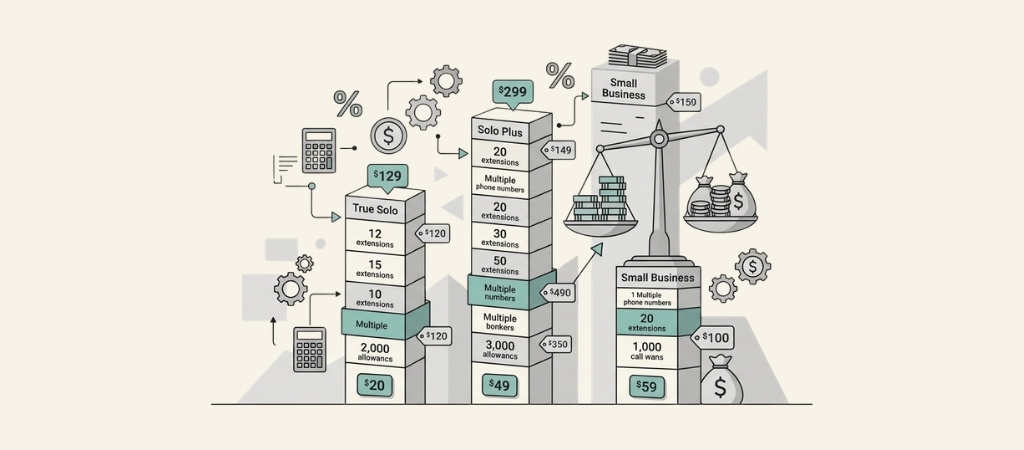
Grasshopper uses a per-account pricing model rather than charging per user. This can make it cost-effective for teams, but the structure takes some getting used to.
| Here is how the three plans break down: | Plan | Monthly Price | Annual Price | Users |
|---|---|---|---|---|
| Phone Numbers | Extensions | Best For | True Solo | $18/mo |
| $14/mo ($168/year) | 1 | 1 | 1 | Freelancers |
| Solo Plus | $32/mo | $25/mo ($300/year) | Unlimited | 1 |
| 3 | Small teams (2-3 people) | Small Business | $70-92/mo | $55-80/mo |
| Unlimited | 4-5 | Unlimited | Growing teams | Let's look at each plan in detail. |
True Solo plan
The True Solo plan starts at $14 per month when billed annually ($18 monthly). It includes one user, one phone number, and one extension.
This plan works well for freelancers and solopreneurs who need a dedicated business line but do not have a team. You get all the core features: unlimited calls and texts within the US and Canada, voicemail transcription, call forwarding, and the mobile app.
The limitation is clear: one person, one number, one extension. If you need to add team members or want multiple numbers for different purposes, you will need to upgrade.
Solo Plus plan
The Solo Plus plan costs $25 per month annually ($32 monthly) and unlocks unlimited users while keeping you at one phone number and three extensions.
Here is where Grasshopper's pricing gets interesting. Unlike competitors that charge per user, Solo Plus lets you add unlimited team members to the same account for a flat rate. This can make it significantly cheaper than per-user alternatives if you have a small team.
The plan adds call transfers and simultaneous call handling, which are essential once you have multiple people answering calls. Three extensions mean you can set up different departments or team members with their own extension numbers.
Small Business plan
The Small Business plan ranges from $55-80 per month annually ($70-92 monthly) and includes unlimited users, 4-5 phone numbers, and unlimited extensions.
This tier suits growing teams that need multiple numbers (perhaps for sales, support, and general inquiries) and unlimited extensions for different departments or employees. The exact pricing varies based on configuration and whether you choose annual or monthly billing.
The plan unlocks the full feature set, including advanced call handling and the ability to scale without worrying about per-user costs adding up.
Hidden costs and add-ons to know about
The base prices are just the starting point. Several add-ons and fees can increase your monthly cost beyond the advertised rates.
| Add-on | Cost | When You Need It | Additional phone numbers | $9/month each |
|---|---|---|---|---|
| Multiple departments or locations | Additional extensions | $3-5/month each | More than the included amount | SMS registration (TCR) |
| $19 one-time + $1.50/month | Required for business texting | Voice Studio greetings | $75 per recording | Professional voice recordings |
| Ruby Live Receptionist | $160-245/month | Live answering service | International calling | $500 deposit + per-minute rates |
| Calling outside US/Canada | Taxes and fees | $5-10/month | Regulatory fees on all accounts | Let's look at realistic scenarios. |
Solo freelancer with SMS: True Solo ($14) + SMS registration ($1.50) + taxes (~$7) = approximately $22.50 per month.
Small team with extra number: Solo Plus ($25) + additional number ($9) + SMS registration ($1.50) + taxes (~$7) = approximately $42.50 per month.
Growing business with professional greetings: Small Business ($70) + Voice Studio ($75 one-time) + SMS ($1.50) + taxes (~$7) = approximately $78.50 per month plus the one-time greeting cost.
The SMS registration fee catches many users off guard. The Campaign Registry (TCR) requires business verification for texting, and Grasshopper passes these costs through. The $19 one-time fee plus $1.50 per month per number is standard across the industry, but it is not included in the advertised base price.
Key features included with every plan
| Every Grasshopper plan includes the same core feature set. Here is what you get: | Unlimited calls and texts within the US and Canada |
|---|---|
| Mobile and desktop apps for iOS, Android, Mac, and Windows | Call forwarding to any phone number |
| Voicemail transcription that converts messages to text | Virtual fax for sending and receiving digital faxes |
| Custom greetings that you can record yourself | Auto-attendant for routing callers to the right extension |
| Business hours settings to control when you receive calls | Instant response automatic text replies for missed calls |
24/7 customer support via phone, chat, and email
The feature set covers the basics well. You can run a professional phone operation without missing calls or sounding amateur. The virtual fax feature is notable; many competitors charge extra or do not offer it at all.
The geographic restriction is important to understand. Grasshopper only supports calling within the US and Canada. If you need international calling, you will need to look elsewhere or pay the $500 deposit for international capabilities.
Grasshopper limitations to consider
Before committing, understand where Grasshopper falls short compared to modern alternatives.
No native integrations. Grasshopper does not connect directly with CRMs like Salesforce or HubSpot, helpdesks like Zendesk, or productivity tools like Slack. You will need to manually log calls or use third-party workarounds.
Basic analytics. The reporting is limited to call logs and basic metrics. You will not get the detailed insights, call quality analysis, or team performance dashboards that competitors offer.
No shared inboxes. Unlike modern alternatives, Grasshopper does not let multiple team members collaborate on the same conversation thread. Extensions route calls, but they do not create shared workspaces.
No AI features. There is no AI call summarization, sentiment analysis, automated responses, or intelligent routing based on caller intent.
Outdated interface. Multiple user reviews describe the web and mobile interfaces as dated compared to newer competitors. The functionality is there, but the experience feels like it has not evolved significantly.
US/Canada only. If your business makes international calls or serves global customers, Grasshopper is not the right fit without expensive add-ons.
How Grasshopper compares to alternatives
Understanding the competitive landscape helps you determine if Grasshopper is the right choice or if another solution better fits your needs.
| Provider | Starting Price | Model |
|---|---|---|
| Key Differentiator | Grasshopper | $14/mo |
| Per-account | Simple, no hardware, flat rate for teams | Nextiva |
| $15/user/mo | Per-user | AI features, CRM integrations, video conferencing |
| Quo | $15/user/mo | Per-user |
| Modern UI, AI agent (Sona), shared inboxes | RingCentral | Contact sales |
| Per-user | Enterprise features, 500+ integrations, global coverage | Google Voice |
| Free (personal) | Per-user | Free tier, but limited business features |
Grasshopper vs Nextiva
Nextiva starts at $15 per user per month for their Core plan, which includes voice, SMS, video meetings, and team chat. The Engage plan at $25 per user adds call center features and CRM integrations.
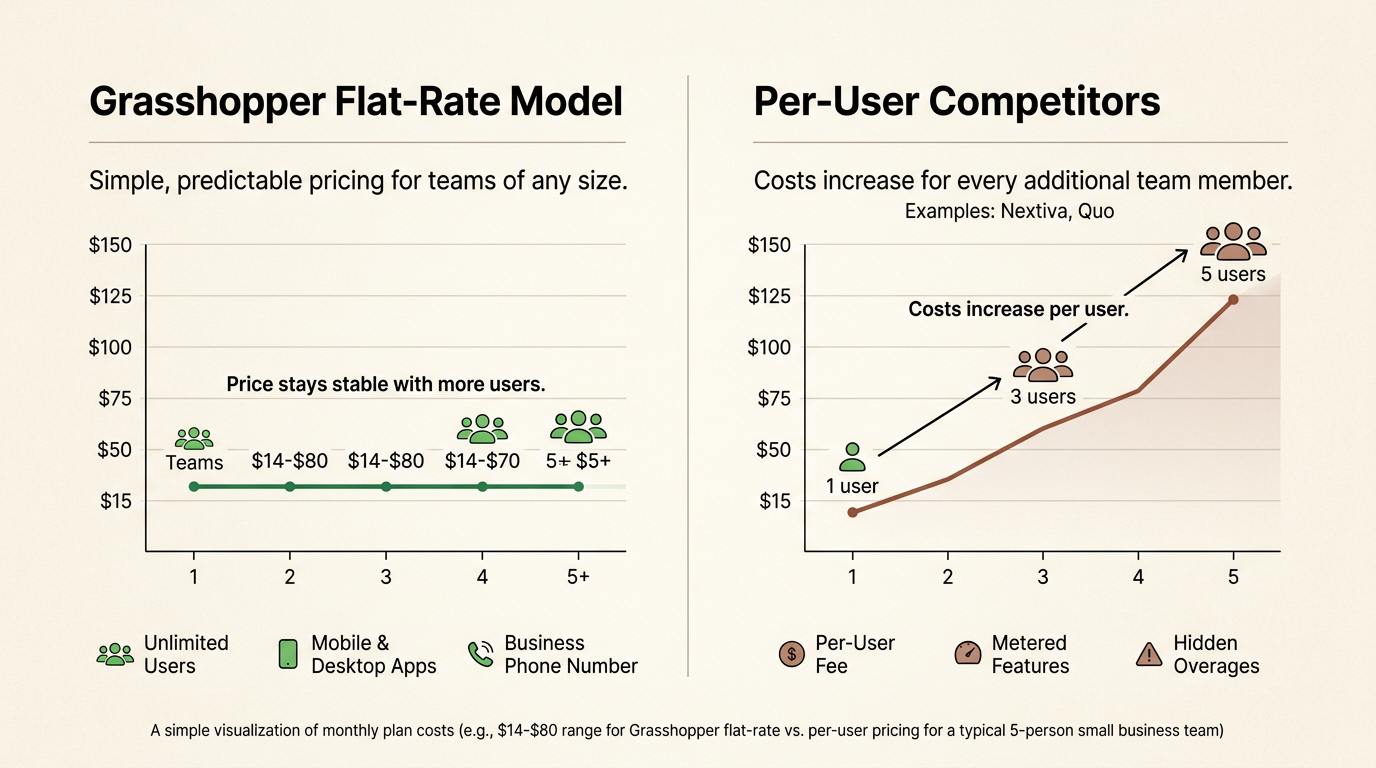
Nextiva wins on features: AI call summaries, native Salesforce and HubSpot connections, video conferencing, and shared team inboxes. However, for a team of five, Nextiva costs $75-125 per month versus Grasshopper's flat $25-80. If you do not need the advanced features, Grasshopper saves money.
Grasshopper vs Quo (formerly OpenPhone)
Quo starts at $15 per user monthly and includes AI features like call summaries and their Sona AI agent for automated call handling. The Business plan at $23 per user adds HubSpot and Salesforce integrations.
Quo offers a modern interface, shared numbers for team collaboration, and AI capabilities that Grasshopper lacks. For a team of three, Quo costs $45-69 monthly versus Grasshopper's $25. The price difference is smaller than with Nextiva, and Quo's modern features may justify the extra cost.
Grasshopper vs Google Voice
Google Voice offers a free personal tier with basic calling and texting. The business version requires Google Workspace ($6+ per user) plus Voice fees.
Google Voice is cheaper for individuals but lacks business features like auto-attendants, virtual fax, and professional greetings. Grasshopper is purpose-built for business use cases where Google Voice feels like a consumer tool adapted for work.
Choosing the right Grasshopper plan for your business
Your decision depends on team size, feature needs, and budget constraints.
Choose True Solo if: You are a freelancer or solopreneur who needs one business line. The $14 monthly cost is hard to beat for basic professional calling.
Choose Solo Plus if: You have a small team of 2-3 people and want predictable flat-rate pricing. The unlimited users at $25 monthly makes this Grasshopper's sweet spot for value.
Choose Small Business if: You need multiple phone numbers for different departments or locations, or you have a larger team that will use unlimited extensions.
Consider alternatives if: You need CRM integrations, AI features, international calling, video conferencing, or modern collaboration tools. The savings from Grasshopper's flat pricing diminish if you outgrow its capabilities and need to supplement with other tools.
Grasshopper offers a 7-day free trial with no credit card required. Test the features and interface before committing to ensure it meets your expectations.
Frequently Asked Questions
How much does Grasshopper pricing actually cost per month for a small team?
For a team of 3 on the Solo Plus plan, expect approximately $42-45 per month total. This includes the $25 base price, SMS registration ($1.50), taxes and fees ($7-10), and potentially one additional number ($9) if needed.
Is Grasshopper pricing cheaper than per-user alternatives?
It depends on team size. For teams of 2-5 people, Grasshopper's flat-rate pricing often beats per-user competitors. For solo users, the difference is minimal. For larger teams needing advanced features, per-user solutions like Nextiva or Quo may offer better value despite higher base prices.
Does Grasshopper pricing include international calling?
No. Grasshopper only includes unlimited calling within the US and Canada. International calling requires a $500 deposit and per-minute rates. If international calls are part of your business, consider alternatives like RingCentral or Nextiva that include global coverage.
What hidden fees should I expect with Grasshopper pricing?
Beyond the base price, budget for: SMS registration ($19 one-time + $1.50/month), additional numbers ($9/month each), additional extensions ($3-5/month each), taxes and regulatory fees ($5-10/month), and optional add-ons like professional greetings ($75) or live receptionist services ($160+).
Can I try Grasshopper before committing to the pricing?
Yes. Grasshopper offers a 7-day free trial with no credit card required. You can test all features and determine if the interface and capabilities meet your needs before paying.
How does Grasshopper pricing compare to Google Voice for business use?
Google Voice is cheaper (free for personal use, or $6+ per user for business through Workspace) but lacks professional features like auto-attendants, virtual fax, and custom greetings. Grasshopper is purpose-built for business and justifies its higher cost for professional use cases.