Your support team probably reviews 1-2% of customer calls. That's not a guess. According to Calabrio, most QA teams only listen to a tiny fraction of what happens on the phone. The other 98% disappears. No insights, no coaching, no idea why customers keep calling about the same product.
Phone support that pays for itself. Ringly answers your store’s calls and resolves at least 65% of them, backed by a guarantee. Book a call to see it run on your store.
Speech analytics software fixes that. It transcribes every call, tags the topics, scores agent performance, and flags problems before they snowball. With the market projected to hit $4.77 billion in 2026 (The Business Research Company), more teams are catching on.
We reviewed 10 speech analytics tools, compared real pricing where it's public, and broke down who each one actually fits. Whether you run a 5-person support team or a 500-seat contact center, there's an option here. For Shopify brands specifically, our top pick is Ringly.io, because it answers the calls and analyzes them in one done-for-you package instead of charging you for analytics on calls a human still has to take.
Top pick at a glance: Ringly.io
If you run a Shopify store, you don't need a separate $3,000-a-month analytics platform sitting on top of a phone team. Ringly.io is a done-for-you AI phone agent for Shopify brands that answers inbound calls, resolves about 73% of them on its own, and produces full call analysis on every conversation as part of the package. You get the transcripts, sentiment, and topic tagging that standalone speech analytics gives you, plus the calls actually get handled. It's trusted by 50+ Shopify brands, speaks 40+ languages, and goes live in 14 days. There's a Resolution Promise behind it: you only pay once it resolves at least 65% of your calls. We cover the full offer in the Ringly.io section below.
What is speech analytics software?
Speech analytics software uses AI to transcribe, analyze, and pull insights from phone conversations. Think of it as a layer on top of your call recordings that turns raw audio into structured data you can act on.
Here's how it works in practice:
- Speech-to-text transcription: Converts spoken words into text using automatic speech recognition (ASR).
- Natural language processing: Identifies topics, keywords, and phrases across every call.
- Sentiment detection: Flags frustration, satisfaction, or urgency based on tone and word choice.
- Topic categorization: Auto-tags calls by reason, like returns, WISMO calls, product questions, or complaints.
- Automated QA scoring: Grades agent performance without a human listening to every recording.
- Trend reporting: Surfaces patterns across hundreds or thousands of calls over time.
There are a few types. Post-call analytics reviews recordings after the fact and is good for coaching and trend analysis. Real-time analytics listens to live calls and gives agents guidance mid-conversation. Predictive analytics uses historical patterns to forecast outcomes like churn risk.
Companies using speech analytics report 20-30% cost savings and 10%+ improvements in customer satisfaction scores, according to industry research. That tracks when you consider the alternative: manually listening to calls one at a time.
Key features to look for in speech analytics software
Not all speech analytics tools are built the same. Some are full call center analytics platforms. Others focus narrowly on transcription or QA scoring. Here's what actually matters when you're comparing options.
- Transcription accuracy: This is the foundation. If the transcription is wrong, every insight downstream is unreliable. Look for 90%+ accuracy across different accents and languages. Some tools struggle with accents (Verint has 12 mentions of accuracy issues on G2 alone).
- Real-time vs. post-call: Real-time analytics gives agents live coaching during calls. Post-call gives you trend data and QA scoring after. Some platforms do both, but most are stronger at one.
- Sentiment analysis: Useful for flagging at-risk customers before they churn. Be realistic about accuracy though. No AI reads emotions perfectly, and many users report mixed results here.
- Integration with your stack: If it doesn't connect to your helpdesk, CRM, or e-commerce customer service platform, you'll spend weeks on custom integrations. Check before you buy.
- Automated QA scoring: The biggest time-saver. Instead of manually reviewing calls, the software scores them against your criteria. Essential for call center quality assurance at scale.
- Compliance monitoring: If your agents need to say certain things (disclosures, consent language), compliance flagging catches misses automatically.
- Actionable reporting: Dashboards are nice, but what matters is whether you can quickly find the "why" behind trends. The best tools let you drill down from a metric to the actual calls that drove it.
- Who takes the call: Most speech analytics tools assume a human is still on the phone. The cost of staffing that team dwarfs the analytics fee. The newest category answers and analyzes the call in one motion, which changes the math for smaller teams.
10 best speech analytics software tools compared
Here's a quick comparison before we get into the details.
| Tool | Best for | Starting price | G2 rating | Key strength |
|---|---|---|---|---|
| Ringly.io | E-commerce stores (Shopify) | By call (done-for-you) | N/A | Answers calls + built-in analytics |
| CallMiner | Enterprise root cause analysis | Custom | G2 Leader (10 quarters) | Deepest analytics depth |
| Observe.AI | Automated QA at scale | Custom | 4.6/5 (237 reviews) | 100% call scoring |
| Verint | Large enterprises (existing users) | Custom | 4.4/5 (88 reviews) | Mature WFO platform |
| Balto | Real-time agent assist | Custom | 4.8/5 (400+ reviews) | Live in-call guidance |
| Enthu.ai | Mid-size teams, easy setup | Custom | Positive (ease of use praised) | Fast implementation |
| Talkdesk | Full CCaaS with analytics | $85/user/mo | 4.4/5 | Built-in interaction analytics |
| Genesys | Complex enterprise routing | $75/user/mo | 4.3/5 (230+ reviews) | Flexible cloud platform |
| NICE CXone | Workforce optimization | $71/agent/mo | 4.3/5 | Comprehensive WFO suite |
| Sprinklr | Omnichannel analytics | $199/seat/mo | 4.3/5 | Voice + chat + social |
1. Ringly.io
Best for: Shopify brands that want AI phone support with call analytics built in, done for them
Ringly.io isn't a traditional speech analytics platform, and for most Shopify brands that's the point. It's a done-for-you AI phone agent that answers your customer calls 24/7, looks up orders in real time, processes returns, and answers product questions in 40+ languages. Full call analysis comes with it. Every call gets transcribed, scored for sentiment, and tagged by topic automatically.
For e-commerce teams, this collapses two budget lines into one. You get the phone support AND the insights without buying standalone speech analytics software that assumes a human is still answering the phone. It resolves about 73% of inbound calls without human intervention, and it's trusted by 50+ Shopify brands. One store recovered $22k in sales that would otherwise have been missed calls.
Ringly is set up for you and sold through a call rather than a self-serve signup, because the team configures it against your store, your products, and your return policy before it ever takes a live call. It goes live in 14 days.
The offer
- Done-for-you setup: The team builds and configures the agent against your Shopify catalog, order data, and policies. You don't assemble it yourself.
- Resolution Promise: You only pay once it resolves at least 65% of your calls. The risk of it not working sits with us, not you.
- Live in 14 days: A clear timeframe from call to a working agent answering real calls.
- Pricing: Quoted on the call based on your call volume, not a fixed self-serve plan.
What works
- Native Shopify integration: Pulls order data, processes returns, and checks inventory without custom dev work.
- All-in-one: Phone support, call analytics, and QA in a single tool. No separate speech analytics subscription.
- 73% resolution rate: Most calls handled without human agents, and every call still generates analytics.
- Trusted by 50+ Shopify brands: Built for e-commerce, not retrofitted from a generic contact center.
- Multilingual: 40+ languages out of the box, which matters if you sell internationally.
What doesn't
- E-commerce only: Built specifically for online stores. Not a fit for general business call centers.
- Not a standalone analytics platform: You get call insights as part of the AI agent. If you need pure analytics across a 200-person human team, look at CallMiner or Observe.AI.
Why it ranks 1st: If you're running a Shopify store, this is the fastest path to both AI phone support and call analytics, and the Resolution Promise means you don't pay until it actually works. You skip the $3,000+/month enterprise tools that only analyze calls a human still has to take.
2. CallMiner
Best for: Enterprise contact centers that need the deepest possible conversation analysis
CallMiner Eureka is the heavyweight of speech analytics. It analyzes voice, chat, email, and social interactions to find root causes behind customer issues, agent performance gaps, and compliance risks. It's been a G2 Leader in Speech Analytics for 10 consecutive quarters, and won a Top 50 spot in G2's 2025 Best Software Awards.
Pricing
Custom only. You'll need to contact sales. Pricing is either usage-based or seat-based, and it's clearly aimed at enterprise budgets.
What works
- Deepest analytics: Root cause analysis, trend detection, and cross-channel insight that other tools can't match.
- Cross-channel: Analyzes voice, chat, email, and social in one place.
- Compliance monitoring: Strong automated compliance flagging for regulated industries.
- Customization: Highly configurable scoring, categories, and reporting.
What doesn't
- Steep learning curve: New users consistently mention the complexity of getting started.
- Enterprise pricing: Not accessible for SMBs or smaller support teams.
- Implementation time: Expect a significant onboarding project, not a quick plug-and-play setup.
Why it ranks 2nd: If you have the budget and the team size to justify it, CallMiner gives you the deepest analytics available. But it's overkill for most small and mid-size teams.
3. Observe.AI
Best for: QA teams that want to auto-score 100% of calls
Observe.AI focuses on quality management. It transcribes every call with high accuracy, then auto-scores them against your QA criteria. G2 reviewers rate it 4.6/5 across 237 reviews, with 80% giving five stars. The coaching workflows are particularly strong, helping supervisors identify exactly where agents need help.
Pricing
Custom. Subscription-based, priced by features and usage. Multiple reviewers describe it as "more pricey than other tools" in the category.
What works
- High accuracy transcription: Consistently praised in reviews for getting transcripts right.
- Automated QA scoring: Scores 100% of calls against your criteria, no sampling needed.
- Coaching workflows: Connects analytics directly to agent development plans.
- Clean interface: Modern UI that's easier to navigate than legacy platforms.
What doesn't
- Premium pricing: Higher cost than many competitors, custom quotes only.
- Support gaps: Some reviewers mention slower response times from the support team.
- No public pricing: You have to talk to sales before you know what it costs.
Why it ranks 3rd: Best pure QA-focused speech analytics tool. If automated quality scoring is your top priority, Observe.AI delivers. Just be prepared for premium pricing.
4. Verint
Best for: Large enterprises already invested in Verint's workforce optimization suite
Verint Speech and Text Analytics is part of a broader workforce optimization platform. It's been in the market for years and handles large call volumes well. G2 reviewers give it 4.4/5 across 88 reviews, though with some notable complaints.
Pricing
Custom/enterprise. Requires the Verint platform. No public pricing.
What works
- Mature platform: Decades of development. Handles complex enterprise requirements.
- Volume handling: Built for large-scale contact centers processing millions of interactions.
- Workforce optimization: Analytics ties directly into scheduling, coaching, and performance management.
What doesn't
- Vendor lock-in: "Requires using the Verint call center platform for the entire suite to work," according to G2 reviewers. You can't easily use it standalone.
- Accuracy complaints: 12 mentions of inaccuracy on G2, plus accent recognition issues.
- Complex for new users: Steep learning curve without dedicated support.
Why it ranks 4th: Solid choice if you're already in the Verint ecosystem. But the vendor lock-in and accuracy issues make it hard to recommend for teams starting fresh.
5. Balto
Best for: Teams that want real-time guidance on live calls, not just post-call review
Balto sits in a different lane from the post-call tools above. Its AI listens to conversations as they happen and feeds agents live prompts, compliance reminders, and automatic QA scoring mid-call. That real-time layer is the draw: instead of learning a call went wrong after the fact, the agent gets nudged while there's still time to fix it. G2 reviewers rate it highly (4.8/5 across 400+ reviews), with the live coaching consistently called out as the standout feature.
Pricing
Custom. Quoted by seat and feature set. No public pricing.
What works
- Real-time agent assist: Live in-call prompts, the clearest differentiator in this list.
- Automatic QA: Scores calls without manual sampling.
- Fast adoption: Reviewers describe agents getting comfortable with the prompts quickly.
- Compliance prompts: Nudges agents to say required disclosures during the call.
What doesn't
- Live-agent dependent: The value is in guiding humans, so it does nothing for calls you'd rather automate away.
- No public pricing: Sales-led, custom quotes only.
- Prompt tuning: Getting the live prompts right takes some configuration up front.
Why it ranks 5th: The best choice if real-time coaching on human-handled calls is the goal. Less relevant if you're trying to reduce how many calls a human takes in the first place.
6. Enthu.ai
Best for: Mid-size teams wanting affordable, easy-to-implement speech analytics
Enthu.ai is the friendlier alternative to enterprise speech analytics tools. It focuses on AI-powered call QA and agent coaching, with a clean interface that users say you can "pick up in a few hours." G2 reviews consistently praise the low implementation cost and fast time-to-value.
Pricing
Custom pricing based on team size and needs. No free plan, but reviewers describe it as more affordable than enterprise competitors. Low implementation costs.
What works
- Fast implementation: Up and running quickly, unlike enterprise tools that take months.
- Auto-QA: "Scores 100% of calls, so we catch issues faster," per G2 reviewers.
- Clean UI: Intuitive interface that doesn't require a training program.
- Good transcription accuracy: Consistently praised by users.
What doesn't
- Missing advanced features: Lacks some analytics capabilities found in CallMiner or Verint (word cloud trends, detailed coaching metrics).
- Smaller ecosystem: Fewer integrations and a smaller user community than established players.
Why it ranks 6th: Best balance of affordability and capability for mid-size support teams. If enterprise tools feel like overkill, Enthu.ai is a smart starting point.
7. Talkdesk
Best for: Contact centers wanting speech analytics inside a full CCaaS platform
Talkdesk is a cloud contact center platform with interaction analytics built in. You get call transcription, topic detection, and sentiment analysis as part of the larger platform. G2 rating: 4.4/5. It's not a standalone analytics tool, but the analytics features are solid within the platform.
Pricing
| Plan | Price |
|---|---|
| Digital Essentials | $85/user/mo |
| Voice Essentials | $85/user/mo |
| Elite (omnichannel) | $145/user/mo |
| Industry Clouds | Up to $225/user/mo |
What works
- Built-in analytics: No separate purchase needed if you're already on Talkdesk.
- Good transcription: Call transcription quality is consistently mentioned as a strength.
- Unlimited historical data: Analytics retains data without time limits, good for long-term trends.
- Modern interface: Clean, user-friendly design.
What doesn't
- Not standalone: You're buying a full contact center platform, not just analytics.
- Per-agent pricing: Costs scale linearly with team size, which adds up fast.
- Advanced features require higher tiers: The best analytics features live in more expensive plans.
Why it ranks 7th: Good option if you need a full contact center platform and want analytics included. Not the right choice if you only want speech analytics.
8. Genesys
Best for: Enterprise contact centers with complex routing and analytics needs
Genesys Cloud CX is a major enterprise contact center platform with speech and text analytics. G2 reviewers give it 4.3/5 across 230+ reviews, with an 84% overall satisfaction rate. The platform is strong on flexibility and integrations, though its speech analytics features are still evolving.
Pricing
| Tier | Price |
|---|---|
| Genesys Cloud CX 1 (Voice) | $75/user/mo |
| Genesys Cloud CX 2 (Digital + Voice) | $115/user/mo |
| Genesys Cloud CX 3 (Full omnichannel) | $155/user/mo |
See our Genesys pricing breakdown.
What works
- Flexible platform: Strong integrations with third-party tools and custom setups.
- AI-driven insights: Good at surfacing agent performance trends and customer sentiment.
- Scalable: Handles enterprise-level call volumes without issues.
What doesn't
- Complex initial setup: "Setup and configuration can be complex, especially for new users," per G2 reviewers.
- Advanced features cost extra: Speech analytics capabilities improve at higher pricing tiers.
- Still evolving: Analytics is not as mature as dedicated tools like CallMiner.
Why it ranks 8th: Strong enterprise platform, but if speech analytics is your primary need, dedicated tools do it better. Best if you need analytics as part of a broader contact center upgrade.
9. NICE CXone
Best for: Large-scale workforce optimization with analytics built in
NICE CXone Mpower is an enterprise contact center platform with speech analytics, automated QA, and workforce management. G2 rating: 4.3/5. It offers the most pricing tiers of any tool on this list, starting at $71/agent/month.
Pricing
| Plan | Price |
|---|---|
| Digital Agent | $71/agent/mo |
| Essential Suite | $135/agent/mo |
| Premium | $160-220+/agent/mo |
Free trial available.
What works
- Comprehensive WFO: Speech analytics ties into workforce scheduling, QA, and coaching.
- Flexible pricing: More tiers than most competitors, so you can start smaller.
- Compliance tools: Strong compliance monitoring for regulated industries.
- Scale: Handles very large contact center operations.
What doesn't
- Complex implementation: Enterprise-grade platform that takes time to deploy.
- Premium features get expensive: The analytics you actually want live in higher tiers.
- Enterprise-oriented: Not designed for small teams or e-commerce stores.
Why it ranks 9th: Good enterprise WFO platform with solid analytics. But the complexity and cost structure make it a poor fit for most small and mid-size teams.
10. Sprinklr
Best for: Teams analyzing customer interactions across voice, chat, email, and social media
Sprinklr Service offers true omnichannel speech analytics. It doesn't just analyze calls, it pulls in chat, social media, and email interactions too. G2 rating: 4.3/5. The platform is powerful but expensive, with self-serve plans starting at $199/seat/month and enterprise contracts averaging around $129,000/year.
Pricing
Self-serve: $199/seat/month (annual prepayment required, so $2,388/year minimum). Enterprise: custom, starting at $35,000+/year.
What works
- True omnichannel: Analyze voice, chat, social, and email in one unified view.
- AI-powered insights: Strong reporting and trend detection across all channels.
- Social media integration: Best-in-class social analytics, which is unique in this list.
- Comprehensive reporting: Deep dashboards with drill-down capabilities.
What doesn't
- Very expensive: "Price is a bit high for small teams" is a common G2 complaint.
- Steep learning curve: Complex platform that takes significant time to master.
- Pricing opacity: Enterprise pricing requires demos and sales calls.
Why it ranks 10th: The most comprehensive omnichannel analytics tool. But the price and complexity are hard to justify unless you're a large team that truly needs to analyze every channel in one place.
How to choose the right speech analytics tool
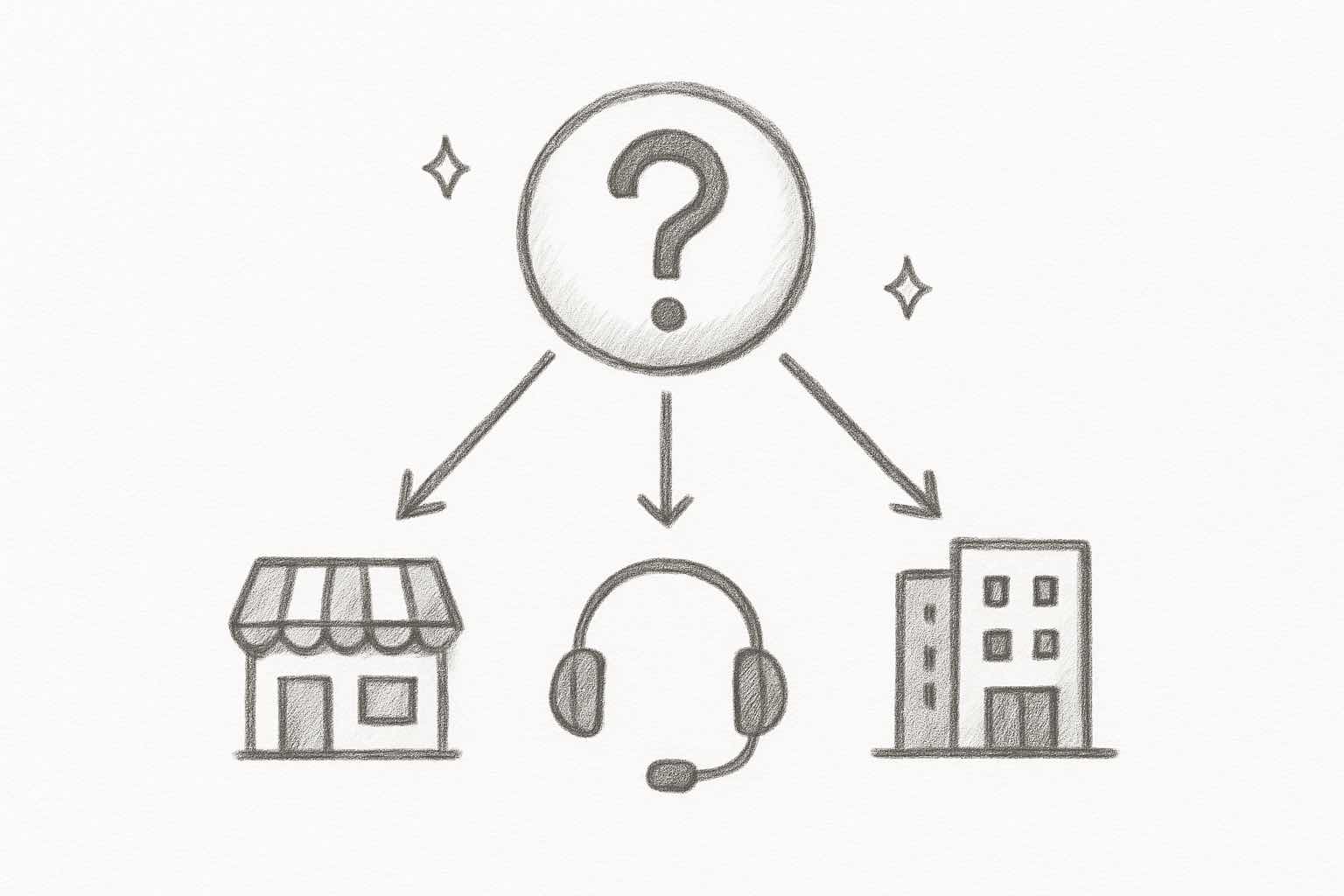
The right tool depends on your team size, budget, and what you're actually trying to accomplish. Here's a quick decision framework.
- Choose Ringly.io if: You run a Shopify store and want AI phone support plus call analytics without buying two separate tools, set up for you and backed by a Resolution Promise.
- Choose CallMiner if: You need the deepest conversation analysis across thousands of daily calls and have the enterprise budget for it.
- Choose Observe.AI if: Automated QA scoring at scale is your number one priority.
- Choose Verint if: You're already using Verint's workforce suite and want analytics integrated into what you have.
- Choose Balto if: You want real-time coaching that nudges live agents mid-call.
- Choose Enthu.ai if: You want affordable speech analytics without the complexity of enterprise tools.
- Choose Talkdesk or Genesys if: You need a full contact center platform with analytics built in.
- Choose NICE CXone if: You need enterprise workforce optimization with flexible pricing tiers.
- Choose Sprinklr if: You need omnichannel analytics across voice, chat, and social.
For most e-commerce teams, the question isn't "which enterprise speech analytics tool should I buy?" It's "do I even need standalone speech analytics?" If your call volume is under a few thousand calls per month, an AI voice agent that answers the calls and includes the analytics (like Ringly.io) usually makes more sense than a $3,000+/month enterprise platform layered on top of a human team.
Speech analytics use cases for e-commerce
Most speech analytics content focuses on traditional call centers. But e-commerce teams have specific use cases that are often overlooked.
- Reducing returns: Call analytics can reveal which products generate the most confusion calls. If the same product shows up in 40% of return-related calls, that's a signal to fix the product page, not just process the return. Understanding this improves your e-commerce returns management.
- Tracking WISMO calls: "Where is my order?" is the most common e-commerce call. Speech analytics quantifies exactly how many WISMO calls you get, which lets you invest in better order tracking to deflect them.
- Agent coaching at scale: Even with a small team, automated QA scoring catches issues faster than manual review. You can spot when agents struggle with specific product questions and train accordingly. This ties directly into first call resolution improvements.
- Customer sentiment monitoring: Track satisfaction trends over time. If sentiment drops after a product launch or policy change, you know immediately. This feeds into broader customer service KPIs.
- Compliance and script adherence: If your agents need to mention specific policies (return windows, warranty terms), speech analytics catches when they don't. Useful for maintaining consistent customer experience.
The AI customer service ROI data backs this up. Teams that act on call insights (not just collect them) see real improvements in cost, satisfaction, and retention.
Frequently asked questions
How much does speech analytics software cost?
It ranges widely. Enterprise tools like CallMiner, Observe.AI, and Verint use custom pricing that typically starts at $3,000-$10,000+ per month. Platform-based options like Talkdesk ($85/user/mo) and Genesys ($75/user/mo) charge per agent. For Shopify brands, Ringly.io is quoted by call volume on a call and includes analytics, since the same agent also answers the calls.
Can speech analytics work with a small support team?
Yes, but most tools are built for larger contact centers. For teams under 10 agents, look at Enthu.ai or Ringly.io, which are designed for smaller operations. Enterprise tools like NICE CXone and Verint are overkill for small teams.
What's the difference between speech analytics and conversation intelligence?
Speech analytics focuses specifically on voice calls, analyzing transcripts, sentiment, and compliance. Conversation intelligence is broader and includes chat, email, and sometimes video interactions. Tools like CallMiner and Sprinklr cover both, while others focus on voice only.
How accurate is AI-powered speech transcription?
Most modern tools hit 85-95% accuracy on clear audio in English. Accuracy drops with background noise, accents, and less common languages. Verint specifically has received G2 complaints about accent recognition. Always test with your actual call recordings before committing.
Do I need speech analytics if I already use an AI phone agent?
Not necessarily. AI phone agents like Ringly.io include call analysis as part of the package, with transcripts, sentiment scoring, and topic tagging built in. Standalone speech analytics makes more sense for large teams that use human agents for most calls.
What's the difference between real-time and post-call speech analytics?
Real-time analytics (like Balto) listens during the call and prompts the agent while they can still act on it. Post-call analytics (most tools here) reviews recordings afterward for coaching and trend analysis. Real-time is for guiding live humans; post-call is for spotting patterns. An AI phone agent like Ringly.io sidesteps the question for many calls by resolving them without a human on the line.
How long does it take to implement speech analytics software?
It depends on the tool. Ringly.io goes live in 14 days as a done-for-you setup. Enthu.ai can be live in hours. Enterprise platforms like CallMiner, Verint, and NICE CXone typically take weeks to months, involving custom configuration, integration work, and training.
Can speech analytics detect customer emotions accurately?
It's getting better but isn't perfect. Most tools detect broad sentiment (positive, negative, neutral) with reasonable accuracy. Detecting specific emotions like frustration or confusion is less reliable. Don't rely on sentiment scores alone, use them alongside call topics and outcomes for a fuller picture.
The bottom line
Speech analytics used to be an enterprise luxury. Now there are options at every price point, from $75/user/month CCaaS platforms to done-for-you AI phone agents that answer the calls and include the analytics.
The most important question isn't which tool has the most features. It's whether your team will actually use the insights, and whether you even need a human answering the calls those insights describe. A simpler tool that drives action beats a comprehensive platform that generates dashboards nobody looks at.
If you're an e-commerce brand on Shopify, Ringly.io gives you AI voice support and call analytics in one done-for-you package, resolving about 73% of calls on its own, with a Resolution Promise that means you only pay once it resolves at least 65% of your calls.