


The best AI voice agent platforms in 2026 include Retell AI, Vapi, and Synthflow for developers who build their own agents, plus Ringly.io for Shopify and DTC stores that want a done-for-you support line. Ringly is fully managed, Shopify-native, and billed per phone conversation, while Vapi and Retell are build-it-yourself.
The phone is making a comeback in customer service, but not the way you remember it. AI voice agents now handle millions of calls daily, answering questions, booking appointments, and resolving issues without human intervention.
But here's the problem: not all platforms are created equal. Some excel at natural conversation but lack integration depth. Others offer powerful APIs that require a PhD to implement. And a few promise the moon but charge enterprise prices for basic features.
We tested the leading platforms across real-world scenarios to find out which ones actually deliver. This guide breaks down the 7 best AI voice agent platforms for 2026, comparing them on latency, pricing, ease of use, and specific use cases.
Editor's note: Want to hear some sample AI support calls made for your Shopify store?
- Just paste your store URL
- Hear sample calls for your store (no email required)
- Listen to demo calls for my store

What are the best AI voice agent platforms in 2026?
An AI voice agent is software that uses speech recognition and generative AI to conduct live phone conversations. Unlike traditional interactive voice response (IVR) systems that force callers through rigid menu trees ("Press 1 for sales, press 2 for support"), AI voice agents understand natural language and respond conversationally.
The technology stack typically includes:
- Speech-to-text (STT): Converts caller speech into text the AI can process
- Large language model (LLM): Powers the conversation understanding and response generation
- Workflow logic: Handles business rules, data lookups, and action triggers
- Text-to-speech (TTS): Converts AI responses back into natural-sounding voice
Platforms generally fall into three categories. Autonomous agents handle complete conversations independently. Agent-assist tools provide real-time guidance to human agents. Hybrid models let AI handle routine inquiries while seamlessly escalating complex issues to humans.
How we evaluated these platforms
Our evaluation focused on criteria that matter in production environments. We made real test calls to measure latency (the delay between when someone stops talking and the AI responds). We reviewed pricing structures for transparency and hidden costs. We tested integrations with common CRM and helpdesk tools. And we assessed voice quality for naturalness and the ability to handle interruptions.
The platforms on this list represent different approaches to the same problem. Some prioritize developer flexibility. Others focus on no-code simplicity. A few target specific industries like e-commerce or healthcare. Each excels in different scenarios, which is why we organized this list by use case rather than declaring a single winner.
The 7 best AI voice agent platforms
1. Retell AI
Best for: Real-time phone calls and customer support teams
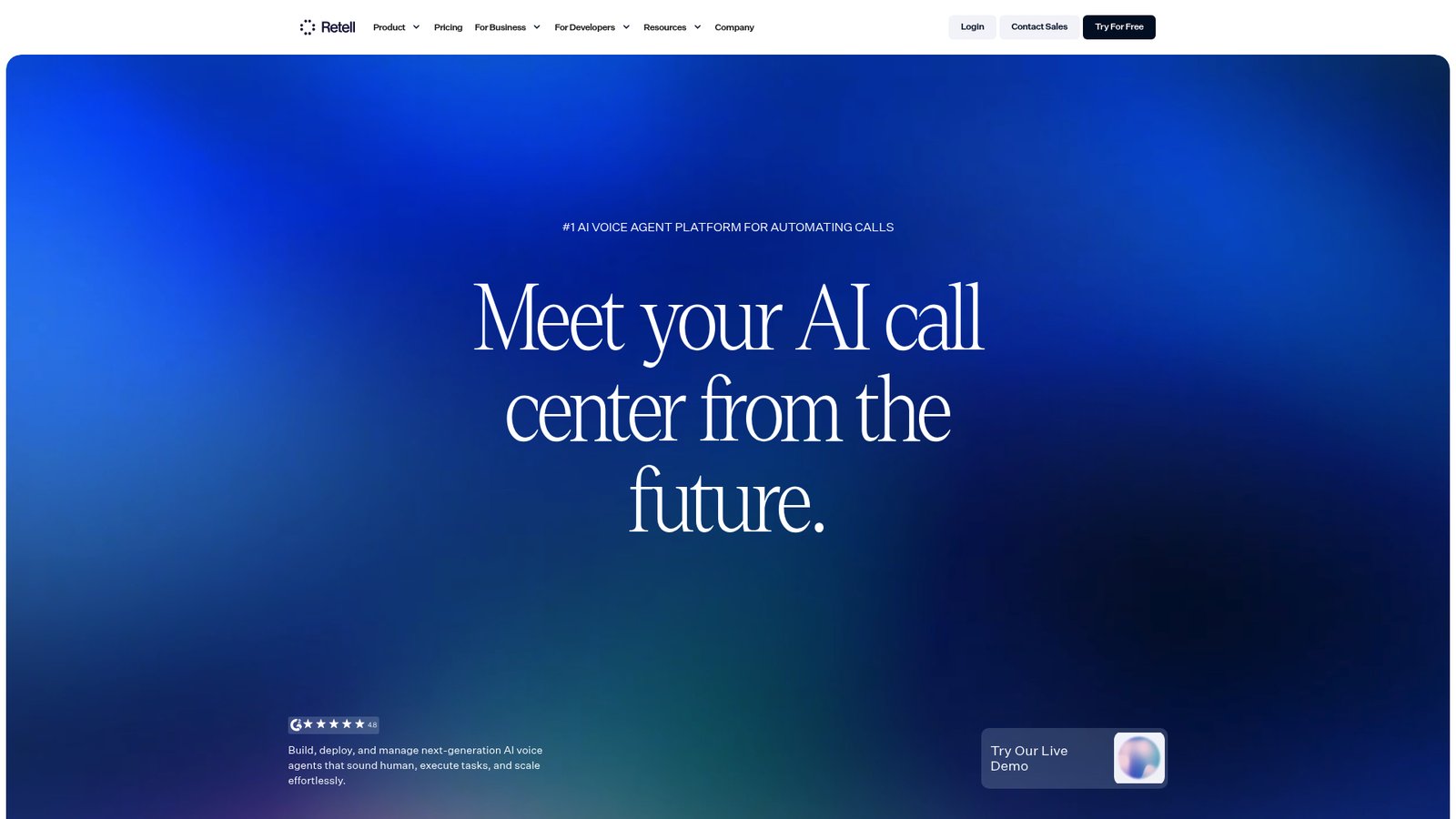
Retell AI positions itself as a complete AI call center platform with an emphasis on low latency and realistic conversation flow. The company claims ~600ms response times through proprietary voice AI orchestration, and independent benchmarks generally support this.
The platform offers both a visual drag-and-drop builder for non-technical users and deep API access for developers. You can choose from multiple LLM providers (GPT-4, Claude, Gemini) and voice options, giving flexibility in how your agents sound and think.
Key strengths include built-in simulation testing to validate agent behavior before going live, comprehensive analytics dashboards, and native integrations with HubSpot, Twilio, and n8n. The platform also supports omnichannel deployment across voice, chat, and SMS from a single agent configuration.
Pricing: Pay-as-you-go starts at $0.07 per minute with $10 in free credits to test. Phone numbers cost $2 per month. Enterprise plans offer volume discounts down to $0.05 per minute.
G2 Rating: 4.8/5 (612 reviews)
2. Synthflow
Best for: No-code deployment and agencies

Synthflow differentiates itself with in-house telephony infrastructure rather than relying on third-party providers like Twilio. This translates to sub-100ms latency and 99.99% uptime guarantees.
The visual flow designer is intuitive for building conversation paths, though complex logic can become challenging to debug. The platform shines for agencies and resellers with white-label options and a reseller toolkit available on higher-tier plans.
With 50+ languages supported and strong compliance certifications (SOC 2, HIPAA, GDPR, ISO 27001), Synthflow works well for healthcare, financial services, and international deployments.
Pricing: Pay-as-you-go with voice engine at $0.09 per minute and GPT-4.1 at $0.05 per minute. Enterprise plans start at 10,000 minutes per month with custom pricing.
G2 Rating: 4.5/5 (815 reviews)
3. Vapi
Best for: Developers needing maximum customization

Vapi is unapologetically built for developers. The platform has processed over 300 million calls and serves 500,000+ developers who want granular control over every aspect of their voice AI implementation.
The API-first approach lets you bring your own transcription, LLM, and text-to-speech models. This flexibility comes at the cost of complexity: you need technical expertise to get the most from Vapi. The platform offers automated testing tools to identify hallucination risks before production deployment, plus A/B testing capabilities to optimize prompts and voice selections.
Pricing: Pay-as-you-go at $0.05 per minute plus model provider costs. Includes $10 in free credits and 10 concurrent calls. Enterprise plans offer volume-based pricing and custom SLAs.
4. Bland AI
Best for: Enterprises needing extreme scale

Bland AI focuses on organizations that need to handle massive call volumes. The platform supports up to 1 million concurrent calls, making it suitable for large enterprises with high-throughput requirements.
The conversational pathways feature allows detailed control over dialog flows, and multi-region deployment options address data residency requirements. Bland offers omnichannel support across voice, SMS, and chat.
The trade-off is accessibility. Bland AI requires engineering involvement for implementation and does not publish pricing. This is strictly an enterprise solution, likely starting in the six-figure range annually.
5. Lindy
Best for: Automation across sales, support, and operations

Lindy positions itself as an AI work assistant rather than purely a voice agent platform. The system handles voice calls alongside email management, meeting scheduling, and calendar coordination.
Setup takes about 60 seconds according to the company, and the platform works through iMessage or SMS rather than requiring a separate app. Lindy learns your communication style over time to draft replies that sound like you.
The platform integrates with Gmail, Outlook, Google Calendar, Slack, and Notion. It's best suited for individual professionals and small teams rather than high-volume call centers.
Pricing: Plus plan at $49.99 per month, Pro at $59.99 per month. Enterprise plans offer team controls and SSO. All plans include a 7-day free trial.
6. PolyAI
Best for: Large enterprises with multilingual needs

PolyAI targets enterprise contact centers with pre-trained voice assistants for specific industries. The platform emphasizes "customer-led conversations" where callers speak naturally rather than adapting to the AI's limitations.
The Agent Studio allows building once and deploying across voice, chat, and SMS. Smart Analyst provides AI-powered conversation insights. PolyAI reports 80-87% call containment rates (calls resolved without human transfer) for enterprise clients.
Notable customers include PG&E, Fogo de Chão, and Zagrebačka banka. The platform supports complex multilingual deployments.
Pricing: Enterprise-only with custom contracts. Industry estimates suggest $150,000+ annually.
G2 Rating: 5/5 (11 reviews)
7. Ringly
Best for: E-commerce and Shopify stores
Ringly (that's us) built an AI phone support agent specifically for online retailers. Our platform, Seth, integrates natively with Shopify to look up orders, process returns, and answer product questions without human intervention.
The focus on e-commerce means Seth understands the specific workflows online stores deal with: "Where's my order?" inquiries, return policy questions, and product recommendations. Setup takes under an hour for most brands, and the platform resolves up to 90% of calls without human escalation.
Seth speaks 40 languages and escalates to your team when appropriate, either by transferring calls or emailing support issues. You can use your existing phone number or get a new one through the platform.
Pricing: Ringly charges per phone conversation (see Ringly's pricing). You can try it for free.
AI voice agent platform comparison

| Platform | Best For | Latency | Pricing |
|---|---|---|---|
| G2 Rating | Key Strength | Retell AI | Support teams |
| ~600ms | $0.07/min | 4.8/5 | Transparent pricing, fast setup |
| Synthflow | Agencies/SMBs | Sub-100ms | Usage-based |
| 4.5/5 | In-house telephony, visual builder | Vapi | Developers |
| Sub-500ms | Usage-based | N/A | Maximum customization |
| Bland AI | Enterprise scale | Robust | Custom |
| N/A | 1M concurrent calls | Lindy | Operations teams |
| Good | $50-$60/mo | N/A | Workflow automation |
| PolyAI | Multilingual enterprise | High | $150K+/yr |
| 5/5 | 80%+ containment | Ringly | E-commerce |
| Low | $99/mo for the first 50 conversations, then $1.99 per conversation | N/A | Shopify integration |
Choosing the right AI voice agent platform for your needs
Your choice depends on four factors: technical resources, call volume, integration requirements, and budget.
Developers with technical teams should evaluate Vapi or Retell AI. Vapi offers maximum flexibility for custom implementations. Retell provides a balance of developer control with business-user-friendly tools.
Non-technical teams will find Synthflow or Lindy more accessible. Synthflow's visual builder handles complex voice workflows without code. Lindy works best for smaller operations that need voice alongside email and calendar automation.
Enterprise organizations with high call volumes and strict compliance needs should consider PolyAI or Bland AI. PolyAI offers pre-trained industry assistants and proven multilingual capabilities. Bland handles extreme scale for the largest deployments.
E-commerce businesses using Shopify should look at Ringly. The platform is built specifically for online retail workflows and integrates directly with your store data.
Before committing to any platform, run a pilot. Most providers offer free credits or trial periods. Test with real calls, measure resolution rates, and verify integration compatibility with your existing tools.
Key features to prioritize in an AI voice agent platform

Latency matters more than you might think. Sub-second response times create natural conversation flow. Above 1 second, callers notice the delay and conversations feel robotic.
Voice quality affects caller experience significantly. Listen to samples from each platform. The best voices handle interruptions naturally and vary tone appropriately.
Integration capabilities determine whether the AI can actually help callers. At minimum, you need CRM connectivity to look up customer data. Deeper integrations with order management, scheduling, or payment systems unlock more use cases.
Compliance certifications are non-negotiable for healthcare, finance, and other regulated industries. Look for SOC 2, HIPAA, and GDPR compliance depending on your requirements.
Scalability ensures the platform handles peak volumes without degradation. Ask about concurrent call limits and how the system manages traffic spikes.
Start automating your phone calls today
AI voice agents have moved from experimental technology to production-ready tools that handle millions of calls daily. The right platform can reduce support costs, improve response times, and free your team to focus on complex issues that require human judgment.
For e-commerce businesses, we built Ringly to handle the specific challenges online retailers face. Seth integrates with your Shopify store, resolves most common inquiries automatically, and escalates appropriately when human help is needed. You can try it for free and see how AI phone support fits your business.
Whatever platform you choose, start small. Pick one use case, run a pilot, measure results, and expand from there. The technology works. The question is finding the right fit for your specific needs.
Murf is an AI voice agent platform for generating natural-sounding voices for customer support and outbound calls.
For more on ecommerce call center, cloudtalk.io has a helpful overview.
Frequently Asked Questions
How much does the best AI voice agent platform typically cost?
Pricing varies significantly by platform and usage. Developer-focused platforms like Vapi and Retell AI charge per minute (around $0.05-$0.07). No-code platforms like Synthflow use similar usage-based models. Enterprise solutions like PolyAI typically require annual contracts starting at $150,000. E-commerce-focused platforms like Ringly price per phone conversation (see Ringly's pricing).
Can I use an AI voice agent platform with my existing phone number?
Most platforms support number porting or forwarding. Retell AI, Synthflow, and Ringly all allow you to use existing numbers through SIP trunking or call forwarding. Some platforms also offer the option to purchase new numbers directly.
How long does it take to set up an AI voice agent platform?
Setup time ranges from under an hour to several weeks depending on complexity. Simple implementations on no-code platforms like Lindy or Ringly can go live in under an hour. Complex enterprise deployments with custom integrations may take 2-4 weeks. Developer-first platforms like Vapi require more setup time but offer greater customization.
What percentage of calls can an AI voice agent platform handle without human intervention?
Resolution rates vary by platform and use case. PolyAI reports 80-87% containment for enterprise clients. Ringly resolves up to 90% of e-commerce calls. Retell AI and Synthflow typically see 60-70% resolution for well-configured agents handling routine inquiries. Complex or emotional issues generally require human escalation.
Do AI voice agent platforms support multiple languages?
Yes, most modern platforms support multilingual deployments. Vapi offers 100+ languages. Synthflow supports 50+. Ringly handles 40 languages. PolyAI specializes in complex multilingual enterprise deployments. Language support quality varies, so test with native speakers for critical use cases.
Want to see the latest data? Read our 47 voice AI statistics for 2026.



