


Your customers expect a response in under an hour. Most companies take twelve. That's not a small gap. It's the difference between keeping a customer and losing them to a competitor who picks up faster.
According to a SuperOffice study of 1,000 companies, 62% of businesses don't even respond to customer service emails. The average response time for the ones that do? 12 hours and 10 minutes. Meanwhile, 89% of customers expect a reply within one hour.
If you run an online store, those numbers should worry you. This guide breaks down the exact customer service response time benchmarks you should be hitting in 2026, split by channel and industry, so you can see exactly where you stand and where you're falling behind.
Hear what AI support calls sound like for your store. Just paste your Shopify URL and get sample calls in under 20 seconds, no email required. Listen to demo calls for my store.
What is customer service response time?
Customer service response time (also called first response time or FRT) measures how long it takes your team to send the first reply after a customer reaches out. It's not the same as resolution time, which tracks how long it takes to fully solve the problem.
Here's how the three main metrics differ:
- First response time (FRT): time between the customer's initial message and your first reply
- Handle time: total time an agent spends actively working on a ticket
- Resolution time: time from first contact to full problem resolution
FRT matters more than most people think. A Zendesk CX Trends 2026 report found that 63% of customers rank speed of response as the number one factor in a support experience, ahead of speed of resolution (57%) and channel availability (49%).
The formula is simple:
Average FRT = sum of all first response times / total number of tickets
So if you handled 100 tickets this week and the total first response time adds up to 200 hours, your average FRT is 2 hours. Most helpdesk tools track this automatically.
Customer service response time benchmarks by channel
Not all channels are created equal. A customer waiting 4 hours for an email reply might be fine with that. The same customer waiting 4 hours for a live chat response will be long gone.
Here are the 2026 benchmarks for each channel, based on data from Zendesk, Freshworks, and HubSpot.
Email response time benchmarks
Email is still the most common support channel for ecommerce businesses. It's also where the gap between expectations and reality is biggest.
| Metric | Benchmark |
|---|---|
| Customer expectation | Under 1 hour |
| Best-in-class | Under 1 hour |
| Good | Under 4 hours |
| Industry average | 12 hours 10 minutes |
The business impact is clear. Sub-one-hour email responses achieve 71% customer retention, compared to just 48% for responses that take 24 hours. That's a 23-percentage-point retention gap based on response speed alone.
And yet, 90% of companies don't even acknowledge receiving the email. A simple auto-reply that says "we got your message, we'll be back within 2 hours" would already put you ahead of most competitors.
Live chat response time benchmarks
Live chat has the tightest response time expectations of any channel. Customers who open a chat widget expect near-instant replies.
| Metric | Benchmark |
|---|---|
| Customer expectation | Under 30 seconds |
| Best-in-class | 5-10 seconds |
| Good | Under 40 seconds |
| Industry average | ~2 minutes |
According to live chat performance data, customer satisfaction peaks at 84.7% when the first response arrives within 5 to 10 seconds. Once wait times hit 3 to 5 minutes, abandonment rates spike.
If you're offering live chat, staff it properly or use a chatbot for the initial response. An unattended chat widget is worse than not having one at all.
Phone response time benchmarks
Phone support uses the classic 80/20 rule: 80% of calls answered within 20 seconds. The target average speed of answer (ASA) is 28 seconds or less.
| Metric | Benchmark |
|---|---|
| Industry standard (80/20) | 80% of calls in 20 seconds |
| Target ASA | Under 28 seconds |
| Healthcare/finance | Under 2 minutes |
| AI phone agents | Instant (0 seconds) |
Phone is the channel where AI is making the biggest impact. Traditional call centers struggle with hold times, especially during peak hours and after business hours. AI phone agents like Ringly.io answer every call instantly, 24/7, in 40 languages, and resolve about 73% of calls without needing a human.
For ecommerce stores dealing with WISMO calls, order status inquiries, and return requests, an AI phone agent eliminates response time as a metric entirely. The answer is always instant. See how it works for your store.
Social media response time benchmarks
Social media sits somewhere between email and chat in terms of urgency. Customers expect faster replies than email but understand it won't be instant.
| Metric | Benchmark |
|---|---|
| Customer expectation | Under 60 minutes |
| Best-in-class | Under 15 minutes |
| Good | Under 1 hour |
| Industry average | 4-5 hours |
78% of customers who complain on Twitter expect a response within 1 hour. Top brands hit 15 minutes. Most companies average 4 to 5 hours, which means there's a massive opportunity to stand out by simply being faster on social.
SMS and messaging response time benchmarks
SMS and messaging apps (WhatsApp, Facebook Messenger) have the fastest expectations after live chat. These channels feel personal and immediate.
| Metric | Benchmark |
|---|---|
| Customer expectation | Under 5 minutes |
| Best-in-class | Under 1 minute |
| Good | Under 5 minutes |
| Industry average | ~10 minutes |
If you're using SMS or WhatsApp for customer support, treat it like chat. Slow replies on messaging apps feel worse than slow emails because the channel implies speed.
Quick reference: benchmarks at a glance
| Channel | Expectation | Best-in-class | Average |
|---|---|---|---|
| Under 1 hour | Under 1 hour | 12 hours | |
| Live chat | Under 30 sec | 5-10 seconds | 2 minutes |
| Phone | Under 20 sec | Instant (AI) | 28 seconds |
| Social media | Under 60 min | 15 minutes | 4-5 hours |
| SMS/messaging | Under 5 min | Under 1 min | 10 minutes |
Response time benchmarks by industry
Your industry matters. An ecommerce customer checking on a $50 order has different patience than a B2B SaaS buyer waiting on a feature question.
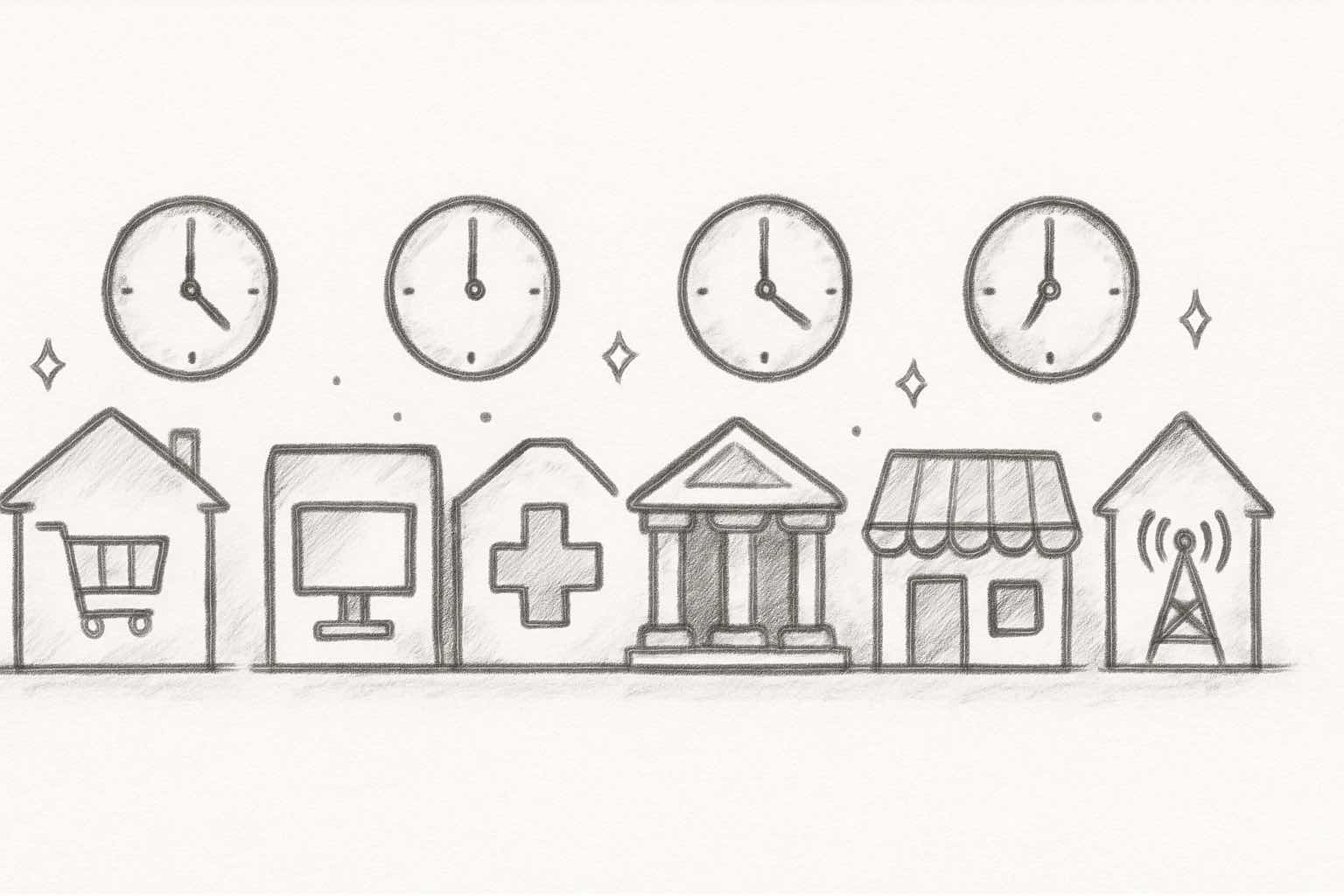
Here's how benchmarks break down by sector, based on data from Freshworks' 2025 Customer Service Benchmark Report and industry analysis:
| Industry | Email FRT | Chat FRT | Phone ASA |
|---|---|---|---|
| Ecommerce | 1-2 hours | 12-30 seconds | Under 20 seconds |
| B2B SaaS | 4-6 hours | Under 40 seconds | Under 2 minutes |
| Healthcare | 4-8 hours | Under 60 seconds | Under 2 minutes |
| Financial services | Under 4 hours | Under 30 seconds | Under 20 seconds |
| Retail (in-store + online) | 2-4 hours | Under 40 seconds | Under 30 seconds |
| Telecom | 4-8 hours | Under 60 seconds | Under 2 minutes |
A few things stand out:
- Ecommerce has the tightest email benchmarks. The Amazon effect is real. Online shoppers have been trained to expect near-instant communication, and that expectation carries over to every store they buy from.
- Financial services and ecommerce lead on phone. Both deal with high-urgency, high-value interactions where waiting on hold feels unacceptable.
- B2B SaaS gets the most breathing room. Business buyers understand that complex technical questions take time. But enterprise accounts still expect under 1 hour.
If you're running a Shopify store, you're competing against the tightest benchmarks in the table. That's the reality of selling directly to consumers.
What customers actually expect (and why it matters)
The benchmarks above tell you what high-performing companies achieve. But what do customers themselves expect? The gap between reality and expectations is where loyalty is won or lost.
Here are the numbers, from the Zendesk CX Trends 2026 report and HubSpot's State of Service data:
- 88% of customers expect faster responses than they did just one year ago
- 90% say an "immediate" response is essential or very important
- 60% define "immediate" as 10 minutes or less
- 74% expect support to be available 24/7
- 53% say waiting too long for replies is the single most frustrating part of interacting with a business
That last point is worth sitting with. More than half of your customers say slow responses are their biggest frustration. Not product issues. Not pricing. Response speed.
And expectations are only moving in one direction. The Zendesk report notes that "instant resolution is replacing response time" as the metric that matters. It's not enough to respond quickly anymore. Customers want the problem solved on the first contact.
For ecommerce customer support specifically, the bar is especially high. Online shoppers compare every experience to Amazon, whether that's fair or not. If your competitor answers in 10 minutes and you take 6 hours, you've already lost.
The real cost of slow response times
Slow responses don't just annoy customers. They cost you money. Here's what the data shows:
- 52% of customers stop purchasing from a company after a slow support experience
- Every minute of delay costs roughly 10% in conversions
- Sub-1-hour email responses achieve 71% retention vs. 48% for 24-hour responses
- 35-50% of sales go to whoever responds first
- 85% of CX leaders say a single unresolved issue is enough to lose a customer
The financial impact compounds. According to Freshworks' AI ROI research, companies that prioritize fast response times grow revenue 41% faster than their competitors. Businesses that invest in customer service outperform their market by 4 to 8 percentage points.
And the inverse is brutal. Customers who experience one poor support interaction are 50% more likely to churn within 6 months. For a Shopify store with meaningful revenue, even losing a handful of customers to slow support each month can wipe out your growth.
The math is simple. Responding faster is cheaper than acquiring new customers to replace the ones you lost. Every missed call is a missed opportunity.
How to improve your customer service response time
Knowing the benchmarks is only useful if you can actually hit them. Here are five strategies that move the needle, ranked by impact.
Set clear response time targets by channel
Start by defining your SLAs based on the benchmark tables above. Don't try to be best-in-class on every channel at once. Pick the channels your customers use most and nail those first.
A simple starting framework:
- Email: respond within 2 hours during business hours
- Chat: respond within 30 seconds (or use a bot)
- Phone: answer within 20 seconds (or use an AI agent)
- Social: respond within 1 hour during business hours
Track these weekly using your helpdesk dashboard. If you're consistently missing a target, that channel needs more resources or automation.
Use auto-replies and acknowledgments
This is the easiest win. 90% of companies don't even acknowledge receiving a customer email. A simple auto-reply that says "We got your message and will respond within 2 hours" immediately reduces anxiety and buys your team time.
Auto-replies work on every channel:
- Email: instant acknowledgment with expected response time
- Chat: greeting message while routing to an agent
- Social: automated DM response on Facebook/Instagram
- Phone: AI voicemail greeting that confirms the call was received
Implement smart routing and prioritization
Not every ticket deserves the same urgency. Build a triage system that routes based on:
- Customer value: VIP customers get faster responses
- Issue urgency: order problems before general questions
- Channel: chat and phone before email
- Skills: route technical questions to technical agents
One Peak Support case study showed that implementing VIP queues reduced response time to a 1-hour average for top customers. Smart routing alone can cut your average FRT by 30-40%.
Add AI to handle routine inquiries
This is where the biggest improvement happens. According to Freshworks' 2025 benchmark report, AI-powered support reduced average first response time from over 6 hours to under 4 minutes. That's a 55% reduction.
Here's what AI can handle without any human involvement:
- Order status checks: "Where is my order?" handled instantly via order tracking integration
- Return requests: policy lookup and initiation automated
- Product questions: answered from your knowledge base
- Business hours inquiries: store hours, shipping times, return windows
For phone support specifically, AI phone agents are the most impactful upgrade. Instead of hiring after-hours staff or sending calls to voicemail, tools like Ringly.io answer every call instantly, look up orders in real time, and resolve about 73% of issues without human help. Try it free for 14 days and see the impact on your response metrics.
Staff for peak hours, not averages
Most ecommerce support volume clusters between 9am and 6pm, with a second spike on weekends. If you staff based on daily averages, you'll be understaffed during peaks and overstaffed during slow periods.
Look at your ticket volume by hour and day. Then adjust schedules accordingly. For after-hours coverage, AI agents or outsourced teams can fill the gap without full-time hires.
How to calculate first response time
If you want to track FRT manually (most helpdesk tools do this automatically), here's the formula:
FRT = timestamp of first agent response - timestamp of customer inquiry
Average FRT = total FRT across all tickets / number of tickets
For example: if a customer emails at 9:00 AM and your agent replies at 9:45 AM, the FRT is 45 minutes.
A few things to consider when tracking:
- Exclude auto-replies: most teams don't count automated acknowledgments as a "first response"
- Filter out-of-hours tickets: a ticket submitted at 11 PM shouldn't count against your daytime FRT (this is debatable, but common)
- Segment by channel: your email FRT and chat FRT should be tracked separately since the benchmarks are completely different
For a deeper look at the metrics that matter, see our guide on customer service KPIs for ecommerce.
Response time vs resolution time: which matters more?
Both matter, but they measure different things.
Response time shapes perception. It tells the customer "we see you, we're on it." A fast first response builds trust even before the problem is solved.
Resolution time shapes outcomes. It measures whether the customer's problem actually got fixed. A fast response followed by days of back-and-forth isn't good support.
The Zendesk 2026 report frames it well: first-contact resolution is now considered essential. Customers don't just want a quick acknowledgment. They want the issue handled in one interaction.
The ideal combination? Fast response AND first-contact resolution. That's exactly what AI excels at for routine inquiries. An AI agent can respond instantly and resolve common questions (order status, return policies, shipping times) in the same interaction, no handoff needed.
For complex issues that require human judgment, a fast first response with a clear timeline ("I'm looking into this and will have an answer within 2 hours") is the best approach.
Ready to see what instant phone support looks like? Start your free Ringly.io trial. Setup takes about three minutes.
Frequently asked questions
What is a good customer service response time?
It depends on the channel. For email, under 1 hour is excellent and under 4 hours is good. For live chat, under 40 seconds. For phone, 80% of calls answered within 20 seconds. The key is matching or beating your industry's benchmark, not hitting a universal number.
How fast should you respond to a customer email?
Aim for under 1 hour during business hours. The industry average is 12 hours, but 89% of customers expect a reply within 60 minutes. Even if you can't solve the issue immediately, acknowledge the email quickly and set a timeline for resolution.
What is the 80/20 rule in customer service?
The 80/20 rule is a call center benchmark that says 80% of incoming calls should be answered within 20 seconds. It's one of the oldest and most widely used phone support standards. Modern AI phone agents make this obsolete by answering 100% of calls instantly.
How does response time affect customer satisfaction?
Dramatically. Customer experience research shows that 52% of customers stop buying from a company after a slow support experience. Sub-one-hour email responses achieve 71% retention compared to 48% for 24-hour responses. Speed is the number one factor for 63% of customers.
What is the average response time for ecommerce customer service?
For email, the ecommerce average is 4 to 6 hours among higher-performing teams, though the cross-industry average sits at 12 hours. For live chat, top ecommerce brands respond in 12 to 30 seconds. For phone, the target is under 20 seconds.
Can AI improve customer service response times?
Yes, significantly. Freshworks' 2025 benchmark report found that AI reduced average first response time from over 6 hours to under 4 minutes. For phone support, AI voice agents answer calls instantly with zero wait time, 24/7. About 92% of CRM leaders say AI has improved their response times.
What is first response time vs average response time?
First response time (FRT) measures the delay before your first reply to a customer. Average response time includes all subsequent replies throughout the conversation. FRT is the more important metric because it shapes the customer's first impression. Most customer service benchmarks focus on FRT.
How do you set response time SLAs?
Start with the channel benchmarks in this guide and adjust for your industry. Define target times for each channel (email: 2 hours, chat: 30 seconds, phone: 20 seconds). Build in escalation rules for when SLAs are breached. Review performance weekly and adjust targets as your team improves. See our full guide on ecommerce customer service SLAs.
The bottom line
The gap between what customers expect and what most companies deliver is still enormous. That's bad news for slow responders, and a massive opportunity for everyone else.
You don't need to be best-in-class on every channel tomorrow. Start with the channels your customers use most, set clear targets based on the benchmarks above, and invest in automation for the repetitive stuff.
The trend is clear: AI is making instant response the new baseline, especially for phone and chat. Companies that adopt it early are already seeing 55% faster response times and 41% faster revenue growth. The companies that don't will keep watching customers leave for competitors who pick up the phone.
Try Ringly.io free for 14 days and get AI answering your calls in under three minutes.



