


The best AI tools for ecommerce are the ones that do one job in your store well. Sort tools by job (support, marketing, analytics, personalization, operations), start in the channel where customers already contact you, and add the next tool only when the first one is working.
Hear what AI support calls sound like for your store. Just paste your Shopify URL and get sample calls in under 20 seconds, no email required. Listen to demo calls for my store.
What counts as an AI tool for ecommerce (and what does not)
An AI tool for ecommerce does a specific job in your store using AI: answering a customer, writing a campaign, reading your performance data, or recommending products. If it connects to your store data and takes over a repeatable task, it counts.
A feature label does not count. Ask what the tool does without a person clicking, and what it needs from your store to do it.
Three quick tests help when you're reading a vendor page:
- Does it act without a click? A tool that only waits for you to press a button is closer to a template library.
- Does it read your store data? If it can't see orders, products or policies, its answers will be generic.
- Can you see its work? You should be able to read what it said or produced, and correct it.
A demo shows the best case, so ask to see a real, messy example too.
Ecommerce tools in general are the apps that run a store: your platform, helpdesk, email, shipping and analytics. AI tools are the subset that decide or generate something instead of just storing or sending it.
How AI is used in online shopping today
AI shows up on both sides of the purchase. On the shopper side, 52% of U.S. consumers now plan to use generative AI to guide what they purchase, according to Yotpo. Shopify describes the far end of this as agentic commerce, where AI agents research products, compare options and complete purchases on a shopper's behalf.
On the store side, around 55% of businesses reported using AI in 2023 and 72% in 2024, per a McKinsey report cited by Tapcart, and that source says ecommerce brands are leading the charge.
The money is following. Saras Analytics reports the global AI-in-eCommerce market reached $7.25 billion in 2024 and is projected to hit $64 billion by 2034.
The main categories of AI tools for a Shopify store
Here's how the tools split by job:
- Customer support: answers order, return and product questions across chat, email and phone. See our AI customer service tools comparison.
- Marketing and content: our AI marketing tools guide covers the options.
- Analytics: pulls data into one view. Polar Analytics, for example, centralizes ecommerce performance data into AI-assisted dashboards from Shopify, ad platforms and email tools.
- Personalization: changes what a visitor sees. We list the Shopify personalization options separately.
- Operations and automation: handles repeatable back-office work. Start with our ecommerce automation roundup.
You rarely need every category. Pick the ones that match a problem you can name today.
AI tool categories compared
| Category | The job | What it needs from your store | Who usually owns it |
|---|---|---|---|
| Customer support | Resolve customer questions | Orders, products, policies | Founder or head of CX |
| Marketing and content | Draft campaigns and content | Product and brand information | Depends on your team |
| Analytics | Pull performance data into one view | Shopify, ad platform and email data | Depends on your team |
Use the table as a filter. Read down the "who usually owns it" column and ask whether that person has time to review the tool's output every week.
Why customer support is the practical place to start
Customers already reach you there, whether or not you have a tool. Gorgias reports that 96% of brands using conversational AI deploy it for customer support, as cited by Saras Analytics.
In support, you can read the calls and tickets, see what was resolved, and see what was not. Reading a week of real conversations tells you more than any feature list, because you see the exact wording customers use.
Keep people for the cases that need judgment: upset customers, unusual orders, anything outside your policy. A good tool makes that handoff clean instead of hiding it. If you want the chat side first, our AI chatbot buyer guide and order support comparison go deeper.
Phone support: a channel to check
Phone is a channel worth checking when you compare AI tools, since a tool built for chat or email may not answer calls.
If you have no phone line, check whether callers are going unanswered. A phone line also catches shoppers who would rather talk than type, so count the calls you miss as well as the ones you answer. If you do have one, look at which questions repeat most in your call log.
Whichever channel you pick, the test is the same: does the tool answer from your real order data and policies, or from a generic script?
How to avoid a bloated stack: integration and data questions to ask before you buy
The risk with AI tools is not choosing a bad one. It's choosing six. Add one tool at a time, and give it enough real traffic to judge before you add another. The 2025 State of Your Stack survey from MarTech found that 62.1% of marketers use more tools than two years ago, and 65.7% cite data integration as their top challenge, per Saras Analytics.
Before you buy, ask:
- What data does it need? Does it read Shopify directly or need an export?
- Where do results land? Does it write to your helpdesk or create a new dashboard to check?
- What overlaps? Does it duplicate something your current apps already do?
- Who reviews its work? Someone has to own the output.
- Can you turn it off? Look for a clear off switch and a clean exit.
A few red flags in a pitch are worth catching early:
- Vague results: ask how the vendor counts a resolved conversation.
- No clear handoff: you need to know what happens when the tool can't help.
- Unpredictable pricing: you should be able to estimate next month's bill.
How to pick your first AI tool and what to check in a pilot
Pick the job where customers already reach you and where the answers are repeatable. If that job is answering customer questions, start with support. Pick one channel, one tool, one owner.
Before the pilot starts, write down what you expect: which questions the tool should handle, which it should pass to a person, and what a bad answer looks like. That gives you something to compare the transcripts against.
Then run a short pilot and check:
- Real conversations: read the transcripts as well as the dashboard totals.
- Resolved versus handed off: see how many conversations ended without a person, and how clean the handoff was.
- Wrong answers: note where the tool guessed, and whether you can fix it quickly.
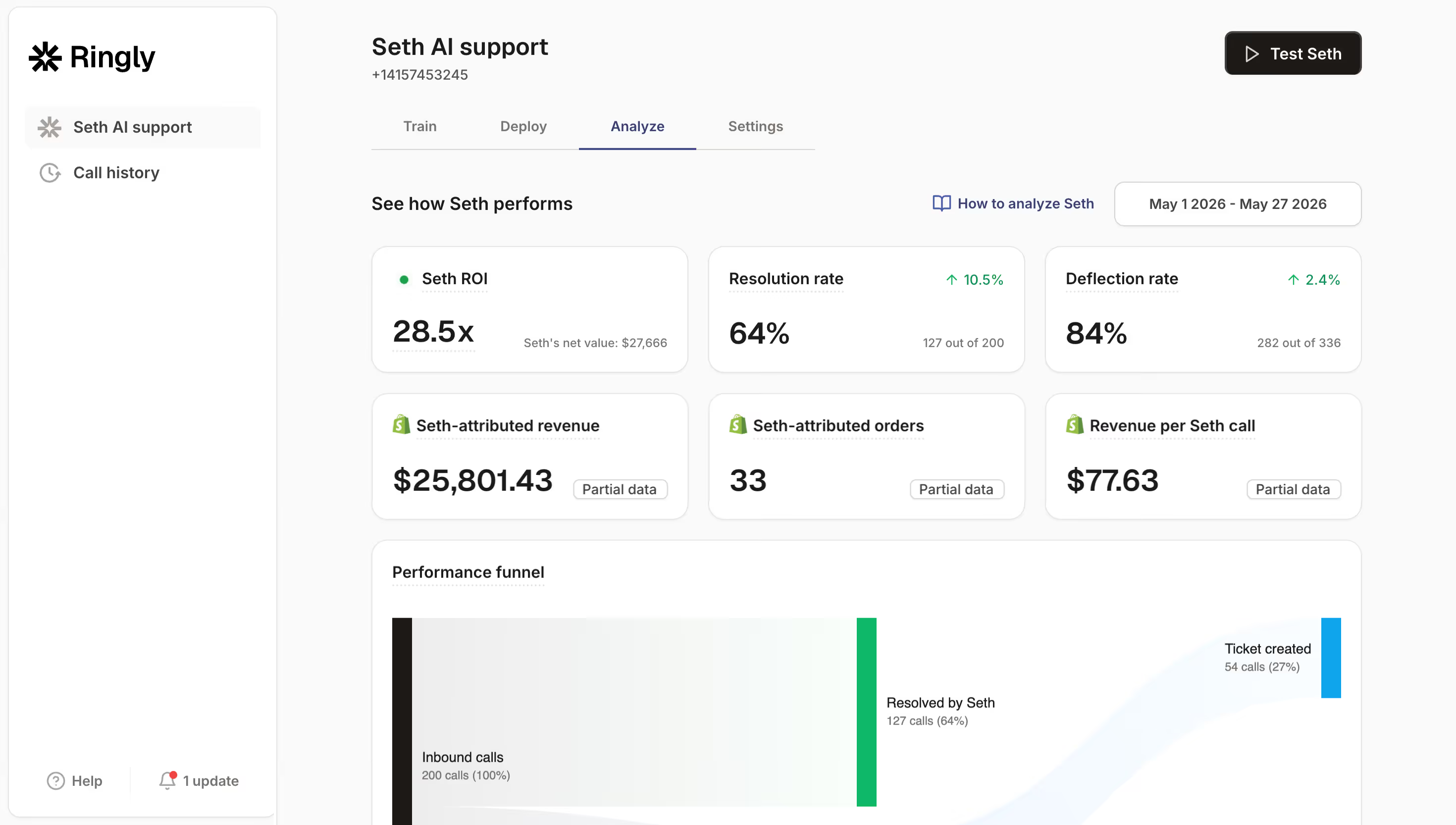
- Revenue signals: if the tool reports attributed orders, treat it as correlation, not proof.
- Setup effort: how much of your week it took to get working.
Keep a simple log during the pilot: the date, the question, what the tool said, and whether you would have answered it the same way. A page of notes is enough to show a pattern.
If the first tool earns its place, add the next job. If not, you've learned that cheaply.
Give the pilot a fixed end date and decide in advance what result keeps the tool. Without that, a tool that is merely okay can sit in your stack for months.
How Ringly.io handles phone support
Ringly.io is AI phone support for Shopify brands. Its AI phone agent, Seth, matches the caller to a Shopify customer, looks up orders, and requests returns or cancels unfulfilled orders during the call.
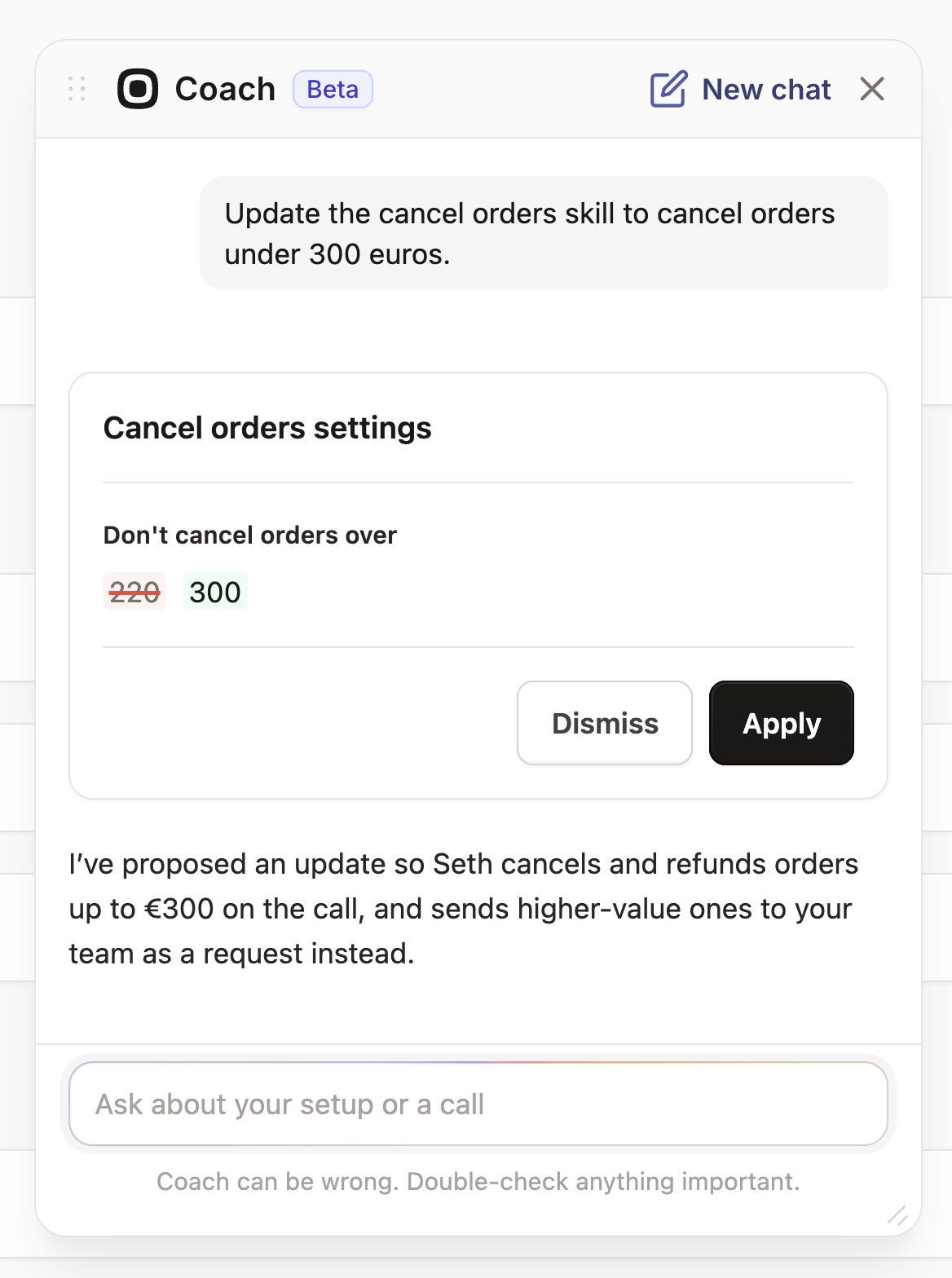
AI Coach is a chat assistant inside the dashboard. It reads your settings and real calls, tells you what to fix first, and makes most of those changes once you press Apply on each card. It is in beta, so you read each card before applying it.
On integrations, Seth works with Shopify, Twilio numbers and TrackingMore for parcel tracking. With Gorgias, calls land as tickets with a summary and transcript, and Zendesk works similarly. Custom skills can call your own API.
Seth answers product and policy questions from your website, documents and synced Shopify catalog, and you can test changes by typing in Try Seth before a real call. Ringly.io charges per phone conversation, and the details are on the pricing page.
Frequently asked questions
What are the best AI tools for ecommerce?
It depends on the job. Pick one per category you actually need: support, marketing, analytics, personalization or operations. Start with the one closest to where customers already contact you.
How many AI tools does a Shopify store need?
Start with one. One tool in the channel where customers reach you, with a named owner, beats several tools nobody reviews. Add the next one only when the first is working.
What are e-commerce tools?
They're the apps that run an online store: platform, helpdesk, email, shipping and analytics. AI tools are the ones that generate or decide something, like answering a customer or drafting a campaign.
How do I use AI in ecommerce?
Start with one repeatable job, such as answering order and return questions. Connect it to your Shopify data, read its first conversations, and fix what it gets wrong before adding another tool.
What are the best AI tools for Shopify?
Look for tools that read your Shopify data directly, so you don't maintain exports. Our guides on AI customer service tools and AI chatbots compare specific options.
Does AI phone support make sense for a small store?
It depends on call volume. If you take few calls, the setup effort may not pay off. If calls repeat the same order and return questions, phone is worth a look.