
Changelog
What's new
Every update to Seth, our AI phone agent, and the Ringly app. Updated by  Maurizio every 2 weeks.
Let callers place an order with Seth
Turn on Place orders (Beta): Seth sends a checkout link by text or email, never takes card details.
Teach Seth from your Google Drive
Connect a folder or doc, and your edits reach Seth within 15 minutes.
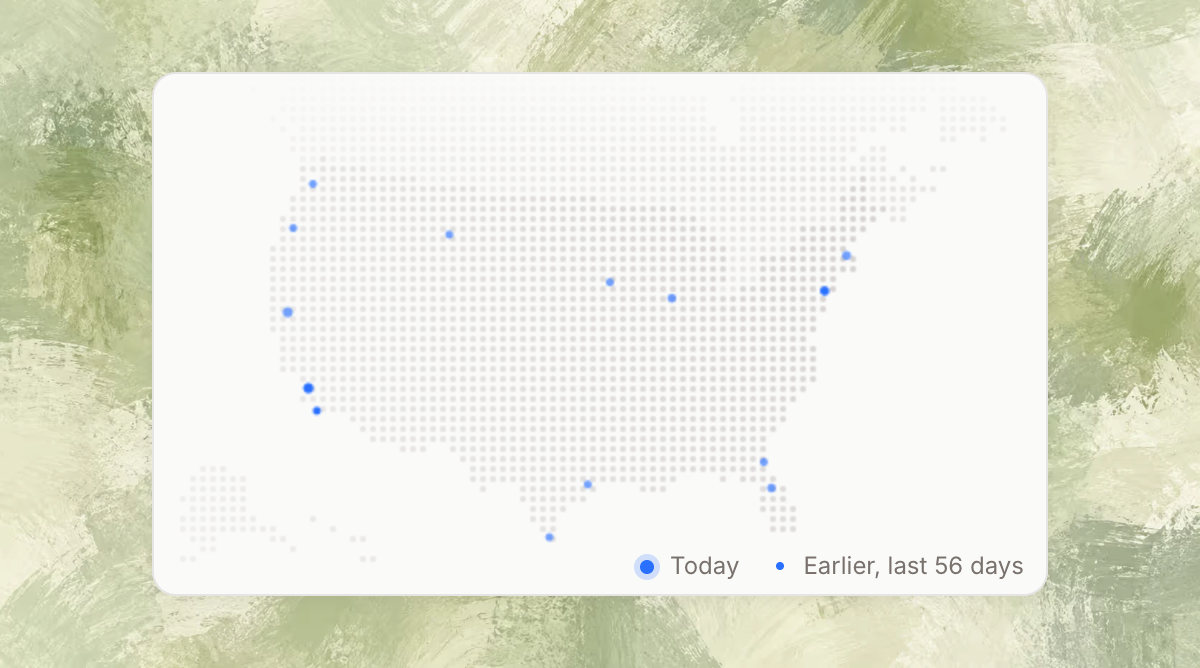
See where your callers are
The new Analytics map plots callers by place and highlights today's calls.
10 more updates
- We made Ringly easy to use on your phone.
- Seth now searches your whole catalog on calls.
- Seth finds more orders when callers misremember the number.
- Seth finds guest orders by email.
- Route Gorgias and Zendesk tickets by store.
- Connect several Gorgias or Zendesk accounts for your stores.
- Coach, Zendesk and Cancel orders are out of beta.
- Choose which blog and news pages Seth uses after a website scan.
- Book 30 minutes with Maurizio from the menu to set up or tune Seth.
- Invite links now work for people who already have an account.
8 updates
- Prices and stock refresh every hour in Seth's product catalog.
- Seth doesn't ask again for details the caller already gave.
- Resize the Coach panel or open it full screen on your phone.
- Asking for a refund no longer starts cancel steps.
- Seth confirms an order by date and item before asking for its number.
- Ringly follows your device until you pick light or dark.
- A teammate who connects your store joins your account as an admin.
- Coach keeps your earlier chats for 90 days.
Better workspace
Invite people to your workspace who already have an account, make collaborators admin, have multiple people in multiple workspaces, etc.
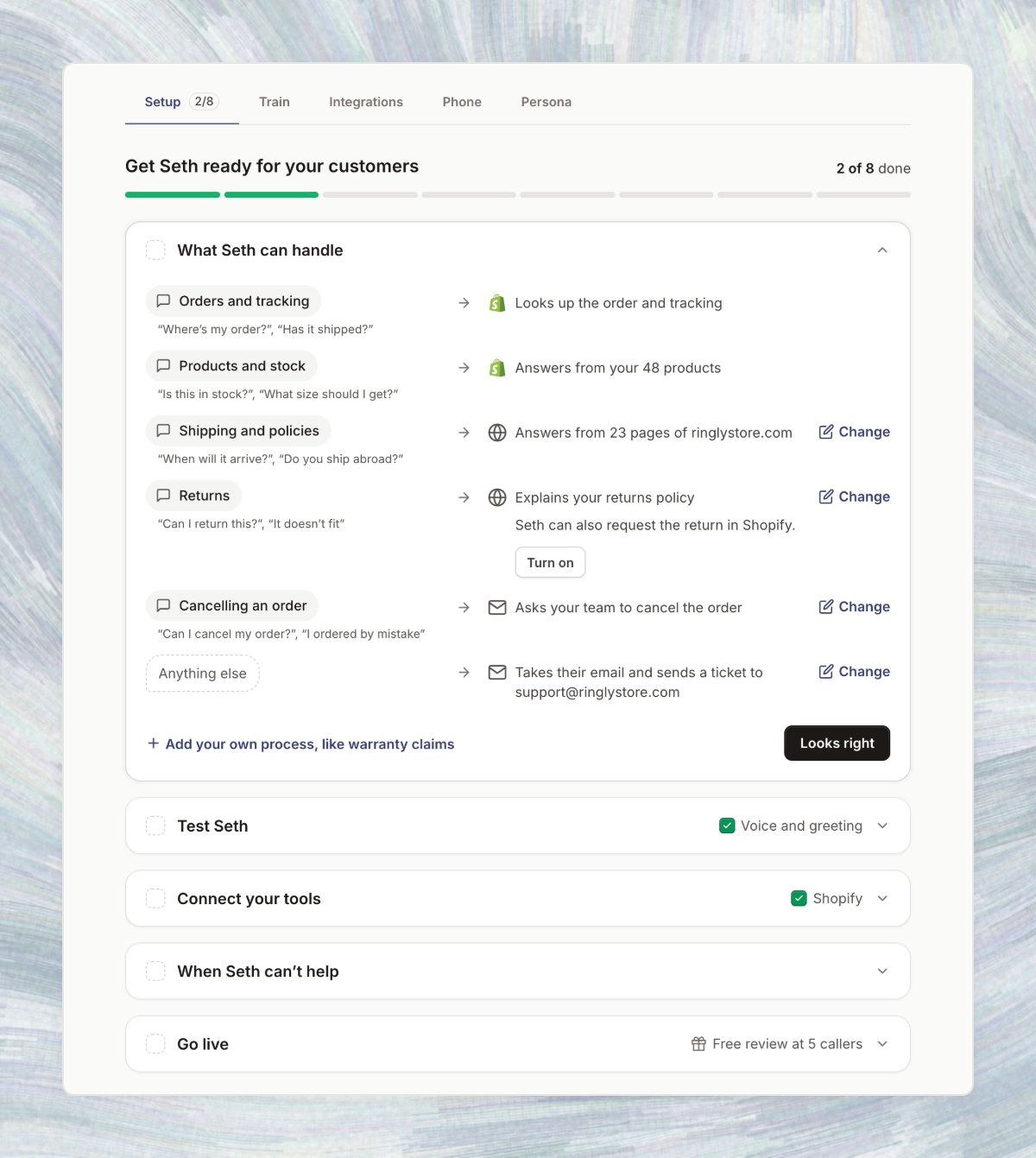
Get Seth live with the Setup tab
Eight steps take you from connecting Shopify to your first test call and going live.
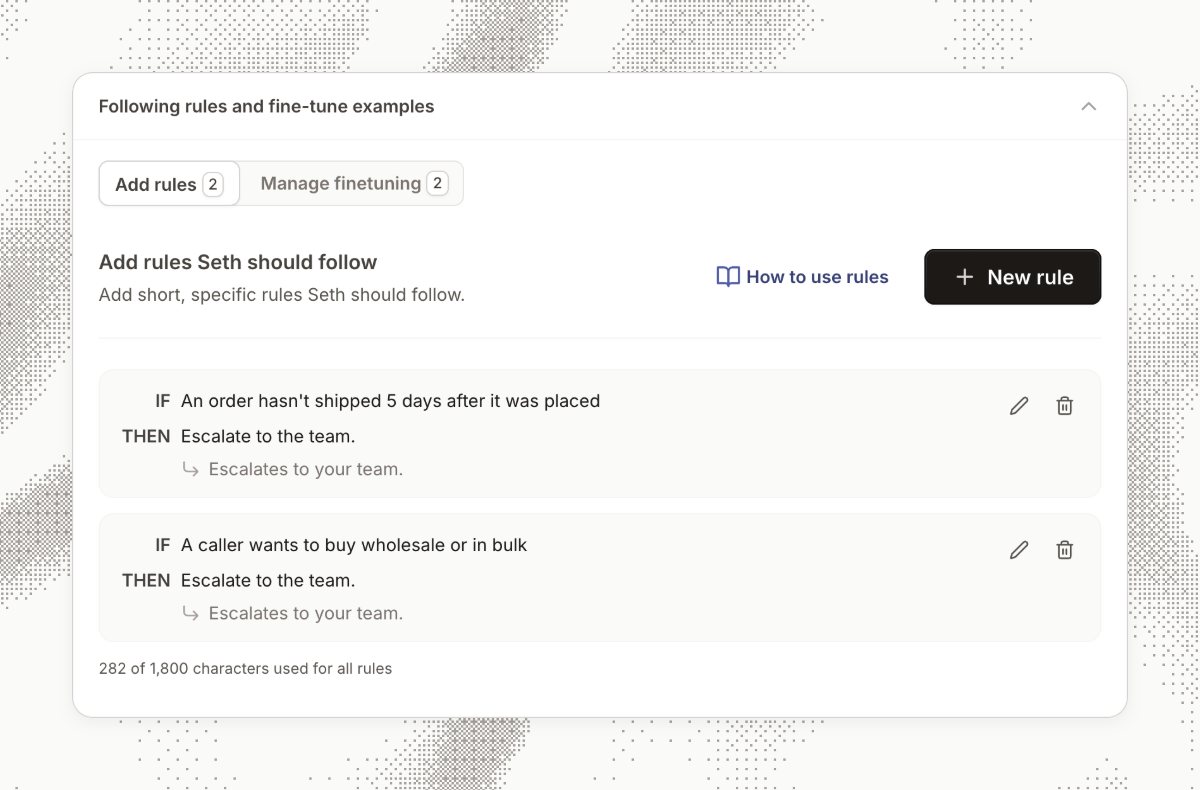
Add custom rules for when Seth should escalate
Your escalation rules decide when Seth hands over. Add them in the Rules section.
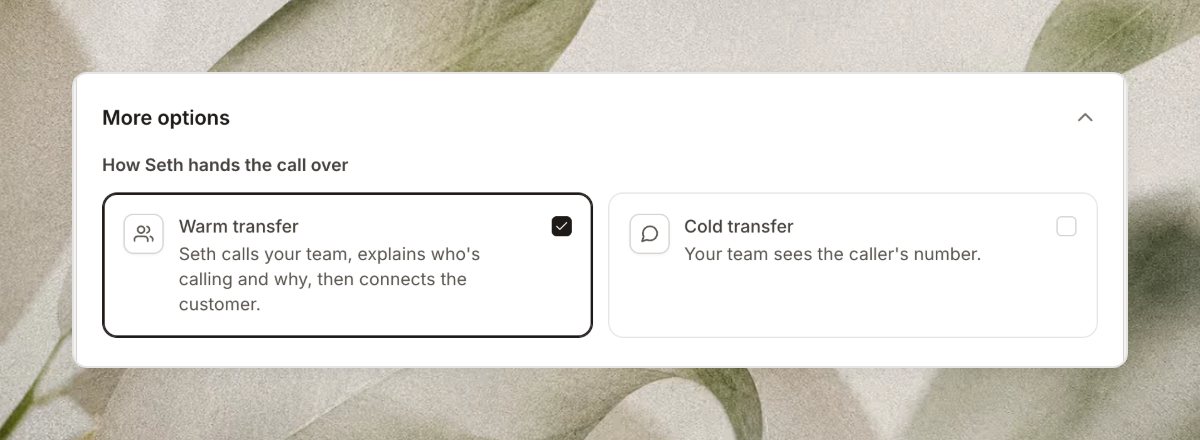
Warm transfers connect reliably
When Seth hands a call over warm, your team's phone now shows Seth's number, so the transfer connects for every caller. Seth's briefing says who is calling.
3 more updates
- Get an email when a help desk needs reconnecting.
- New Seths start with a female voice and take its name.
- A new Seth uses the voice you picked from its first call.
Call transcripts are easier to read and play back
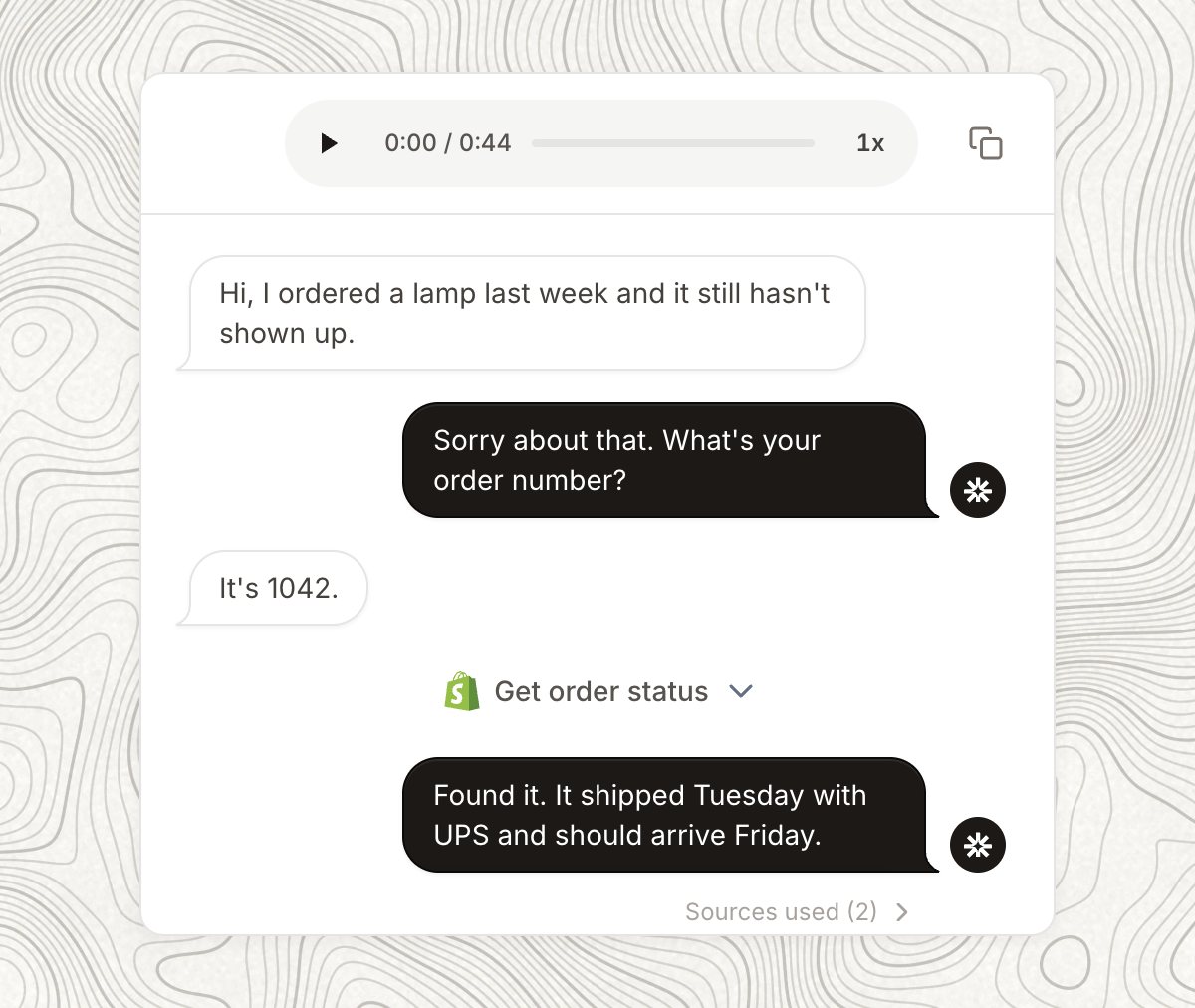
Call history now shows each call as a clean chat with order actions and sources Seth used. You can now playback 2x and highlights the line that is playing.
3 updates
- Switch light or dark mode from the menu under your name.
- Seth gives the delivery date when an order has no tracking yet.
- Dutch Seths spell emails back the Dutch way.
See which calls went badly and why
You can now see which calls went badly on the Analytics page, grouped by topic. Click a topic to read why, then let Coach fix it.
7 updates
- Search call history by phone number, call ID or what was said.
- Paste many words at once into Words Seth might mishear.
- Block a caller once for every Seth in your account.
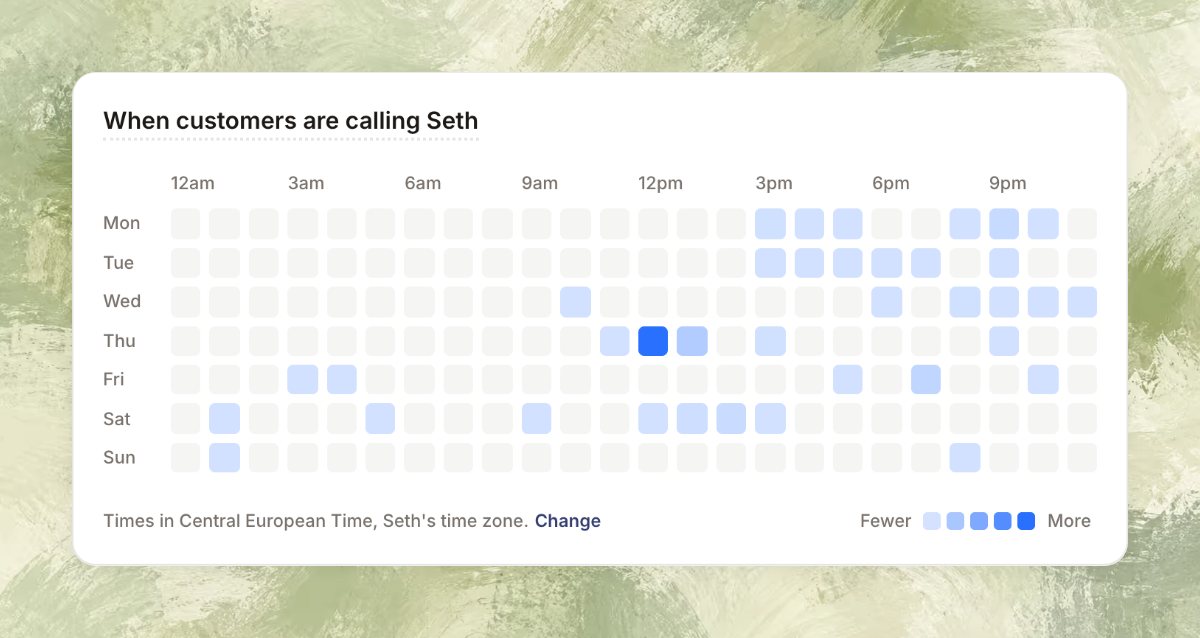
- Set Seth's time zone yourself. The calls heatmap follows it.
- See which help desk got each ticket in call history.
- Seth wraps up tickets faster once it has the issue and a name.
- Your files stay saved if you cancel and come back later.
Connect Zendesk to Seth
Seth sends escalations, or every call, to Zendesk as a ticket with a summary and the transcript.
Run several stores from one account
You can now add another Seth for each extra store, all in one account. Extra Seths are $49 a month each.
Ringly now has a dark mode
You can now switch Ringly to dark. Open Settings, Profile, Appearance and pick Light, Dark or Match device.
Analytics has its own page
See your calls by hour on a heatmap. Seth's settings now sit in four tabs: Train, Integrations, Phone and Persona.
9 new voices with native accents
Seth now has Irish, Australian, Dutch, German, French, French Canadian, Italian, Spanish and Brazilian voices. You also pick which languages he speaks.
Seth now tracks every shipment on an order
Seth now reads every shipment on an order. He no longer says an order has not shipped when part of it has.