
An AI phone agent knowledge base is the set of documents the agent answers callers from. If your return policy, shipping rules and product details already live in Notion, Google Drive, Dropbox or OneDrive, connect that folder instead of retyping it. Then write the documents so each one answers one question a caller might ask.
Your documents already exist, and the real work is choosing what to share and how to write it for the ear.
Hear what AI support calls sound like for your store. Just paste your Shopify URL and get sample calls in under 20 seconds, no email required. Listen to demo calls for my store.
What a knowledge base is, and what it is not
A knowledge base is not the prompt, and it is not a live lookup. JustCall splits it this way: "A rule the agent must always obey goes in the prompt, a fact it needs only when asked goes in the knowledge base, and anything that changes per caller needs a live lookup."
For a Shopify store, that sorts out like this:
- Prompt or rules: instructions the agent must always obey.
- Knowledge base: return windows, shipping zones, care instructions, sizing notes.
- Live lookup: where this caller's order is right now. That comes from your store data, not from a document. The guide to AI phone agents for Shopify covers that side.
How the agent finds an answer during a call
Amazon describes the general method, Retrieval Augmented Generation, as retrieving data from outside a foundation model and adding it to the prompt as context.
Phonely describes the same idea in its own words: its AI models "pull directly from your verified files".
The practical consequence is about document shape. JustCall puts it plainly: "The agent can only use what the search finds, so an answer buried on a long page about something else is often never retrieved."
So a fact buried on a long page about something else is a poor fit. Short documents with clear names are a better one.
Where store documents already live
Here is how the four connections differ.
| Source | What you share | How fast edits arrive |
|---|---|---|
| Notion | Pages you pick | Picked up on its own |
| Google Drive | A shared folder | Within 15 minutes |
| Dropbox | One shared folder | About 20 minutes |
| OneDrive and SharePoint | A OneDrive or SharePoint folder | About 20 minutes |
Connecting Notion
With Notion, you pick pages and the agent reads them where they are. It picks up your edits on its own, so you never copy a page in.
Two details matter for safety:
- Read-only: the connection can read the pages you pick. It can't edit, add or comment.
- Pages below count too: The agent can use every page you pick, and every page below it. Make one page that holds only the answers callers may hear.
You need a Notion account that can open the pages, and you sign in with it. Notion says connections built with its API follow a permission system similar to its sharing permissions.
Connecting Google Drive, Dropbox and OneDrive
All three work on a folder.
Google Drive. You share a folder and the agent answers from its docs. In Drive, a Viewer can open all files in a shared folder but cannot make changes, add comments or share the item, per Google.
Dropbox. You share one folder with a link and paste the link into the agent's setup. Make a folder just for the agent. Anyone with the link can open the folder, so put in only what callers may hear.
OneDrive and SharePoint. You connect a OneDrive or SharePoint folder and the agent answers from it.
Be careful with link type. Microsoft says an Anyone link "lets anyone who receives the link open the item without signing in," including people outside your organization and anyone they forward it to.
Whichever you use, put in only what a caller may hear.
Which file types get read
The agent reads PDF, Word, Excel, PowerPoint, RTF, EPUB, HTML, XML, text, Markdown and CSV files.
Give files descriptive names so the agent knows where to look.
How fast edits arrive, and what happens when they don't
Drive edits arrive within 15 minutes, and Dropbox and OneDrive edits in about 20 minutes. Notion edits are picked up on their own.
JustCall warns that "An AI voice agent answers callers with whatever is in its knowledge base, even when that information is out of date."
Build a habit: when a policy changes, change the document the same day, and remove retired files instead of leaving them in the folder. For how the live side of a call works, see the AI phone agents for Shopify guide.
Writing documents for a phone call
Write for the ear.
- One fact per document: a returns window in one file, a shipping cutoff in another.
- Answer first: open with the answer, then give the exception.
- Plain sentences: skip tables of data that only make sense on a screen.
- Descriptive titles: name the file after the question it answers.
- Nothing private: no margins, supplier terms or internal notes in a shared folder.
For more on the wider setup, see a practical guide to AI phone agents for Shopify. If you are still choosing a tool for written help content, there is a roundup of Shopify knowledge base apps.
How Ringly.io handles your knowledge on the phone
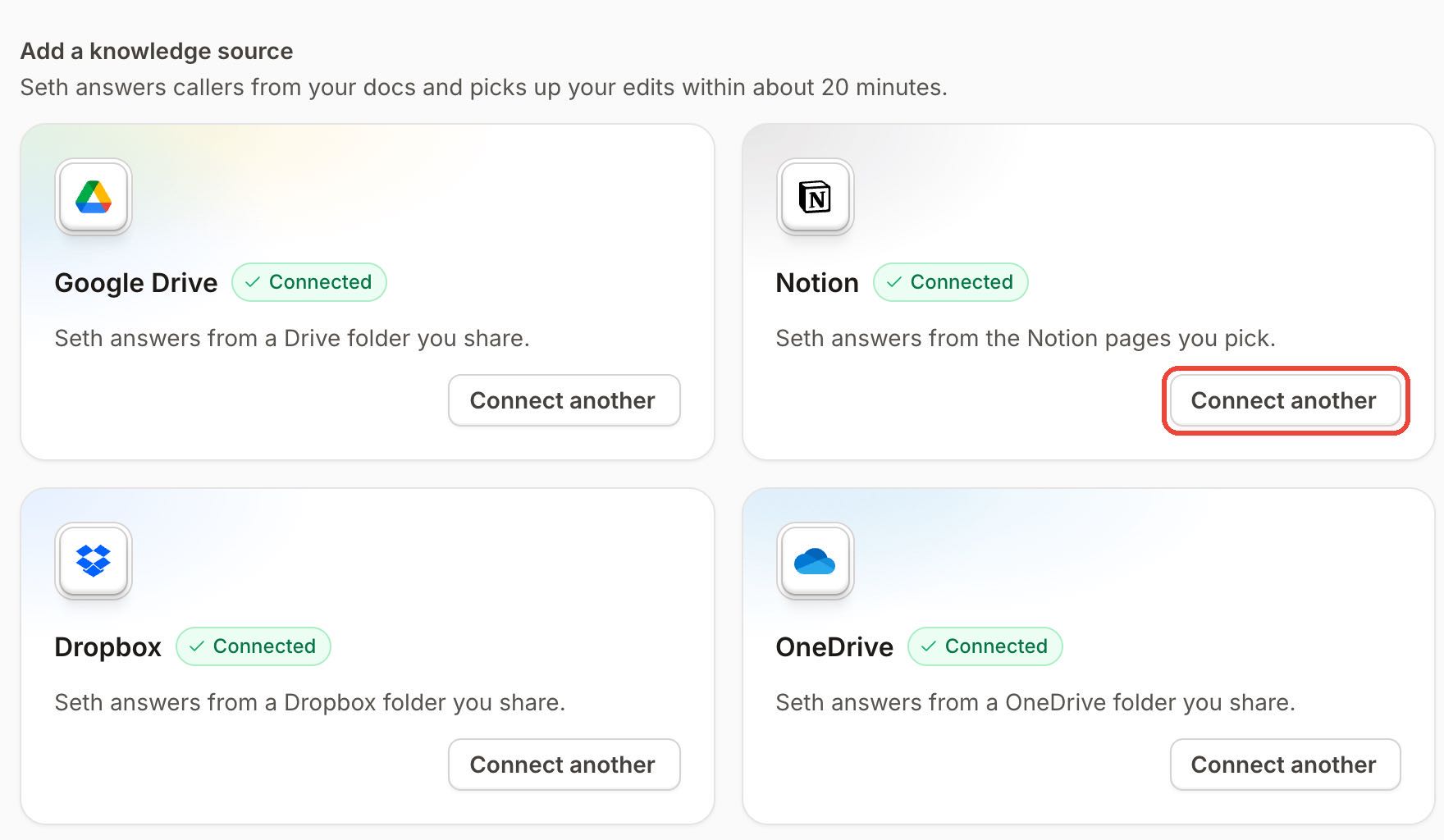
Ringly.io is AI phone support for Shopify brands. Seth, the AI phone agent, answers callers from knowledge you connect: Notion pages, Google Drive, Dropbox and OneDrive or SharePoint folders. Seth checks knowledge every time a caller asks a question. Knowledge gaps list the questions Seth could not answer after each call, with an AI-suggested answer you can edit and save.
Video by Ruben Boonzaaijer, co-founder of Ringly.io and the author of this article.
AI Coach is a chat assistant inside the Seth dashboard. It reads your settings and real calls, including the full transcript of any call and where Seth's answers came from. From call history you click Ask Coach and it suggests a fix, for example to the written knowledge. Nothing is saved until you click the button that names the change. Coach is in beta, so it can be wrong.
For live data, Seth looks up orders in Shopify, logs calls that need a person as Gorgias or Zendesk tickets, and can text the caller through Twilio. A custom skill can call any API endpoint mid-call. Ringly.io charges per phone conversation, and the details are on the pricing page.
Frequently asked questions
Can an AI phone agent read my Google Drive?
Yes. With Ringly.io, you share a Drive folder and the agent answers callers from its docs. An edit reaches it within 15 minutes.
Can an AI phone agent answer from Notion pages?
Yes. You pick the pages, and the connection is read-only, so it can't edit, add or comment. Pick the top page of a group, since a page brings every page below it.
How do I keep private documents away from callers?
Share a dedicated folder or one Notion page that holds only answers callers may hear. Share only what callers should hear, and keep internal notes out.
What file types can an AI phone agent read?
The agent reads PDF, Word, Excel, PowerPoint, RTF, EPUB, HTML, XML, text, Markdown and CSV files. Use descriptive file names so the agent knows where to look.
What goes in the prompt and what goes in the knowledge base?
Rules the agent must always follow go in the prompt. Facts it needs only when asked go in the knowledge base. Anything that changes per caller, like order status, needs a live lookup.