



Selling event tickets through your Shopify store has become a popular alternative to standalone platforms like Eventbrite. Instead of sending customers elsewhere (and losing control of your brand), you can handle everything, from ticket sales to check-ins, directly through your existing ecommerce setup.
The global digital ticketing market is projected to hit $1.4 trillion by 2027. That growth is driven by convenience, mobile-first consumers, and the environmental shift away from paper tickets. For Shopify merchants, this presents an opportunity to add events as a revenue stream without managing a separate platform.
This guide covers the best Shopify ticketing systems available in 2026. We have focused on apps that integrate seamlessly with Shopify, offer reliable check-in capabilities, and provide transparent pricing.
Editor's note: Want to hear some sample AI support calls made for your Shopify store?
- Just paste your store URL
- Get sample calls in under 20 seconds (no email required)
- Listen to demo calls for my store

What is a Shopify Ticketing System?
A Shopify ticketing system is an app that lets you sell tickets to events, classes, or experiences directly through your Shopify store. These apps turn your product pages into ticket listings and handle delivery, check-ins, and attendee management.
It is worth noting that "ticketing" can mean two different things in the Shopify ecosystem:
- Event ticketing: Selling tickets to customers for concerts, workshops, or classes (the focus of this article)
- Support ticketing: Managing customer service inquiries and support requests
The apps reviewed below are primarily for event ticketing, though we have included a couple of support ticketing options for merchants who need to manage customer inquiries alongside their events.
Key features to look for in an event ticketing app include QR code scanning for check-ins, PDF and Apple Wallet ticket delivery, calendar integration, and Shopify POS compatibility for in-person sales.
Quick Comparison
| App | Rating | Starting Price | Best For |
|---|---|---|---|
| Evey Events | 4.5 (258 reviews) | Free + usage | Small events, no monthly fees |
| GM Event Ticketing | 4.8 (32 reviews) | Free + $1/ticket | Professional branded events |
| Experiences | 4.5 (76 reviews) | $9/month + 1% | Retail experiences, classes |
| ARCS Support | 1.0 (1 review) | $2.99/month | Basic support ticketing |
| HelpDesk | 2.2 (2 reviews) | $29/user/month | Multi-channel support teams |
1. Evey Events & Tickets

Evey is one of the most popular ticketing apps on the Shopify App Store, with over 250 reviews and a solid 4.5-star rating. Developed by Staytuned, it has been around since 2016 and has built a reputation for reliability.
The app is free to install, which makes it attractive for merchants just starting with events. You only pay as you sell tickets, with usage-based charges that scale with your volume. This model works well if you are testing the waters or run events sporadically.
Evey covers all the essentials: QR code scanning through a mobile app, PDF ticket generation, Apple Wallet support, and customizable email messaging to attendees. It also handles recurring events (perfect for weekly classes) and virtual events with Zoom integration.
Key features:
- QR code scanning via mobile app
- PDF and Apple Wallet ticket delivery
- Recurring and virtual event support
- Klaviyo and Mailchimp integration
- Multi-language support
- Custom attendee messaging
Pros: No monthly fee to get started, extensive integrations, works with any Shopify theme Cons: Usage charges can add up if you sell high volumes
2. GM Event Ticketing
GM Event Ticketing, developed by Guest Manager, carries the "Built for Shopify" certification, which means it meets Shopify's highest standards for performance and integration. With a 4.8-star rating, it is the highest-rated option on this list.
Guest Manager has been in the event management space since 2011 and has processed over 1.5 million tickets for clients including Google, Levi's, and TEDxVancouver. That track record matters when you are handling high-stakes events.
The standout feature is the ticket designer. You can create custom-branded PDF and Apple Wallet tickets that look professional and reinforce your brand. The app also includes a native Shopify POS integration, so you can sell and scan tickets in-person at your retail location.
Pricing starts free with a $1 per ticket fee, scaling down to $0.25 per ticket on the highest plan. Monthly subscriptions range from $19 to $999, with the mid-tier Professional plan at $99 offering the best balance for most merchants.
Key features:
- Custom PDF and Apple Wallet ticket designer
- Shopify POS integration with native scanning
- iOS check-in app with real-time sync
- Laser barcode scanner rentals for large events
- Customer self-service ticket exchanges (Professional+)
- Event calendar and booking page plugins
Pros: Beautiful branded tickets, excellent POS integration, proven at scale (up to 50,000 attendees) Cons: Higher monthly costs for advanced features
3. Experiences: Events & Tickets
Experiences is designed specifically for experiential retail, classes, appointments, and workshops. If you are running a cooking class, wine tasting, or craft workshop, this app is built with your use case in mind.
The app keeps your brand front and center. Unlike third-party booking platforms that plaster their own branding everywhere, Experiences integrates directly into your Shopify theme and lets customers book without leaving your domain.
Pricing is unique: plans automatically adjust based on your usage at the end of each month. The Basic plan starts at $9 plus 1% of booking revenue for up to 100 bookings. The Preferred plan at $129 plus 0.5% revenue share covers unlimited volume, with total monthly charges capped at $379.
Key features:
- Automatic theme integration
- Email and SMS reminders to reduce no-shows
- Zapier integration for automation
- Shopify POS and iOS check-in apps
- Zoom integration for virtual experiences
- Customizable booking pages and notifications
Pros: Great for experiential retail, keeps your brand prominent, automation-friendly Cons: Revenue sharing model adds complexity to pricing
4. ARCS Support Ticketing System
ARCS is a support ticketing app, not an event ticketing solution. We are including it because some merchants need both capabilities, and at $2.99 per month, it is the most affordable support ticketing option available.
The app is straightforward: customers submit support tickets through a page on your store, and you manage responses from a central dashboard. You can track ticket status and customize the support page content.
However, the app has significant limitations. It only works with Shopify 2.0 themes (not vintage themes), and with only one review (a 1-star rating citing theme compatibility issues), it is hard to gauge long-term reliability.
Key features:
- Customer ticket submission
- Status tracking
- Customizable support page
- Enable/disable toggle
Pros: Very affordable, simple setup Cons: Limited reviews, basic feature set, theme compatibility restrictions
5. HelpDesk for Ecommerce
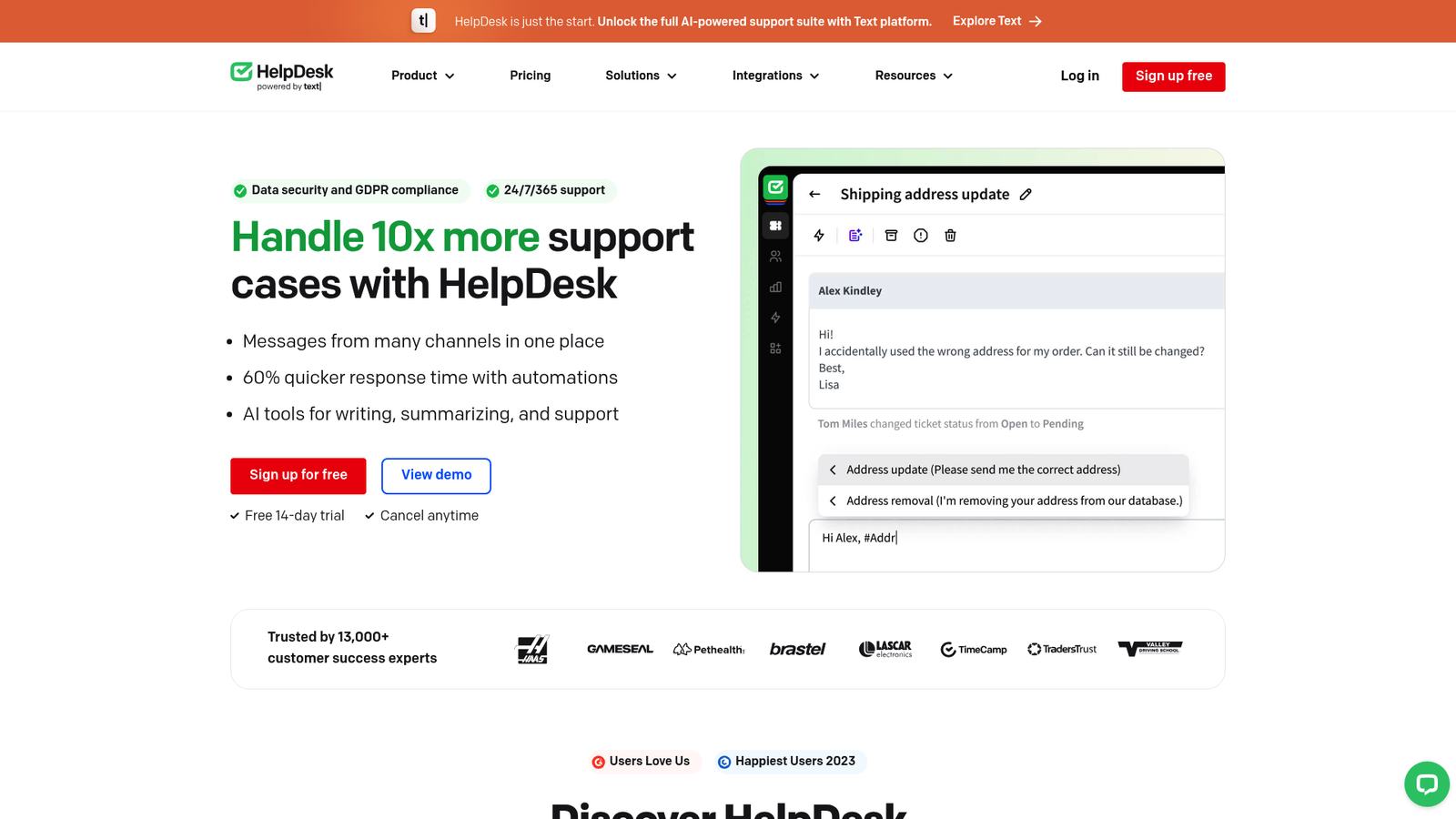
HelpDesk, developed by the same company behind LiveChat, is a comprehensive support ticketing system for merchants who need to manage customer inquiries across multiple channels.
Unlike the simple ARCS app, HelpDesk centralizes emails, website forms, live chat, and social media messages into one unified inbox. It includes AI features like automatic ticket summarization and text enhancement to help agents respond faster.
The Shopify integration pulls in customer purchase history, so your support team has context when handling inquiries. This is particularly useful for event businesses dealing with "Where is my ticket?" questions or refund requests.
Pricing starts at $29 per user per month (billed annually) for the Team plan, scaling to $50 per user for the Business plan with more teams, forwarding addresses, and custom domains.
Key features:
- Unified inbox for email, chat, forms, and social
- AI-powered ticket summaries and text enhancements
- Shopify order history integration
- Automation rules and macros
- Multi-team and multi-brand support
- 24/7 customer support
Pros: AI assistance, extensive integrations, robust feature set Cons: Higher price point, per-user pricing adds up for teams
Choosing the Right Shopify Ticketing System
The best app depends on your specific use case:
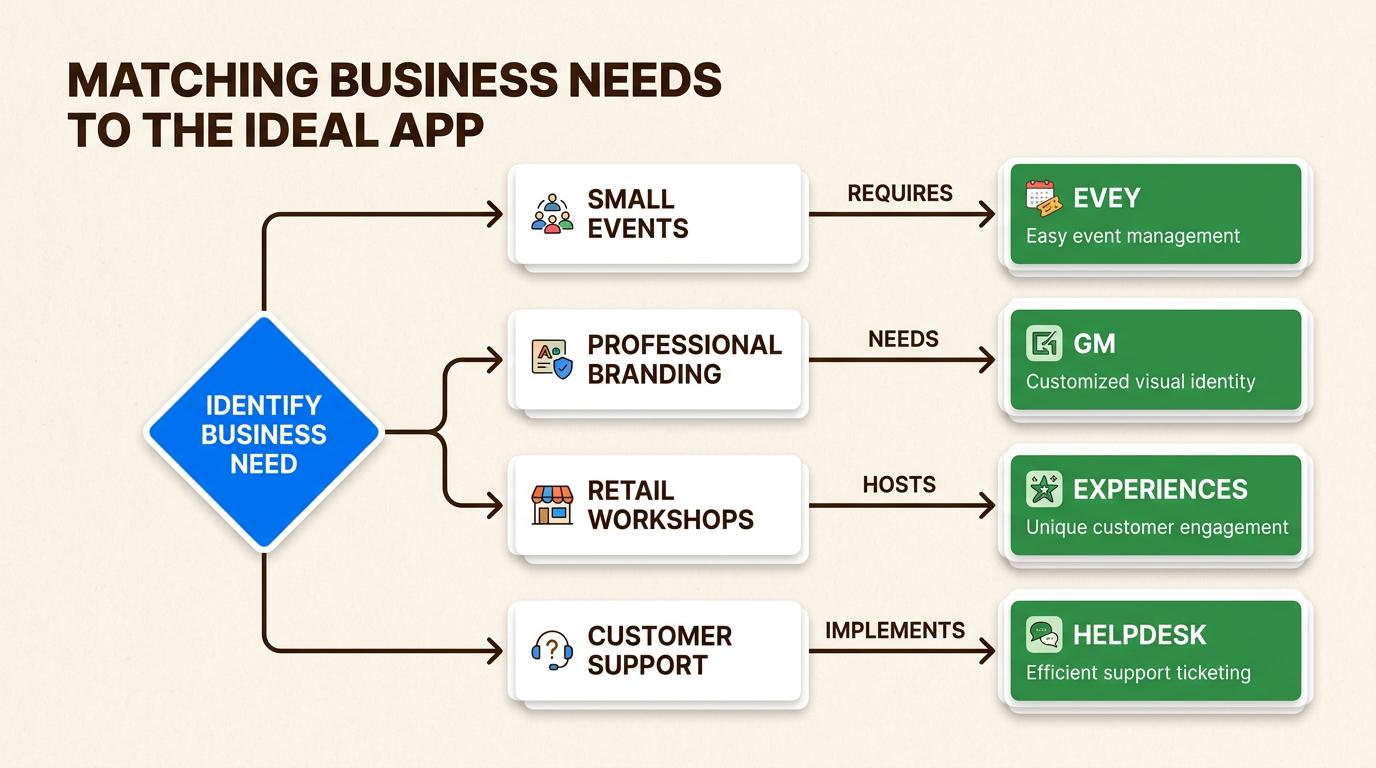
For small events or testing the waters: Evey Events is the obvious choice. The free installation means no upfront cost, and you only pay when you sell tickets.
For professional events with branding requirements: GM Event Ticketing offers the best ticket design capabilities and has the reliability to handle large-scale events.
For retail experiences, classes, or workshops: Experiences is purpose-built for this, with features like reminders and Zapier automation that make running recurring events easier.
For customer support needs: If you just need basic ticket tracking, ARCS is cheap but limited. HelpDesk is the better long-term investment if you have a support team and need multi-channel capabilities.
Handling Event-Related Phone Calls
One thing most ticketing apps do not address is phone support. When customers call asking about their tickets, event details, or refund policies, someone needs to answer.
This is where an AI phone agent can help. At Ringly.io, we have built Seth, an AI phone support representative that handles inbound calls 24/7. Seth can look up orders, answer FAQs about your events, process returns, and escalate complex issues to your team.
For event businesses, this means no more missed calls from ticket buyers in different time zones. Seth integrates with Shopify to pull order data and can handle the repetitive questions ("What time does the event start?" "Can I get a refund?") while your team focuses on running the actual event.
If phone support is a gap in your event business, you can start a free trial and see how AI phone support fits into your workflow.
Start Selling Event Tickets on Shopify
Shopify's ecommerce infrastructure is surprisingly well-suited for event ticketing. You get instant payment processing, customer data ownership, and access to Shopify's marketing tools, all while keeping your brand front and center.
All five apps reviewed offer free trials, so you can test them without commitment. For most merchants, we recommend starting with Evey Events to validate demand, then upgrading to GM Event Ticketing or Experiences as your event business grows.
The key is to start simple, test what works for your audience, and scale your ticketing setup as your events get more complex.
Request Tracker is a classic option but showing its age for modern ecommerce. See our picks for Request Tracker alternatives that are better suited for online stores.
Frequently Asked Questions
Can you use a Shopify ticketing system for free?
Yes, several apps offer free starting tiers. Evey Events and GM Event Ticketing both have free installation options where you only pay per ticket sold, making them accessible for testing or small events.
What is the best Shopify ticketing system for large events?
GM Event Ticketing is the best choice for large events. It has handled events with up to 50,000 attendees and offers features like laser scanner rentals and dedicated support for high-volume situations.
Do Shopify ticketing systems work with Shopify POS?
Both GM Event Ticketing and Experiences offer native Shopify POS integration, allowing you to sell and scan tickets in-person at retail locations or event venues.
Can customers get tickets on their phones with a Shopify ticketing system?
Yes, all three event ticketing apps reviewed (Evey, GM, and Experiences) support mobile ticket delivery, including Apple Wallet passes and QR codes that can be scanned from phone screens.
What is the difference between event ticketing and support ticketing on Shopify?
Event ticketing apps (Evey, GM, Experiences) let you sell tickets to customers for events. Support ticketing apps (ARCS, HelpDesk) help you manage customer service inquiries and support requests from your store visitors.
How do you choose the right Shopify ticketing system for your business?
Consider your event volume, budget, and branding needs. Start with a free option like Evey if you are testing, upgrade to GM for professional branded events, or choose Experiences if you run retail workshops or classes.
Want to see the latest data? Read our 50 ecommerce customer support statistics for 2026.



