


Hiver has been a popular choice for teams wanting to manage shared inboxes inside Gmail.
But as teams grow and AI becomes essential for scaling support, many are hitting Hiver's limits.
Pricing jumps, Gmail label clutter, and limited AI capabilities push teams to look elsewhere.
This guide covers 7 Hiver AI alternatives worth considering in 2026.
Each tool offers unique strengths, whether it's stronger AI features, better pricing, or multi-channel support beyond email.
Editor’s note: Want to hear some sample AI support calls made for your Shopify store?
- Just paste your store URL
- Hear sample calls for your store (no email required)
- Listen to demo calls for my store
Why teams look for Hiver alternatives
Hiver works well for basic shared inbox needs. You can assign emails, add internal notes, and track SLAs without leaving Gmail. But teams often run into issues as they scale.
Pricing escalates quickly. Some users report unexpected 60% price increases. What starts as an affordable solution can become expensive as you add agents and need features locked behind higher tiers.
Gmail label clutter is real. Hiver auto-generates labels for every shared inbox, stage, and user. One user described having "300+ Hiver shared labels in my Gmail. It's a jungle." These labels persist even after uninstalling Hiver.
Limited to Google Workspace. If your team uses Outlook or you work with external partners on different email systems, Hiver won't work for you.
Basic AI compared to newer tools. While Hiver has some automation, it lacks the advanced AI capabilities that teams now expect: auto-drafting replies, sentiment analysis, and autonomous ticket resolution.
Hiver AI alternatives at a glance
| Tool | Starting Price | AI Features | Gmail-Native | Multi-Channel | Best For |
|---|---|---|---|---|---|
| Gmelius | $19/user/mo (annual) | 4 AI assistants | Yes | Email only | Teams wanting AI in Gmail |
| Drag | $12/user/mo (annual) | AI tagging, drafts, sentiment | Yes | Email + WhatsApp (Pro) | Budget-conscious teams |
| Zendesk | $15/agent/mo (annual) | AI agents, copilot, generative | No | Full multi-channel | Enterprise scale |
| Freshdesk | $15/agent/mo (annual) | Freddy AI | No | Email, chat, phone | Budget + features balance |
| Help Scout | $20/user/mo (annual) | AI drafts, AI Answers ($0.75/res) | No | Email, chat, social | Email + self-service focus |
| Crisp | $45/mo flat (Mini) | Hugo AI suite | No | Full multi-channel | Flat pricing preference |
| Missive | $11/user/mo (annual) | BYO AI key | No | Email, SMS, social | AI flexibility needs |
1. Gmelius
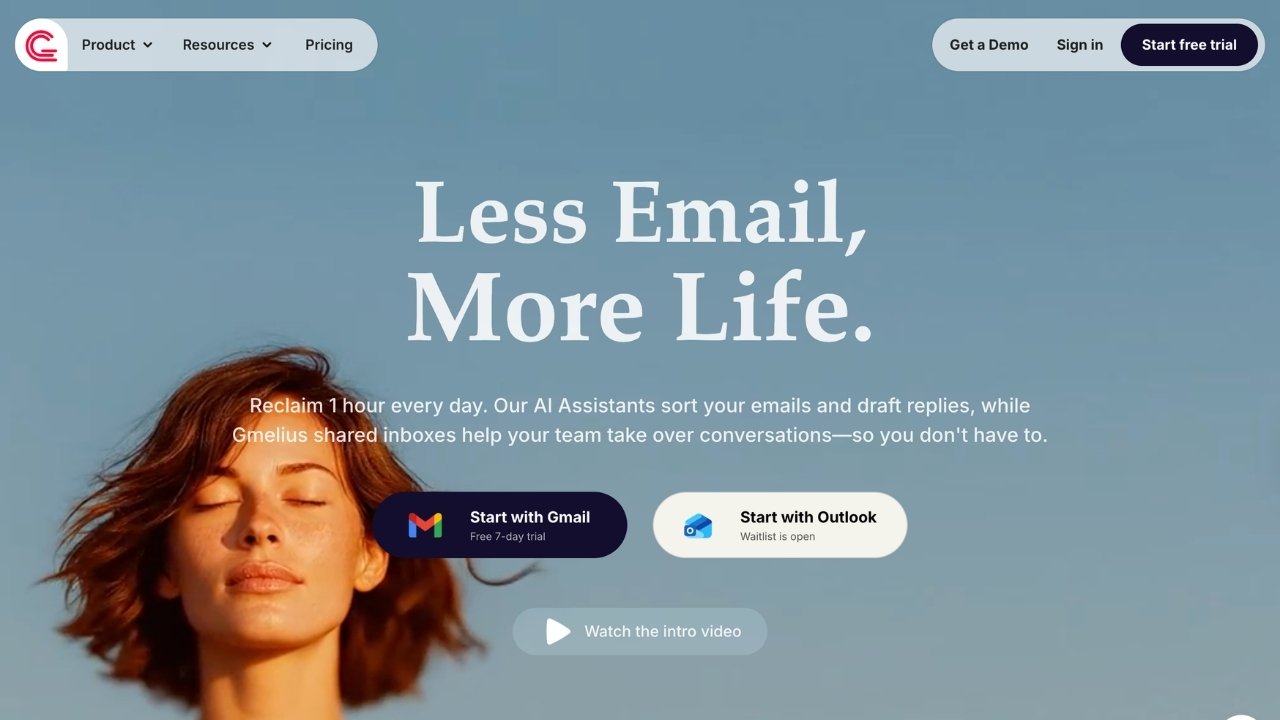
Gmelius keeps you inside Gmail while adding serious AI capabilities and collaboration features. It's the closest alternative to Hiver for teams that want to stay in their existing email workflow.
AI features that stand out
Gmelius offers four specialized AI assistants:
- Sorting Assistant automatically tags and classifies emails based on context
- Reply Assistant writes replies using your past conversations without prompting
- Dispatching Assistant routes messages to the right teammate based on workload or rules
- Automation Architect builds if-this-then-that workflows without code
The shared drafts feature works like Google Docs. Multiple team members can edit an email response in real-time before sending.
Pricing
| Plan | Annual Price | Key Features |
|---|---|---|
| Growth | $19/user/mo | AI assistants, unlimited shared inboxes, shared labels |
| Pro | $31/user/mo | Advanced automation, API access, priority support |
Free trial: 7 days
Pros and cons
Pros:
- Native Gmail integration that feels natural
- Four specialized AI assistants for different tasks
- Unlimited shared inboxes and labels
- Real-time collaborative drafting
Cons:
- Gmail only - no Outlook support
- Closed AI system (can't bring your own AI key)
- Higher starting price than some alternatives
Best for
Teams wanting AI-powered features without leaving Gmail. If your workflow is built around Google Workspace and you want to enhance it rather than replace it, Gmelius fits well.
2. Drag

Drag takes a different approach. Instead of just being a help desk, it's a workflow management tool that happens to work inside Gmail. You can manage support tickets, sales leads, hiring pipelines, or any other process using customizable boards.
AI features that stand out
Drag's AI capabilities focus on making email management faster:
- AI Tagging sorts your inbox automatically based on intent (Action required, FYI, etc.)
- AI Sentiment Detection understands the tone and urgency of every email
- AI Drafts writes responses in your team's voice that everyone can access
- AI Compose Assistant offers one-click options to shorten, polish, or fix grammar
- AI Summarize creates concise summaries of long email threads
- AI Co-pilot lets you ask questions about emails or workspaces
Pricing
| Plan | Annual Price | Key Features |
|---|---|---|
| Starter | $12/user/mo | Email channels, unlimited users, 10 automation rules |
| Plus | $18/user/mo | AI assistants, unlimited automations, email sequences |
| Pro | $24/user/mo | WhatsApp channels, API access, SLA rules |
Free trial: 7 days, no credit card required
What makes Drag different
Two things separate Drag from Hiver and similar tools.
No Gmail label clutter. Drag doesn't create hundreds of labels in your Gmail. When you uninstall it, there's nothing to clean up. This solves one of the biggest complaints about Hiver.
Better privacy model. Drag shares permissions, not email copies. When you remove a user, they instantly lose access to all shared content. With Hiver, removed users retain historical emails in their inbox.
Pros and cons
Pros:
- Most affordable option starting at $12/user/mo
- No Gmail label clutter or cleanup needed
- Better privacy with permission-based sharing
- Visual workflow management (Kanban, list, preview views)
- Works for any workflow, not just support
Cons:
- Less focused on pure customer support
- AI features only on Plus and Pro plans
- May be overkill if you only need basic email sharing
Best for
Small teams wanting visual project management at the lowest price point. If you're tired of Gmail label chaos and want a tool that can handle support tickets plus other workflows, Drag is worth a look.
3. Zendesk

Zendesk is the enterprise standard for customer support. It's a comprehensive platform that goes far beyond email, offering AI agents, multi-channel support, and enterprise-grade security.
AI features that stand out
Zendesk has invested heavily in AI across the platform:
- AI Agents (Essential) handle customer issues autonomously across channels
- Generative Replies create AI-powered responses
- Customizable AI Agent Persona lets you define how the AI communicates
- Knowledge Builder uses AI to help create and optimize help center content
- Generative Search improves self-service with AI-enhanced search
- Copilot Writing Tools assist agents with real-time suggestions (Professional+)
Pricing
| Plan | Annual Price | Key Features |
|---|---|---|
| Support Team | $15/agent/mo | Email/ticketing, Facebook/X support, basic automations |
| Suite Team | $45/agent/mo | AI agents, messaging, live chat, phone support |
| Suite Professional | $89/agent/mo | Copilot tools, up to 5 help centers, custom reporting |
| Suite Enterprise | $139/agent/mo | Up to 300 help centers, sandbox, audit logs |
Add-ons: Copilot ($50/agent/mo), Quality Assurance ($35/agent/mo), Workforce Management ($25/agent/mo)
Free trial: 14 days
Pros and cons
Pros:
- Comprehensive multi-channel support (email, phone, chat, social, WhatsApp)
- Enterprise-grade security and compliance (HIPAA, SOC 2)
- 1,000+ integrations through the Zendesk Marketplace
- Advanced AI with autonomous agents
- Scales from small teams to Fortune 500
Cons:
- Higher learning curve than Gmail-native tools
- Expensive for small teams, especially with add-ons
- Per-agent pricing adds up quickly at scale
- May be overkill for simple email support needs
Best for
Large teams needing enterprise features and multi-channel support at scale. If you're outgrowing Gmail-based solutions and need a platform that can handle complex workflows and compliance requirements, Zendesk is the industry standard.
4. Freshdesk

Freshdesk offers a strong middle ground. It has the features teams need as they scale, but with more approachable pricing than Zendesk. The free tier for up to 2 agents makes it easy to try before committing.
AI features that stand out
Freshdesk's AI capabilities come through Freddy AI:
- Freddy AI Agent automates email responses
- Freddy AI Copilot assists support agents with suggestions
- Freddy AI Insights provides analytics and reporting
- Predictive Support offers AI-powered ticket suggestions
- Automated Ticket Routing assigns tickets based on content analysis
Pricing
| Plan | Annual Price | Key Features |
|---|---|---|
| Free | $0 | 1-2 agents, basic ticketing, knowledge base |
| Growth | $15/agent/mo | Ticketing, customer portal, basic reports |
| Pro | $49/agent/mo | Custom portals, custom objects, advanced ticketing |
| Enterprise | $79/agent/mo | Audit logs, approval workflows, skills-based assignments |
AI pricing: 500 sessions included on Pro/Enterprise, then $49 per 100 sessions
Free trial: 14 days, no credit card required
Pros and cons
Pros:
- Free plan for up to 2 agents
- Good balance of features and affordability
- Freddy AI integrates across Freshworks ecosystem
- Strong value for small to mid-sized teams
Cons:
- AI features limited on lower tiers
- Per-agent pricing model
- Some advanced features require Enterprise plan
- Less brand recognition than Zendesk
Best for
Teams needing features on a budget. If you want more than Gmail can offer but aren't ready for Zendesk pricing, Freshdesk hits a sweet spot of capability and cost.
5. Help Scout

Help Scout focuses on what matters for growing teams: email management and self-service. The interface is clean and intuitive, with minimal learning curve.
AI features that stand out
Help Scout's AI tools focus on making agents more efficient:
- AI Assist expands, shortens, edits, or translates text
- AI Drafts writes replies based on past conversations and help content (Plus/Pro)
- AI Summarize creates bullet-point summaries of conversations (Plus/Pro)
- AI Answers is an AI chatbot that resolves requests using your knowledge base ($0.75 per resolution)
The AI Answers add-on is particularly interesting. You get a 3-month free trial, then pay only for resolutions that don't require human intervention.
Pricing
| Plan | Annual Price | Key Features |
|---|---|---|
| Free | $0 | Up to 5 users, 1 inbox, 1 docs site, 100 contacts/mo |
| Standard | $20/user/mo | Multiple inboxes, live chat, Instagram, Messenger, AI inbox assistant |
| Plus | $36/user/mo | WhatsApp, advanced workflows, unlimited AI drafts, round-robin routing |
| Pro | $60/user/mo | Unlimited workflows, SSO/SAML, HIPAA compliance, dedicated onboarding |
AI add-on: AI Answers at $0.75 per resolution
Free trial: 15 days for Standard/Plus
Pros and cons
Pros:
- Free plan for up to 5 users
- Clean, intuitive interface with minimal learning curve
- AI Answers with pay-per-resolution model (predictable costs)
- Beacon for contextual help and proactive messaging
- Strong focus on email + self-service combination
Cons:
- Limited multi-channel compared to competitors (no native phone)
- AI drafts limited on Standard plan
- Per-user pricing can add up
- Fewer integrations than Zendesk
Best for
Teams prioritizing email management and self-service. If you want a clean interface that your team can learn quickly, with AI that augments rather than replaces human agents, Help Scout is a solid choice.
6. Crisp

Crisp takes a different approach to pricing and AI. Instead of per-agent fees, you pay a flat rate per workspace. This makes costs predictable as you grow your team.
AI features that stand out
Crisp's Hugo AI offers a comprehensive suite:
- AI Agent handles conversations end-to-end autonomously
- AI Knowledge Training ingests your data to train custom models
- Internal AI Copilot lets agents ask questions of an AI trained on your content
- Voice-to-Text transcribes audio messages and calls
- Multilingual AI translates messages into 50+ languages
- AI Writing Assistant helps teams compose responses
- Auto-Tagging classifies conversations automatically
- Conversation Summary generates AI summaries
Pricing
| Plan | Monthly Price | Key Features |
|---|---|---|
| Free | $0 | 2 seats, website chat widget, basic shared inbox |
| Mini | $45/mo | 4 seats, shared email inbox, shortcuts, $5 AI credits |
| Essentials | $95/mo | 10 seats, omnichannel inbox, workflow automation, AI chatbot |
| Plus | $295/mo | 20+ seats, AI-first support suite, ticketing, $75 AI credits |
Additional agents: $10/mo per agent on Plus plan
Free trial: 14 days, no credit card required
What makes Crisp different
Flat pricing per workspace. Most tools charge per agent, which gets expensive as you scale. Crisp's flat rate means your costs stay predictable.
LiveTranslate. Real-time translation across 50+ languages is built-in, not an add-on. This is huge for teams supporting global customers.
MagicBrowse. Co-browsing and screen sharing help agents see what customers see and guide them through issues.
Pros and cons
Pros:
- Flat pricing per workspace (predictable costs)
- Hugo AI comprehensive suite for support automation
- Multi-channel: email, live chat, WhatsApp, Instagram, SMS, phone
- LiveTranslate for 50+ languages
- Unlimited conversations on all plans
Cons:
- Less email-focused than Hiver
- AI credits limited on lower tiers
- Can be expensive for very small teams (2-3 people)
- May have features you don't need if you only want email
Best for
Teams wanting AI-powered live chat with broad channel support. If you prefer flat-rate pricing and need to support customers across multiple channels and languages, Crisp delivers strong value.
7. Missive
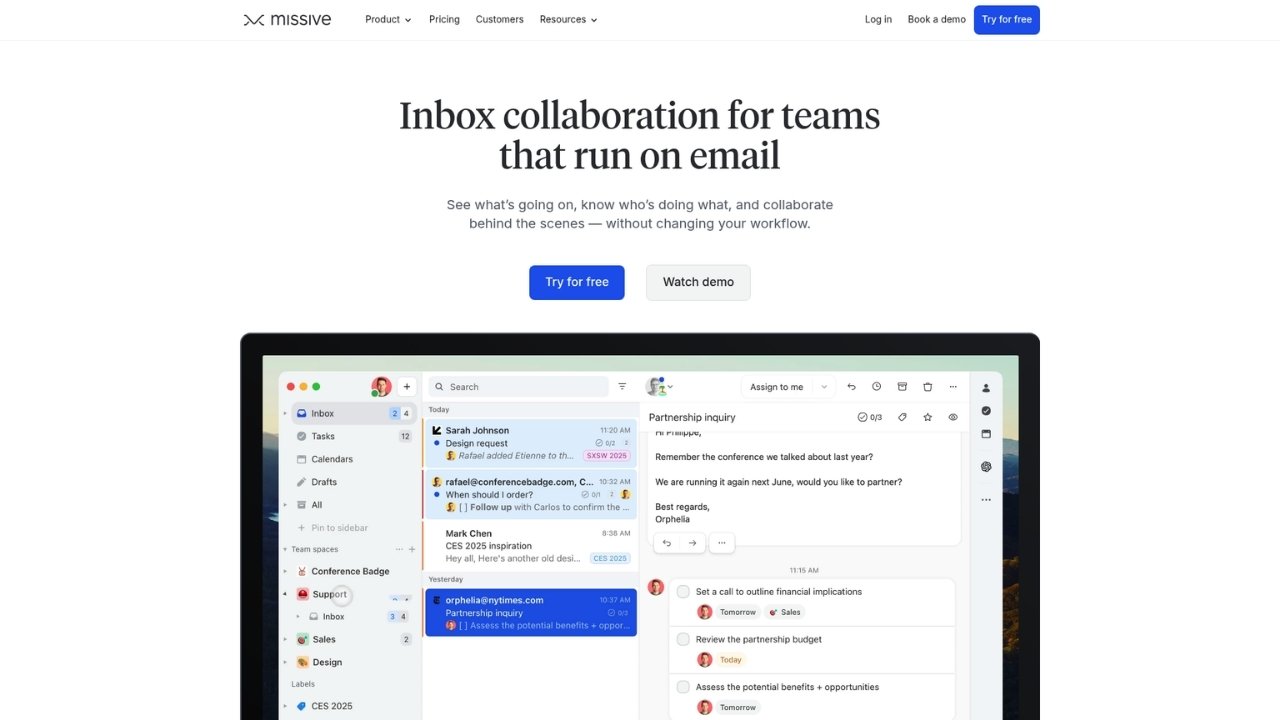
Missive is an email client built specifically for team collaboration. The standout feature is flexibility: you bring your own AI key and choose which models to use.
AI features that stand out
Missive's AI approach is unique:
- Bring Your Own AI Key use OpenAI, Anthropic, or any AI provider you prefer
- Custom AI Models choose specific models for different tasks
- Team-Wide AI AI can assign and triage emails to the right people
- Auto-Draft Support Replies AI drafts responses for the whole team
This flexibility means you're not locked into one AI provider. If OpenAI releases a better model, you can switch instantly. If you prefer Anthropic's Claude for certain tasks, use that.
Pricing
| Plan | Annual Price | Key Features |
|---|---|---|
| Starter | $11/user/mo | Up to 5 users, email/SMS/social, team spaces |
| Productive | $19/user/mo | Up to 50 users, integrations, rules & automations, API access |
| Business | $29/user/mo | Unlimited users, SAML/SSO, IP restrictions, advanced analytics |
Free trial: 30 days, no credit card required
Pros and cons
Pros:
- Bring your own AI key (use any model/provider)
- Highly flexible AI implementation
- 30-day free trial (longer than most competitors)
- SOC 2 Type II compliant
- Collaborative inbox with powerful assignment rules
Cons:
- Steeper learning curve
- Scheduling/calendar features limited
- Requires bringing your own AI key (additional cost)
- Less hand-holding than other tools
Best for
Teams wanting AI flexibility and custom workflows. If you have strong opinions about which AI models work best for your use case, or you want to avoid vendor lock-in, Missive gives you the control other tools don't.
How to choose the right Hiver alternative
Picking the right tool depends on your specific situation. Here's a simple framework:
Stay in Gmail? Choose Gmelius or Drag. Both work natively in Gmail. Gmelius has more specialized AI assistants. Drag is more affordable and creates no label clutter.
Need strongest AI? Look at Crisp or Missive. Crisp has the most comprehensive built-in AI suite. Missive gives you the flexibility to use any AI model you want.
Budget-conscious? Drag at $12/user/mo is the most affordable. Freshdesk and Help Scout both offer free tiers to get started.
Enterprise scale? Zendesk is the proven choice for large teams with complex needs.
Email + self-service focus? Help Scout specializes in this combination with a clean, simple interface.
Why Ringly.io is worth considering for phone support
Most Hiver alternatives focus on email and chat. But what about phone support? Ringly.io fills that gap.
At Ringly.io, Ringly.io offers an AI phone support agent that handles inbound calls 24/7. the AI answers questions, looks up orders, processes returns and exchanges, and only escalates to your team when necessary.
Here's what makes the AI different:
- Resolves up to 90% of calls without human intervention based on real usage across Shopify stores
- Deep Shopify integration means the AI can access order data, process returns, and check shipping status in real-time
- Setup takes under 1 hour - connect your store, pick a phone number, and the AI is ready
- 30 languages supported for global customer bases
- 65% resolution guarantee - if Seth resolves under 65% of your calls in a month, that month comes back as credit (after 90 days on Pay per call)
If you're already using one of the email tools above, the AI complements them perfectly. Let your email tool handle written communication while The AI handles the phone calls. Most teams find this combination covers 90%+ of their support volume without adding headcount.
Want to see how it works? Try Ringly.io for free and test it with your actual customers.
Frequently Asked Questions
Which Hiver AI alternative has the best AI features?
It depends on your needs. Crisp has the most comprehensive built-in AI suite with Hugo AI. Missive offers the most flexibility by letting you bring your own AI key. Gmelius has four specialized AI assistants designed specifically for email workflows.
What is the most affordable alternative to Hiver?
Drag starts at $12/user/mo when billed annually, making it the most affordable option. Freshdesk and Help Scout both offer free tiers for small teams (up to 2 and 5 users respectively).
Can I migrate from Hiver without losing data?
Most alternatives offer migration assistance. Gmail-native tools like Gmelius and Drag can import your existing shared inboxes and labels. Standalone platforms like Zendesk and Freshdesk typically provide migration tools or services to transfer your tickets and customer data.
Which Hiver alternative works best for Gmail-only teams?
Gmelius and Drag are both designed specifically for Gmail. They work inside your existing Gmail interface rather than replacing it. Gmelius focuses more on AI features and automation. Drag emphasizes visual workflow management and creates no Gmail label clutter.
Do any Hiver alternatives offer phone support?
Zendesk, Freshdesk, and Crisp all include phone support capabilities. For AI-powered phone support specifically, Ringly.io offers an AI phone agent that integrates with your existing help desk and handles calls autonomously.
What should I look for when evaluating Hiver AI alternatives?
Consider these factors: (1) whether you need to stay in Gmail or can switch to a standalone platform, (2) which AI capabilities matter most for your workflow, (3) pricing model (per-user vs flat rate), (4) multi-channel needs beyond email, and (5) integration requirements with your existing tools.



