Gmelius built its reputation as a Gmail-based collaboration tool, but it is not the right fit for every team.
If you are hitting limits with Gmail-only access, struggling with performance at scale, or simply want to explore what else is out there, you have plenty of Gmelius alternatives to consider.
The email collaboration market has evolved significantly.
Today's alternatives range from tools that stay entirely within Gmail to standalone platforms that unify email with SMS, chat, and social media.
Some prioritize visual workflow management. Others focus on AI-powered automation or enterprise-grade ticketing.
This guide breaks down seven proven Gmelius alternatives, each with distinct strengths for different team needs.
Editor’s note: Want to hear some sample AI support calls made for your Shopify store?
- Just paste your store URL
- Hear sample calls for your store (no email required)
- Listen to demo calls for my store
What is Gmelius and why look for alternatives?
Gmelius is a Gmail-based collaboration platform that turns your inbox into a shared workspace. It offers shared inboxes, Kanban boards, email sequences, and AI assistance, all without leaving the Gmail interface.
Teams typically start looking for alternatives when they encounter specific limitations:
- Gmail-only restriction - Gmelius does not support Outlook or other email providers, which is a dealbreaker for mixed environments
- Pricing - Starting at $24 per user per month, costs add up quickly for growing teams
- Performance issues - Some users report slower loading times as inbox volume increases
- Limited multichannel support - No native SMS, WhatsApp, or social media integration
- Setup complexity - Automation features can require more configuration time than expected
The good news? Depending on what your team actually needs, there is likely a better fit available.
How we evaluated these Gmelius alternatives
We assessed each tool against criteria that matter in real-world use:
- Email platform compatibility - Does it work with Gmail only, or support Outlook and other providers?
- Collaboration features - Shared inboxes, assignments, internal notes, collision detection
- AI and automation - Drafting assistance, auto-routing, sentiment analysis, workflow automation
- Pricing transparency - Clear tiers, no hidden costs, value for features offered
- Ease of setup - Time to value, learning curve, onboarding requirements
- Multichannel support - Email plus chat, SMS, WhatsApp, or social media
All pricing and feature information comes from official sources as of February 2026.
Comparison table: Gmelius alternatives at a glance
| Tool | Best for | Starting price | Platform | Free trial |
|---|---|---|---|---|
| Hiver | Gmail power users | $25/user/mo | Gmail only | 7 days |
| DragApp | Visual workflow teams | $12/user/mo | Gmail only | 7 days |
| Front | Omnichannel teams | $25/user/mo | Standalone | 14 days |
| Missive | Chat + email teams | $14/user/mo | Standalone | 30 days |
| Zendesk | Enterprise scale | $19/user/mo | Standalone | 30 days |
| Help Scout | Knowledge-focused teams | $25/user/mo | Standalone | 15 days |
| Enchant | Budget-conscious SMBs | $20/user/mo | Standalone | 30 days |
The 7 best Gmelius alternatives
1. Hiver

Hiver is the closest direct competitor to Gmelius, offering a full help desk experience that operates entirely within Gmail. If your team wants to stay in Gmail but needs
more power than Gmelius provides, Hiver is worth a close look.
The platform handles email, live chat, voice, and even Slack conversations from a single Gmail-based workspace. What sets Hiver apart is its AI capabilities. The AI Agents can autonomously resolve up to 70% of customer queries across channels. AI Copilot assists agents with drafting replies, refining tone, and summarizing conversations. AI QA evaluates responses in real-time for quality.
Key features:
- Omnichannel support (email, chat, voice, Slack) within Gmail
- AI Agents for autonomous issue resolution
- AI Copilot for drafting and refining responses
- Shared inboxes with collision detection
- Custom reporting and analytics
Pricing:
| Plan | Price | Key features |
|---|---|---|
| Free | $0 | Unlimited users, basic triage |
| Growth | $25/user/mo | AI Compose, auto-assignment, custom fields |
| Pro | $65/user/mo | AI Agents, AI Copilot, WhatsApp, SLA management |
| Elite | $105/user/mo | AI QA, skill-based routing, HIPAA compliance |
Best for: Support teams that want enterprise-grade features without leaving Gmail. The AI capabilities are particularly strong compared to other Gmail-native tools.
2. DragApp

DragApp takes a different approach. Instead of adding help desk features to Gmail, it transforms your inbox into a Kanban-style workspace. Emails become cards that you drag across columns representing stages of your workflow.
This visual approach resonates with teams that think in terms of pipelines and stages rather than tickets and cases. The platform serves over 200,000 users and includes AI features like automatic tagging, sentiment detection, and draft generation.
Key features:
- Kanban boards inside Gmail
- Email assignment and collision detection
- Automation rules for routing and tagging
- WhatsApp integration (Pro plan)
- AI-powered tagging and sentiment analysis
Pricing:
| Plan | Price | Key features |
|---|---|---|
| Starter | $12/user/mo | 10 automation rules, email templates, 3-month reporting |
| Plus | $18/user/mo | AI assistants, unlimited automations, email sequences |
| Pro | $24/user/mo | WhatsApp channels, API access, custom fields, SLA rules |
Best for: Teams that prefer visual workflow management and want the simplest pricing structure. The Kanban approach works especially well for sales, recruitment, and project management use cases.
3. Front

Front is not a Gmail add-on. It is a standalone customer operations platform that unifies email, SMS, WhatsApp, social media, and live chat into one workspace. If your team has outgrown email-only collaboration and needs true omnichannel support, Front is a leading option.
Trusted by over 9,000 companies including Uber Freight and Siemens, Front combines the familiarity of an email interface with powerful automation and AI capabilities. The platform offers AI Copilot for drafting responses, Smart QA for automated quality assurance, and Smart CSAT for tracking satisfaction without surveys.
Key features:
- True omnichannel inbox (email, SMS, WhatsApp, social, voice)
- Advanced workflow automation with unlimited rules
- AI Copilot, Smart QA, and Smart CSAT
- Analytics and custom reporting
- Knowledge base with multi-language support
Pricing:
| Plan | Price | Key features |
|---|---|---|
| Starter | $25/seat/mo | Single channel, up to 10 seats, basic analytics |
| Professional | $65/seat/mo | Omnichannel, up to 50 seats, advanced analytics |
| Enterprise | $105/seat/mo | Unlimited rules, AI features included, custom roles |
AI add-ons are available on all plans: Copilot ($20/seat/mo), Smart QA ($20/seat/mo), Smart CSAT ($10/seat/mo).
Best for: Medium to large teams that need to manage customer conversations across multiple channels. The automation capabilities are among the strongest available.
4. Missive
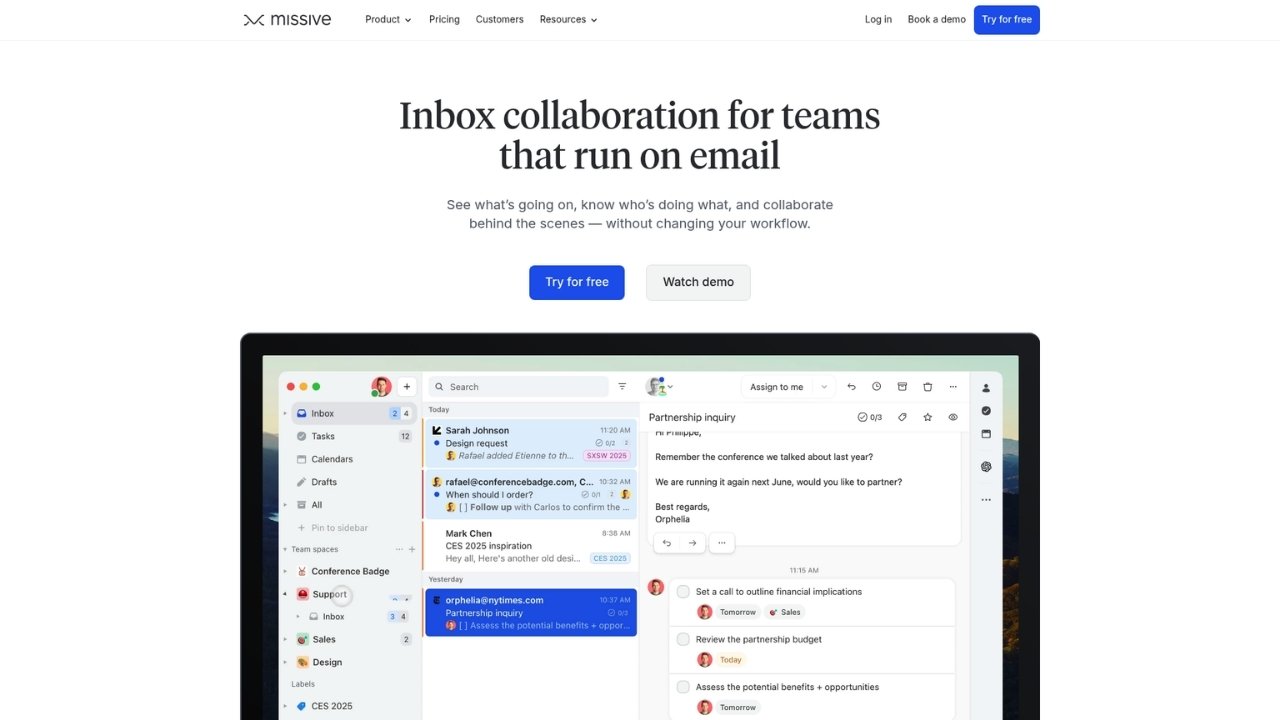
Missive combines email management with built-in team chat, eliminating the need to switch between your inbox and Slack. It supports Gmail, Outlook, Office 365, and IMAP, making it a strong choice for teams using mixed email providers.
The interface emphasizes collaboration. You can discuss emails with teammates via internal comments before sending replies. Tasks can be created from any email with due dates and assignments. Team spaces give each department their own shared inbox, tasks, and discussion area.
Key features:
- Unified inbox for Gmail, Outlook, and IMAP
- Built-in team chat and internal comments
- Task management with due dates
- Rules engine with up to 1,000 automations
- 25+ integrations including ChatGPT and Pipedrive
Pricing:
| Plan | Price | Key features |
|---|---|---|
| Starter | $14/user/mo | Up to 5 users, email/SMS/social, SOC 2 compliance |
| Productive | $24/user/mo | Up to 50 users, integrations, rules, API access |
| Business | $36/user/mo | Unlimited users, SAML/SSO, advanced analytics |
Best for: Teams that want to consolidate email and internal communication into one tool. The 30-day free trial gives you plenty of time to evaluate whether the chat features replace your current messaging app.
5. Zendesk

Zendesk is the most comprehensive option on this list. It is a full customer service platform with ticketing, messaging, help center, voice, and AI agents. If you are managing complex support operations at scale, Zendesk is the industry standard.
The platform includes AI agents that can resolve customer issues autonomously across channels. Copilot provides proactive assistance to human agents. The knowledge base supports generative search to help customers find answers faster.
Key features:
- Complete ticketing system with SLAs
- Omnichannel support (email, chat, phone, social)
- AI agents and Copilot assistance
- 1,000+ integrations
- Advanced analytics and custom dashboards
- Enterprise security and compliance
Pricing:
| Plan | Price | Key features |
|---|---|---|
| Support Team | $19/agent/mo | Email ticketing, social support, 1,000+ integrations, basic reporting |
| Suite Team | $55/agent/mo | AI agents, messaging, 1 help center, phone support, automated resolution reporting |
| Suite Professional | $115/agent/mo | Copilot (add-on), 5 help centers, skills-based routing, CSAT, HIPAA compliance |
| Suite Enterprise | $169/agent/mo | 300 help centers, sandbox, custom roles, audit logs, advanced data protection |
Best for: Large organizations with complex support requirements. The learning curve is steeper than other options, but the feature depth is unmatched.
6. Help Scout

Help Scout focuses on delivering personal support at scale. It emphasizes simplicity over complexity, with a clean interface that feels more like email than a traditional help desk. The platform includes a knowledge base builder (Docs) and an embeddable support widget (Beacon) that combines live chat with self-service.
AI features include AI Assist for editing text, AI Drafts for generating replies, and AI Answers, a chatbot that resolves customer requests at $0.75 per resolution. The free plan supports up to 5 users, making it accessible for small teams to get started.
Key features:
- Shared inbox with customer profiles
- Knowledge base (Docs) with custom branding
- Beacon widget with live chat
- AI drafting and assistance
- Workflow automation
Pricing:
| Plan | Price | Key features |
|---|---|---|
| Free | $0 | Up to 5 users, 1 inbox, 1 Docs site, 100 contacts/mo |
| Standard | $25/user/mo | Up to 25 users, 2 inboxes, AI Inbox assistant, basic workflows |
| Plus | $45/user/mo | Up to 50 users, 5 inboxes, unlimited AI Drafts, CRM integrations (Salesforce/HubSpot) |
| Pro | $75/user/mo | Unlimited users (min. 10), 10 inboxes, SSO/SAML, HIPAA compliance |
Best for: Teams that prioritize knowledge base and self-service alongside email support. The contact-based pricing model can be more economical than per-user pricing for some use cases.
7. Enchant
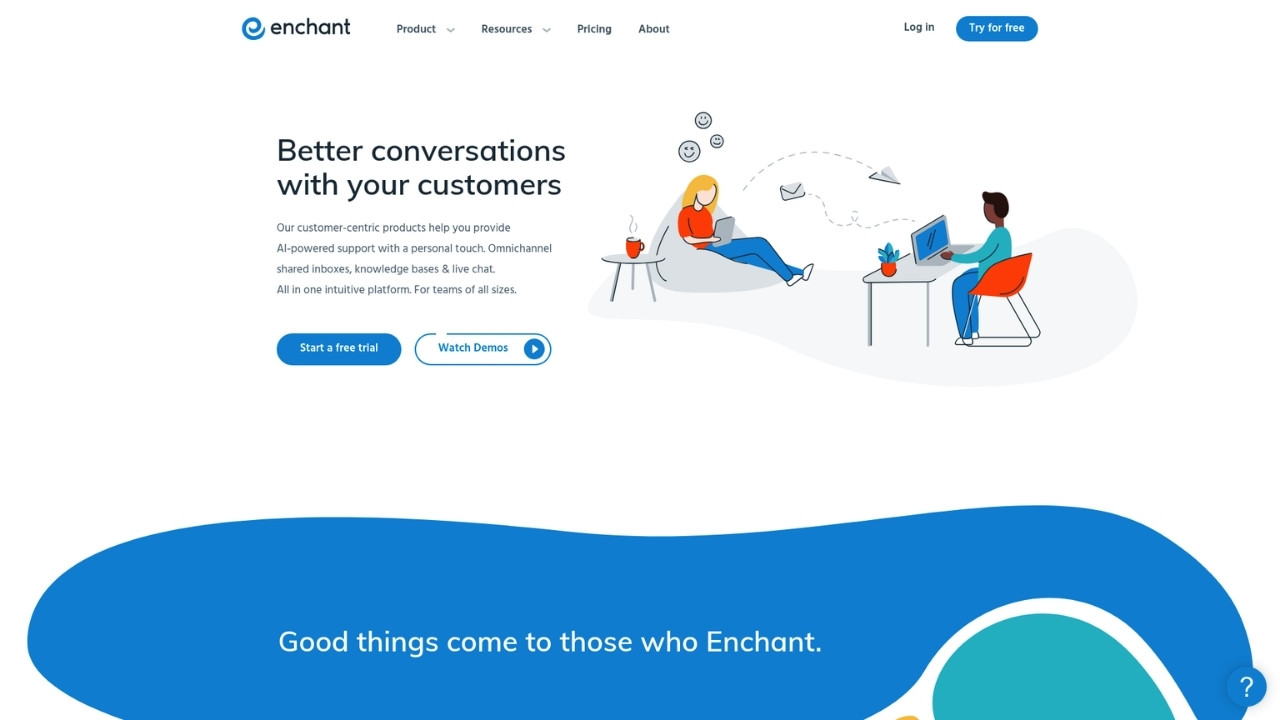
Enchant offers a refreshing simplicity: one plan, one price, all features included. At $20 per user per month, you get shared inboxes, live chat, knowledge base, SMS, and social media channels. There are no tiers to compare or features locked behind upgrades.
The platform emphasizes ease of use, with setup taking minutes rather than days. AI features include response drafting, translation, summarization, and suggestions. The call center feature supports recording, voicemail, and call queues.
Key features:
- Omnichannel inbox (email, chat, SMS, social)
- Knowledge base and messenger widget
- Call center with recording and queues
- AI Writer, Translate, Summarize, and Drafts
- Workflow automation and reporting
Pricing:
| Plan | Price | Key features |
|---|---|---|
| Base | $20/user/mo | Shared inboxes, knowledge bases, live chat, satisfaction ratings, and basic AI features |
Optional add-ons: Advanced Security ($5/user/mo), AI Standard ($30 per 500 customers helped), Remove Branding ($50/mo).
Best for: Small to medium teams that want simple, predictable pricing without sacrificing features. The flat-rate model eliminates the guesswork of tier comparisons.
How to choose the right Gmelius alternative
The best choice depends on your team's specific situation. Here is a simple framework to guide your decision.
Stay in Gmail: If your team lives in Gmail and wants to keep it that way, choose Hiver for enterprise features or DragApp for visual workflow management.
Need omnichannel support: If you handle customer conversations across email, chat, SMS, and social media, Front offers the most powerful omnichannel platform. Missive is a strong alternative with built-in team chat.
Enterprise scale: For complex support operations with advanced routing, SLAs, and compliance requirements, Zendesk is the established leader.
Knowledge base focus: If self-service is a priority, Help Scout offers excellent Docs and Beacon widget capabilities.
Budget-conscious: Enchant provides the simplest pricing at $20 per user for everything. DragApp starts at just $12 per user.
Built-in team chat: If you want to replace Slack alongside your email tool, Missive integrates chat directly into the workflow.
Before committing, ask yourself:
- What email platform does your team use today?
- Do you need to support channels beyond email?
- What is your budget per user per month?
- How important is visual workflow management?
- Do you need AI-powered features, and which ones?
Switching from Gmelius: migration tips
Moving from one platform to another does not have to be painful. Most alternatives offer migration assistance to help you transition smoothly.
Start by exporting your conversation history from Gmelius where possible. Even if you cannot migrate everything, having a backup ensures you do not lose important context.
Plan for team training and onboarding time. Even intuitive tools require adjustment. Schedule training sessions and designate internal champions who can help teammates with questions.
Test with a small team before rolling out to everyone. A pilot group can surface issues and help refine workflows before full deployment. Most tools offer free trials specifically for this purpose.
Take advantage of those free trials to evaluate how each alternative fits your actual workflows. A feature checklist only tells part of the story. The real test is whether your team can work efficiently in the new tool day-to-day.
Find your ideal email collaboration tool
The right Gmelius alternative depends on what your team values most. Gmail purists will find Hiver and DragApp keep them in familiar territory. Teams ready to expand beyond email should look at Front or Missive. Enterprise organizations with complex needs will find Zendesk delivers the depth they require.
If your customer support extends beyond email and chat into phone calls, consider how voice support fits into your strategy. While most tools on this list focus on digital channels, handling phone support efficiently often requires specialized solutions.
Take advantage of free trials, involve your team in the evaluation, and choose the tool that fits how you actually work, not just how you think you should work.
Frequently Asked Questions
What is the most affordable Gmelius alternative for small teams?
DragApp starts at $12 per user per month, making it the most budget-friendly option. Enchant offers simple flat-rate pricing at $20 per user for all features. Both provide strong value compared to Gmelius's $24 starting price.
Which Gmelius alternative works best for teams using both Gmail and Outlook?
Missive supports Gmail, Outlook, Office 365, and IMAP in a single platform. Front also integrates with multiple email providers while adding omnichannel capabilities for chat, SMS, and social media.
Do any Gmelius alternatives offer better AI features?
Hiver includes AI Agents that resolve up to 70% of queries autonomously, plus AI Copilot for drafting and AI QA for quality assurance. Front offers Smart QA and Smart CSAT as add-ons. Most alternatives now include some form of AI assistance, but Hiver's implementation is particularly comprehensive.
Can I migrate my existing Gmelius data to a new platform?
Most alternatives offer migration assistance or tools to import conversation history. Export your data from Gmelius before switching, and work with your new vendor's support team to ensure a smooth transition.
Which alternative is best for teams that want to stay in Gmail?
Hiver and DragApp both operate within Gmail. Hiver offers more enterprise features and stronger AI capabilities. DragApp provides a unique Kanban workflow approach. Choose Hiver if you need advanced help desk features, or DragApp if you prefer visual pipeline management.
What should I look for when evaluating Gmelius alternatives for my team?
Consider your email platform requirements, need for multichannel support, budget constraints, and desired AI capabilities. Test each option with a free trial to see how it fits your actual workflows. Pay attention to setup time, learning curve, and how well the tool integrates with your existing software stack.