
In the Freshdesk ticketing system, tickets move through four statuses (Open, Pending, Resolved, Closed), automation rules sort and escalate them, and the plans add features such as routing, SLA policies and reporting.
Here's the plain version, with live plan prices and no pitch.
Hear what AI support calls sound like for your store. Just paste your Shopify URL and get sample calls in under 20 seconds, no email required. Listen to demo calls for my store.
What a Freshdesk ticket is and where tickets come from
A ticket is the record of one customer conversation.
Freshworks says Freshdesk shows all interactions in one place and prioritizes tickets by customer sentiment and SLAs. It also says "Every ticket, chat, email, or voice, is handled by AI."
Phone calls are one channel a Shopify store can bring in, and a later section covers how they arrive as tickets.
The ticket lifecycle: Open, Pending, Resolved, Closed
Every ticket moves through four default statuses. Macha's guide lists them as Open, Pending, Resolved and Closed, and says any customer reply sends a ticket back to Open.
That last rule is the one that surprises new admins. A ticket you thought was finished can reappear in your queue the moment the customer writes back.
Our opinion: keep these four statuses for your first month.
The real discipline is agreeing as a team on when a ticket moves. Decide who sets Resolved, and whether Pending means "waiting on the customer" or "waiting on the warehouse." Write it down in one sentence per status.
What agents see: the ticket details view
Freshdesk's own docs say that as an agent you may spend most of your time on the Ticket Details page. That tells you where to invest your setup effort.
If your agents will live there, then what lands on that page matters more than any dashboard.
For a Shopify store, that means asking one question before you add any channel: when a ticket opens, does the agent have what they need to act without asking the customer to repeat themselves?
Automations and routing: Ticket Creation, Ticket Updates, Hourly Triggers
Freshdesk has three automation rule types. Macha's guide says current documentation calls them Ticket Creation, Ticket Updates and Hourly Triggers, replacing the older Dispatch'r, Observer and Supervisor names.
So an older tutorial that mentions Dispatch'r, Observer or Supervisor is using the previous names.
The three types run at different moments:
- Ticket Creation: one of the three current rule types.
- Ticket Updates: one of the three current rule types.
- Hourly Triggers: scans tickets once every hour, as the limits below explain.
Hourly Triggers have limits you should know before building anything. They scan tickets once every hour and only match tickets updated in the last 30 days, so any time condition must be one hour or longer.
Routing is the other half. Freshworks says you can route tickets by agent skill, channel or capacity and set triggers for escalations, re-assignment and auto-responses. Which routing options you get depends on your plan, covered in the pricing section below.
A small store with two or three agents doesn't need skill-based routing. One Ticket Creation rule that sorts by channel or tag is usually enough to start.
Parent and child tickets, threads and collaboration
Some problems are bigger than one agent. A damaged multi-item order might need the warehouse, the carrier and a refund, all at once.
Freshworks says Freshdesk lets you break big cases into parent and child tickets so your team can divide and conquer, and collaborate through internal threads.
This is worth using sparingly. If you split every ticket into children, you recreate the chaos Freshdesk is supposed to remove.
A good rule: split only when two different people need to work at the same time. If one person can do the steps in order, keep it as one ticket and use a private note for the handoff.
Plans and prices: what each Freshdesk plan adds
Freshdesk charges per agent, and the pricing page lists Growth at $19, Pro at $55 and Enterprise at $89 per agent per month, billed annually. The same page lists these features for each paid plan:
| Plan | Price per agent per month (billed annually) | What the page lists |
|---|---|---|
| Growth | $19 | Ticketing and shared inbox, customer portal and knowledge base, out-of-the-box analytics and reporting, threads and tasks, roles and permissions |
| Pro | $55 | Multilingual helpdesk, custom dashboards and reporting, intelligent routing, multiple SLA policies, external collaborators |
| Enterprise | $89 | Skill-based routing, sandbox, audit logs, allowed domains and IP whitelisting |
Price is only part of the picture, so our full Freshdesk pricing breakdown covers add-ons and what to expect on your invoice.
Here's our take. Move to Pro when intelligent routing and multiple SLA policies start to matter. Enterprise makes sense when you need skill-based routing or audit logs, not before.
If you're still choosing between help desks, read Freshdesk vs Gorgias and Freshdesk vs Zendesk for ecommerce. For a wider view, see our list of ecommerce helpdesk software and the best Freshdesk alternatives.
Phone calls as tickets: the channel a Shopify store usually misses
Phone calls can arrive in Freshdesk as tickets. Ringly.io is AI phone support for Shopify brands, and its Freshdesk connection creates tickets for your calls. The connection is in beta.
Here's how it behaves:
- Calls that need a person become tickets: when a caller asks for a person or asks to cancel an order, the ticket lands open in your queue.
- Every call can become a ticket: turn on Create a ticket for every call and the calls the AI resolved come in too, as closed tickets, as a record.
- Summary and transcript on every ticket: a private note that only your team sees holds the summary, the caller's number, the time of the call, the transcript and a link to the call.
- Tags for automation rules: each ticket is tagged as an AI call, the outcome (resolved, unresolved, escalated or cancellation request), the call category when there is one, and your store name.
Those tags are there for your automation rules.
There are requirements. You need a paid Freshdesk plan (Growth, Pro or Enterprise), because the Free plan has no API. You also need the freshdesk.com address of your account, since a custom support domain won't work, and an API key from an agent who can create tickets and contacts.
There's no extra Freshdesk cost for the tickets. Freshdesk charges per agent and has no ticket limit.
For the Shopify side of the setup, our guide to connecting Freshdesk and Shopify walks through the order data your agents will want on the ticket.
How to set up your first week
You don't need to configure everything. A new admin who does these steps in order will have a queue that works.
- Day 1, pick your plan and channels: if you want phone calls as tickets, you need a paid plan.
- Day 2, agree on the four statuses: write one sentence for each, and decide who moves a ticket to Resolved.
- Day 4, add one Ticket Updates rule: handle what happens when a customer replies, since a reply sends the ticket back to Open.
- Day 5, add one Hourly Trigger if you need it: remember it only checks once an hour and only sees tickets updated in the last 30 days.
- Day 6, connect Shopify: give agents the order context on the ticket page, using the Shopify integration guide.
Then fix the biggest problem you see in your real queue first. That one habit beats any amount of early automation.
How Ringly.io handles Freshdesk tickets on the phone
A caller who asks about an order needs an answer on the call, and a caller who needs a person needs that person to arrive informed. Ringly.io is AI phone support for Shopify brands: Seth answers the call and hands the rest to your team.
Video from the Ringly.io YouTube channel.
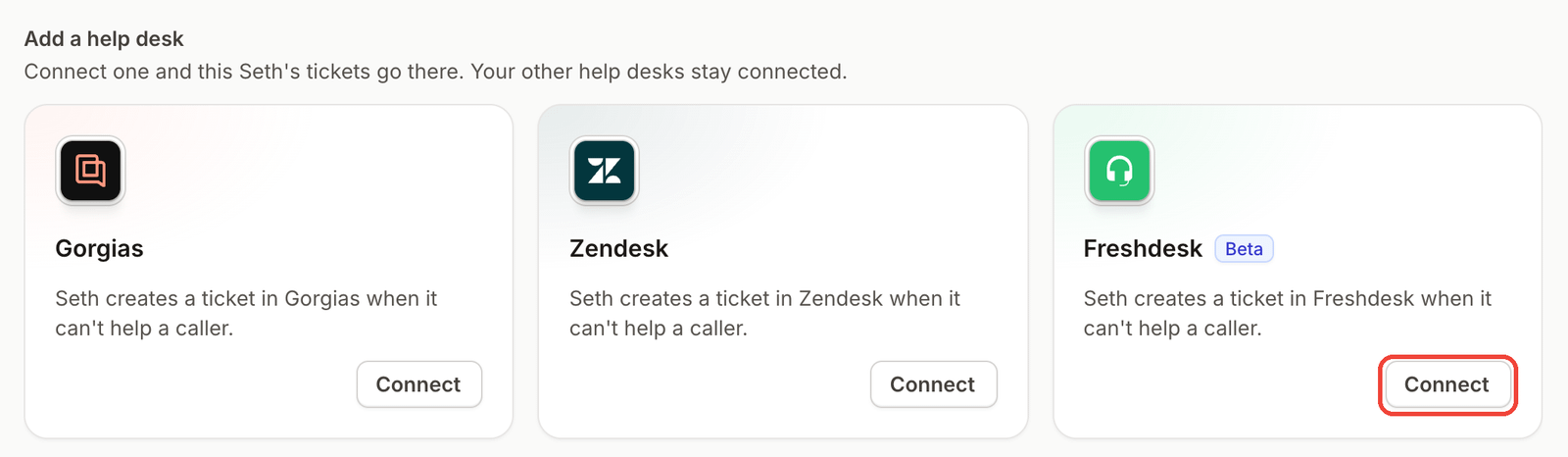
When a call needs a person, Seth creates a Freshdesk ticket with a summary, the full transcript and a link to the call in Ringly. The Freshdesk setup article lists the requirements. Twilio lets Seth answer on a number you already own, and a custom skill can call any API endpoint mid-call. See the integrations page.
AI Coach is a chat assistant inside the dashboard. It reads your settings and real calls, tells you what to fix first, and shows each suggested change before anything is saved. From any call in call history you can click Ask Coach to open that call and get a suggested fix. Coach is in beta, so it can be wrong.
Ringly.io charges per phone conversation, and the pricing page has the details.
Frequently asked questions
What is a Freshdesk ticket?
A Freshdesk ticket is the record of one customer conversation, kept in a shared queue. Your team works it through four statuses.
What are the Freshdesk ticket statuses?
The four default statuses are Open, Pending, Resolved and Closed. A customer reply sends a ticket back to Open, so a Resolved ticket can return to your queue.
How much does Freshdesk cost per agent?
Growth is $19, Pro is $55 and Enterprise is $89 per agent per month, billed annually. Freshdesk charges per agent and has no ticket limit.
Can Freshdesk create tickets from phone calls?
Yes, through Ringly.io's Freshdesk connection. That connection, which is in beta, creates tickets with a summary, transcript and call link, and it needs a paid Freshdesk plan because the Free plan has no API.
What can't the Freshdesk ticketing system do on its own?
The phone-to-ticket connection can't create tickets on the Free plan, since it has no API. And it can't use a custom support domain, so you'd use your freshdesk.com address.
What should a new Freshdesk admin set up first?
Start with the four statuses and one Ticket Creation rule. Then add the other rule types only when you've seen a real queue problem that they would fix.
More on Freshdesk: Freshdesk phone integration, freddy AI, best AI agents for Freshdesk, Freshdesk crm and how Ringly connects to Freshdesk.