


Re:amaze connects to outside voice providers, and its AI Agent overview lists Chat, Email and SMS. If you want calls answered and not just recorded, one option is an AI phone agent that files its calls as Re:amaze conversations.
This page covers each of those options, so you can pick the setup that fits how your store takes calls.
Hear what AI support calls sound like for your store. Just paste your Shopify URL and get sample calls in under 20 seconds, no email required. Listen to demo calls for my store.
Does Re:amaze have its own phone system?
Re:amaze connects to outside voice providers, and its own help docs say it "integrates with several voice providers, allowing your team to manage calls, voicemails, and call recordings directly from the Re:amaze dashboard" (Voice Channels - Re:amaze).
Re:amaze is where calls, voicemails and recordings show up in your dashboard.
That setup has two practical effects:
- Re:amaze stays your inbox: calls sit next to email, chat and SMS conversations.
- The provider decides the features: what you can do on a call depends on the tool you pick.
How Re:amaze voice channels work: recordings, voicemails and call logs
Once a voice provider is connected, calls land in your dashboard on their own. Per the voice channels docs, incoming call recordings arrive marked as resolved conversations. Voicemails arrive open and unresolved, so your team can follow up.
That default makes sense. A finished call needs a record, and a voicemail needs an owner.
Here's how the two types behave:
| What arrives | Status in Re:amaze | What your team does |
|---|---|---|
| Call recording | Resolved conversation | Review it if needed |
| Voicemail | Open, unresolved conversation | Follow up with the caller |
The feature set varies by provider. Depending on yours, you may get voicemail transcripts, voicemail recordings, call logs, in-app dialers, click-to-call and click-to-text. Check the feature list of the provider you're considering before you commit, since the features depend on the provider.
Which Re:amaze plan includes voice channels
Re:amaze's pricing page lists "SMS and Voice Channels" in the feature list of its Pro plan.
Before you buy a phone provider, open the pricing page and check the feature list of your own plan.
Native phone integrations: Aircall, RingCentral and JustCall
Here is how each of these providers is described, in the provider's own words or in Re:amaze's docs.
| Provider | What it says about Re:amaze | Source |
|---|---|---|
| Aircall | "Integrate your Aircall phone system with Re:amaze in just a few clicks." | Aircall's Re:amaze page |
| RingCentral | Re:amaze documents a native RingCentral integration | RingCentral Integration: Setup and Features - Re:amaze |
| JustCall | "Make and receive calls directly on Reamaze." | JustCall's Reamaze page |
Re:amaze's voice docs name Aircall, RingCentral and JustCall. If you already pay for one of these, check its feature list and your Re:amaze plan before you connect it.
What if your phone provider is not on the list: custom voice channels
Re:amaze has a path for that. Its docs say it allows you to connect third-party voice providers that are not natively supported by building a custom voice channel integration (Custom Voice Channel Integration - Re:amaze).
The word to notice is "building": the docs describe a custom voice channel integration.
If you're weighing a switch away from Re:amaze altogether because of gaps like this, our Re:amaze alternatives breakdown lays out the other helpdesk options. And if the real question is which phone tool suits a Shopify store, see our guide to customer support phone systems for Shopify.
Why the Re:amaze AI Agent does not answer calls
The Re:amaze AI Agent is a chat, email and SMS tool. Its overview says it "can assist customers across Chat, Email, and SMS channels" (AI Agent: Overview and Setup - Re:amaze). Voice isn't among the channels it names.
If your store gets calls about order status or returns and you want them answered on the phone, that is a job for an AI phone agent like the one in the next section.
Adding an AI phone agent that files calls as Re:amaze conversations
This is a third option, and it works differently from the voice providers above. An AI phone agent answers the call itself, handles the conversation, and sends the outcome to Re:amaze. Ringly.io's agent does this: its Re:amaze connection creates a conversation for phone calls, and calls that need your team land there with a summary, the full transcript and a link to the call.
What you see in Re:amaze:
- Calls that need a person: when a caller asks for a person, or asks to cancel an order, the conversation lands open in your Support channel.
- Every call, if you want it: turn on "Create a ticket for every call" and calls the agent resolved come in too, filed quietly as Done.
- A private internal note: only your team sees it, and it holds the summary, the caller's number, the time of the call, the transcript and a link to the call.
- Tags you can use in rules: each conversation is tagged with the outcome (resolved, unresolved, unclear, escalated or cancellation request), the call category when there is one, and your store name.
- No email to your customer: the customer never gets an email through Re:amaze from this connection, and hears from you when your team replies.
To set it up you need a paid Re:amaze plan, since Re:amaze has no free plan and API access comes with every paid plan. You also need your Re:amaze address (for example yourstore.reamaze.com), plus the login email and API token of a Re:amaze user who will stay, because conversations are created as that user.
Choosing a setup for a Shopify store that takes calls
Your choice comes down to who answers the phone.
Choose a voice provider that connects to Re:amaze if:
- Your team picks up every call: you want a dialer and call logs inside Re:amaze.
Choose a custom voice channel if:
- Your provider isn't supported natively: and you're ready to build a custom voice channel integration.
Choose an AI phone agent that files into Re:amaze if:
- You want calls solved on the call: with only the ones that need a person reaching your inbox.
- You want one inbox: phone calls sitting beside email and chat.
For a wider look at which tools pair well with a store like yours, see our roundup of the best Shopify phone support apps. If you're still choosing the inbox itself, the guides to Shopify helpdesk apps and ecommerce helpdesk software compare the main options.
How Ringly.io handles Re:amaze calls on the phone
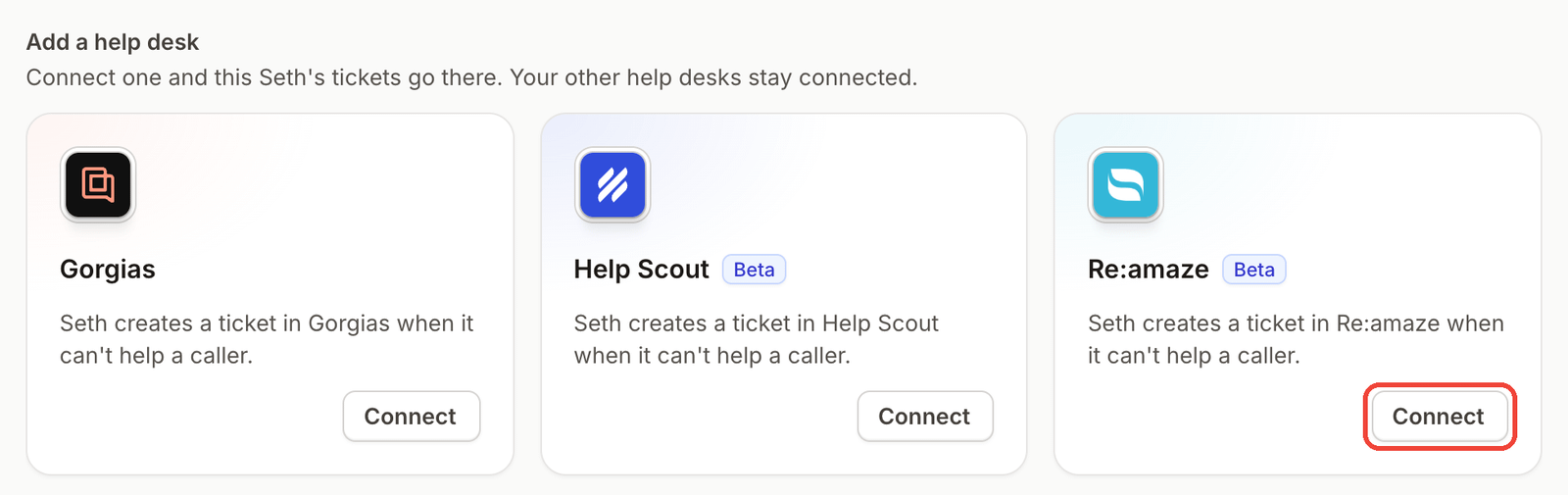
Ringly.io is AI phone support for Shopify brands. Its agent, Seth, answers the call, looks up the order in Shopify and verifies the caller before sharing details. For calls that need a person, Seth creates a Re:amaze conversation through the Re:amaze connection, which is in beta.
AI Coach is a chat assistant inside the Seth dashboard. It reads your settings and real calls, tells you what to fix first, and makes most of those changes for you. Each change appears as a card with removed text in red and new text in green, and nothing is saved until you click the button that names the change. Coach is in beta, so it can be wrong.
Other integrations include Gorgias and Zendesk for tickets, Twilio for texting the caller during a call, and TrackingMore for carrier tracking. A custom skill can call any API endpoint mid-call. Ringly.io charges per phone conversation, and the pricing page has the details.
Frequently asked questions
Does Re:amaze have a phone system?
Re:amaze connects to voice providers so your team can manage calls, voicemails and call recordings in the dashboard.
Can Re:amaze log phone calls and voicemails as conversations?
Yes, once a voice provider is connected. Call recordings arrive as resolved conversations, and voicemails arrive open and unresolved so your team can follow up.
Can I connect a phone provider Re:amaze does not support?
Yes, Re:amaze's docs describe connecting third-party voice providers that are not natively supported by building a custom voice channel integration.
Does the Re:amaze AI Agent answer phone calls?
Re:amaze's AI Agent overview says it can assist customers across Chat, Email and SMS, and voice isn't among the channels it names. If you want calls answered automatically, an AI phone agent is one option.
Can an AI phone agent create Re:amaze conversations?
Yes. Ringly.io's agent creates a Re:amaze conversation for calls that need your team, with a summary, the full transcript and a link to the call. You can also turn on a setting that files every call, with resolved calls marked Done.
More on Re:amaze: best AI agents for Re:amaze, Re:amaze Shopify integration and how Ringly connects to Re:amaze.