

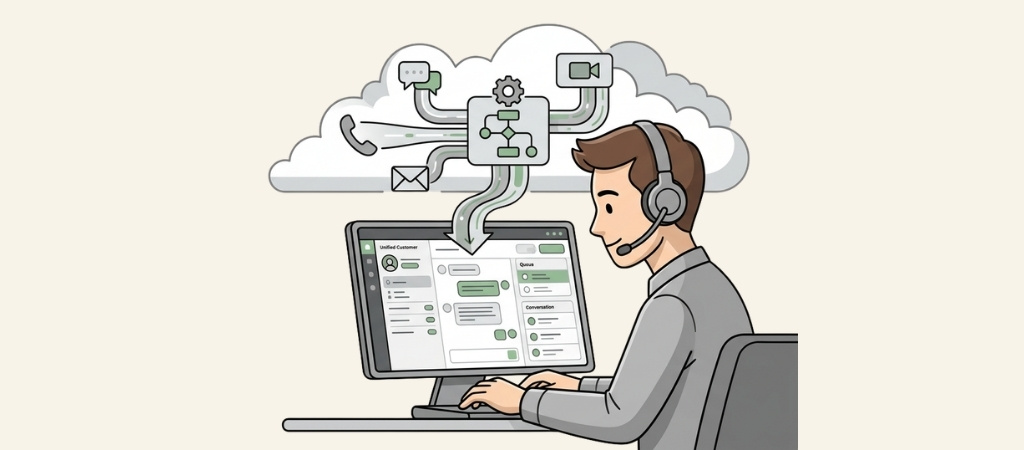
Managing customer interactions across phone, email, chat, and social media is no small task.
Traditional on-premise systems require expensive hardware, dedicated IT staff, and months to implement.
Cloud contact center software changes the game by delivering enterprise-grade capabilities through your internet connection.
This guide compares eight leading cloud contact center solutions.
Each one has been evaluated based on official pricing, feature sets, and real-world use cases.
Whether you are running a small support team or managing hundreds of agents, you will find an option that fits.
Editor’s note: Want to hear some sample AI support calls made for your Shopify store?
- Just paste your store URL
- Hear sample calls for your store (no email required)
- Listen to demo calls for my store
What is cloud contact center software?
Cloud contact center software is a web-based platform that manages customer interactions across multiple channels. Unlike traditional call centers that only handle phone calls, these solutions unify voice, email, SMS, live chat, and social media into a single interface.
The software runs on servers managed by the vendor. Your team accesses it through a web browser or mobile apps. This eliminates the need for on-premise hardware and reduces IT overhead significantly.
The industry calls this CCaaS (Contact Center as a Service). You pay a monthly subscription per user rather than buying equipment upfront. Scaling up means adding licenses, not installing new phone lines. Most platforms can be deployed in days or weeks rather than months.
Key benefits include:
- Remote work support: Agents can work from anywhere with an internet connection
- Automatic updates: Vendors handle maintenance and feature releases
- Omnichannel routing: Customers reach you on their preferred channel without repeating themselves
- Built-in analytics: Real-time dashboards show performance metrics without complex reporting tools

Quick comparison of cloud contact center software
| Provider | Starting Price | Best For | Key Features | Free Trial |
|---|---|---|---|---|
| NICE CXone | $71/user/month | Large enterprises | 40+ channels, Enlighten AI, workforce management | Yes (60 days) |
| Five9 | $119/user/month | Outbound sales teams | Predictive dialers, AI coaching, Salesforce integration | Yes (14 days) |
| CloudTalk | $25/user/month | Mid-sized sales/support | AI Voice Agent, 160+ countries, deep CRM integration | Yes (14 days) |
| RingCentral Contact Center | $65/user/month | Unified communications | 20+ channels, RingSense AI, UCaaS integration | Yes (30 days) |
| Talkdesk | $85/user/month | Regulated industries | Industry clouds, 30+ security certifications | Yes (14 days) |
| Genesys Cloud CX | $75/user/month | Integration-heavy setups | 350+ integrations, Agent Copilot, $2k monthly min. | No |
| Nextiva | $30/user/month | SMBs wanting all-in-one | Unified CXM, 8 data centers, award-winning support | No |
| Aircall | $30/user/month | Small teams with CRMs | Deep CRM integrations, quick setup, AI Voice Agent | Yes (7 days) |
1. NICE CXone

NICE CXone is built for large contact centers that need comprehensive workforce management and quality tools. The platform handles over 40 communication channels, making it one of the most extensive solutions available.
The standout feature is Enlighten AI, NICE's proprietary AI suite. It includes autopilot for self-service, copilot for agent assistance, and analytics that analyze 100% of interactions. The system uses natural language understanding to interpret customer intent and route conversations intelligently.
Pricing starts at $110 per user per month for digital-only interactions. Voice capabilities bump that to $169, while the full omnichannel suite runs $249. The Mpower Platform tier requires custom pricing and includes the complete Enlighten AI suite.
What works well:
- Monthly billing in arrears with no prepayment required
- Comprehensive workforce management and quality tools
- 40+ channel support including emerging messaging platforms
What to consider:
- Interface can feel dated compared to newer competitors
- Voice-only pricing is higher than alternatives
- Support response times can stretch to several days
NICE CXone fits organizations with 100+ agents who need deep workforce optimization and compliance capabilities.
2. Five9

Five9 specializes in outbound calling and sales automation. If your team makes more calls than they receive, this platform deserves serious consideration.
The dialer technology is best-in-class. Predictive dialers use algorithms to minimize agent idle time. Progressive dialers call one number at a time when agents become available. Preview dialers let agents review customer information before the system dials. These options let you optimize for speed, quality, or compliance depending on your needs.
Five9's AI uses ChatGPT's large language models for real-time transcription and post-call summaries. The IVA designer lets you build virtual agents through a drag-and-drop interface without coding.
Pricing reflects the premium positioning. The Digital plan starts at $119 per user monthly. Core voice and digital capabilities cost $149. Premium adds workforce optimization at $169. Optimum includes interaction analytics for $199. The Ultimate tier at $229 includes the full AI suite.
What works well:
- Advanced dialer technology optimizes outbound campaigns
- Deep Salesforce integration for sales teams
- Comprehensive coaching tools with screen recording
What to consider:
- Most expensive option in this comparison
- AI features require Premium tier or higher
- Interface opens new tabs for some features, creating clutter
Five9 is ideal for sales-focused teams who prioritize outbound productivity over inbound support features.
3. CloudTalk
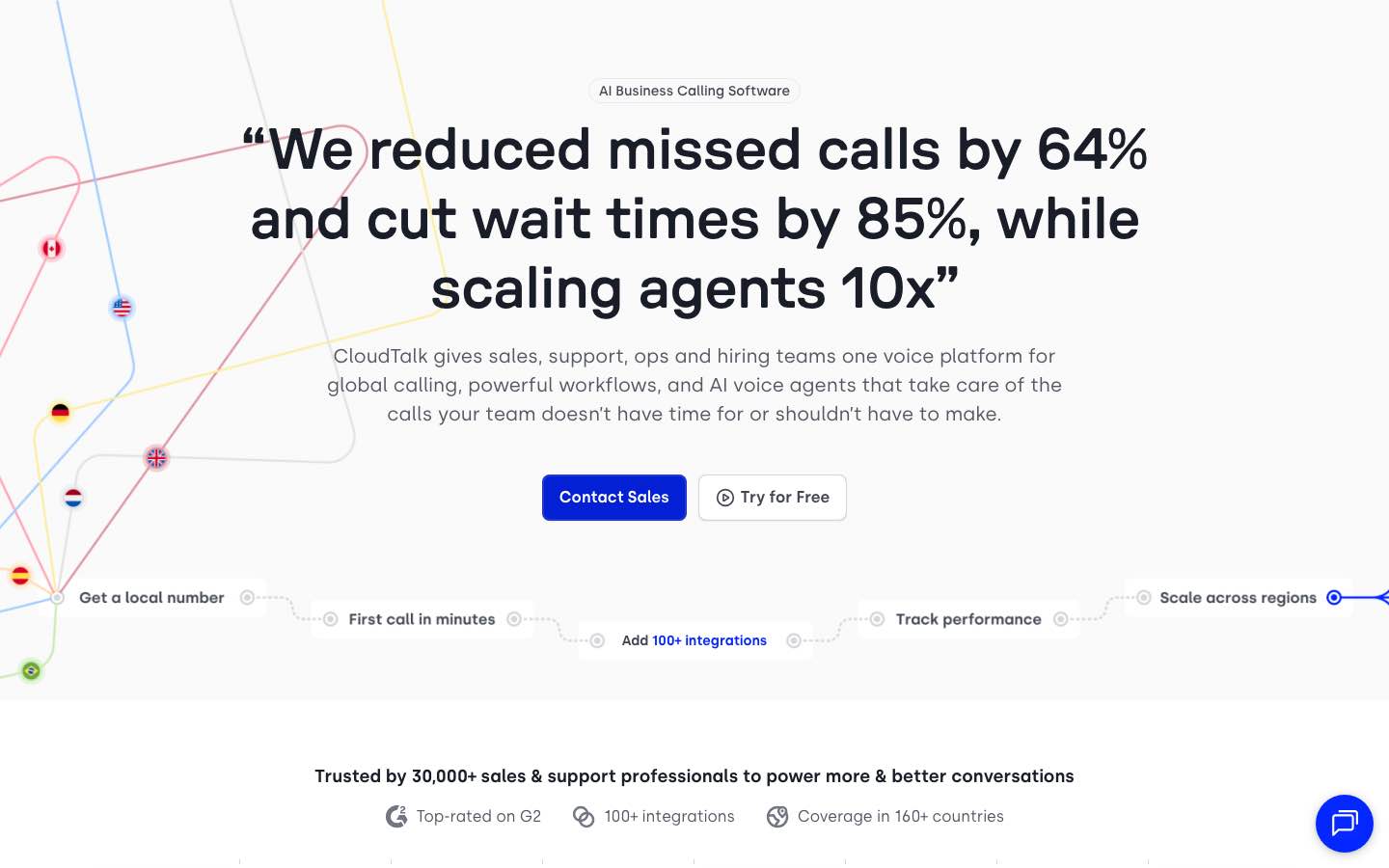
CloudTalk is a cloud-based call center platform built for mid-sized sales and support teams that need a reliable voice infrastructure with deep CRM integration. The platform serves over 4,000 companies globally with phone numbers in 160+ countries, making it a strong choice for teams managing international customer bases.
The standout feature is the AI Voice Agent, CloudTalk's proprietary automation layer. It handles routine inbound and outbound calls autonomously in 60+ languages and accents, collecting caller information and routing complex cases to human agents without queue delays. Real-time transcription runs on every call, with automatic post-call summaries, AI notes, sentiment analysis, and talk/listen ratio data pushed directly into connected CRMs. Smart call routing uses customer data and agent skill profiles to match calls intelligently rather than relying on basic round-robin distribution.
Pricing starts at $25 per user monthly for the Starter plan, which includes click-to-call, voicemail, and automatic call distribution. The Essential plan at $29 adds IVR, skill-based routing, integrations, and open API access. Expert at $49 includes the Power Dialer, Smart Dialer, WhatsApp messaging, and call monitoring. AI Conversation Intelligence is available as an add-on at $9 per user monthly. AI Voice Agents are priced separately, starting at $0.25 per minute. Custom pricing is available for enterprise teams. A 14-day free trial is available on all plans with no credit card required.
What works well:
- AI Voice Agent handles inbound and outbound calls autonomously in 60+ languages
- Power and Smart Dialers built specifically for outbound sales teams
- 160+ country coverage with local numbers for international operations
What to consider:
- AI Conversation Intelligence and dialers are add-ons, increasing total cost beyond base plan pricing
- Expert plan requires a minimum of three users
- Omnichannel capabilities more limited than enterprise platforms
CloudTalk fits mid-sized sales and support teams (10 to 200 agents) that prioritize voice quality, outbound dialing efficiency, and CRM integration over extensive omnichannel capabilities.
4. RingCentral Contact Center

RingCentral offers two contact center products. RingCX is the newer AI-powered platform starting at $65 per user monthly. The traditional RingCentral Contact Center targets enterprises with custom pricing.
The key advantage here is integration. If you already use RingCentral for business phone service, adding their contact center creates a unified communications environment. Agents switch between internal calls and customer interactions without changing apps.
RingCX supports 20+ digital and social channels alongside voice. RingSense AI provides real-time transcription, sentiment analysis, and automated coaching feedback. The virtual agents are powered by Google Dialogflow, which creates more natural conversational experiences than basic IVR systems.
RingCX Essentials costs $65 per user monthly. Advanced at $95 adds workforce management. Ultimate at $115 includes the full AI suite and premium support. Add-ons like AI Receptionist ($59/month) and Conversation Intelligence ($60/month) can increase costs.
What works well:
- Competitive entry pricing for the feature set
- Seamless integration with RingCentral phone systems
- 300+ third-party integrations through the app marketplace
What to consider:
- Advanced AI features require add-on purchases
- 20+ channels may be excessive for simple use cases
- Lower tiers have storage limitations
RingCentral fits organizations already in the RingCentral ecosystem or those wanting unified communications and contact center in one vendor relationship.
5. Talkdesk

Talkdesk takes a different approach with industry-specific solutions. Rather than one-size-fits-all, they offer Experience Clouds tailored to financial services, healthcare, retail, insurance, and travel.
Each industry cloud comes with pre-built workflows, compliance features, and integrations specific to that vertical. Healthcare organizations get HIPAA-aligned features. Financial services teams receive tools for account servicing and lending. Retailers get integrations with e-commerce platforms and POS systems.
The platform includes Talkdesk Builder for low-code customization. The AppConnect marketplace offers 100+ integrations. Security certifications include SOC 2, ISO 27001, HIPAA, and GDPR.
Talkdesk does not publish pricing. You must contact sales for quotes based on your requirements and user count. This lack of transparency makes budgeting difficult but allows for customized packages.
What works well:
- Purpose-built solutions for regulated industries
- Fast deployment compared to generic platforms
- 30+ security certifications for compliance
What to consider:
- No transparent pricing available
- Customization requires technical resources
- May be overkill for small teams without complex requirements
Talkdesk serves enterprises in regulated industries that need industry-specific workflows and compliance features.
6. Genesys Cloud CX

Genesys has been in the customer experience space for decades. Their Cloud CX platform serves over 10,000 companies across 100+ countries, making them one of the most established players.
The integration ecosystem is extensive. With 350+ pre-built integrations, Genesys likely connects to tools you already use. The drag-and-drop designer lets non-technical users build call flows and IVR systems without coding.
AI capabilities include predictive engagement, intent routing, and Agent Copilot for real-time assistance. Speech and text analytics analyze conversations for sentiment and key topics. Note that advanced AI features are add-ons rather than included in base plans.
Pricing starts at $75 per user monthly for Cloud 1, which is voice-only. Cloud 2 at $95 adds digital channels. Cloud 3 at $135 includes quality management. Cloud 4 at $170 delivers full omnichannel capabilities. Cloud 5 requires custom pricing for enterprise features.
What works well:
- Massive integration ecosystem (350+ connections)
- No-code customization through drag-and-drop designer
- Established vendor with proven global scale
What to consider:
- AI features cost extra on lower tiers
- Analytics less customizable than competitors
- Integrations can be complex to configure
Genesys fits mid-market to enterprise organizations that need extensive integration options and prefer established vendors.
7. Nextiva

Nextiva combines unified communications and contact center into one platform they call Unified CXM. This approach eliminates the data silos that occur when you use separate vendors for phone service and customer support.
The infrastructure is noteworthy. Eight data centers across the United States handle billions of calls annually. Nextiva was named a Gartner Peer Insights Customers' Choice, reflecting strong user satisfaction.
Contact center features include AI agent assist, journey orchestration, and outbound dialing with TCPA compliance. The platform handles voice, video, chat, and CRM functions in one interface.
Pricing for contact center features starts at $75 per user monthly. The base business phone plans run $30-45 per user, but contact center capabilities require the higher tier. No free trial is available for the contact center product.
What works well:
- All-in-one platform reduces vendor management
- Excellent reliability with redundant infrastructure
- Award-winning customer support
What to consider:
- Contact center features less advanced than specialized platforms
- No free trial for contact center evaluation
- Workflow automations have a learning curve
Nextiva works well for SMBs graduating from basic phone systems who want unified communications and entry-level contact center capabilities.
8. Aircall

Aircall focuses on simplicity and speed. You can get a team of three up and running in hours, not weeks. The platform emphasizes deep CRM integrations that pull customer data into every conversation.
Native integrations include Salesforce, HubSpot, Zendesk, Pipedrive, and Intercom. When a call comes in, agents see the customer's history, open tickets, and previous interactions without switching tabs. This context makes conversations more efficient and personalized.
The Essentials plan costs $30 per user monthly and includes unlimited US and Canada calling, one phone number, and basic analytics. Professional at $50 adds Salesforce integration, advanced analytics, and unlimited teams. Custom pricing provides API access and dedicated support.
Aircall holds a 4.3/5 rating on G2 and Capterra, with users praising the intuitive interface and quick setup.
What works well:
- Fastest implementation of any option on this list
- Deep CRM integrations reduce agent context-switching
- Transparent pricing without hidden fees
What to consider:
- Limited AI features compared to enterprise platforms
- Advanced analytics require Professional tier
- Minimum three users required
Aircall fits small to medium teams (3-50 users) who prioritize ease of use and CRM integration over advanced workforce management features.
How to choose the right cloud contact center software
Selecting the right platform comes down to matching capabilities with your specific needs. Here is a framework to guide your decision:
Define your channel requirements. Do you need voice-only, or true omnichannel support across email, chat, and social? Voice-only solutions cost less but may limit your ability to meet customer preferences.
Assess your team size and growth. Small teams (under 20 agents) should prioritize ease of use over advanced features. Large teams (100+) need workforce management and quality tools that smaller platforms lack.
Evaluate integration needs. List your critical systems (CRM, helpdesk, e-commerce platform). Verify that your shortlisted vendors offer native integrations rather than workaround solutions.
Consider AI requirements. Basic AI like call transcription is now table stakes. Advanced capabilities like predictive routing and agent coaching typically cost more. Decide which AI features are must-haves versus nice-to-haves.
Calculate total cost of ownership. Base pricing is just the start. Factor in add-ons, overage charges, implementation fees, and training costs. A $30 plan with $500 in monthly overages costs more than a $75 all-inclusive plan.
Key features to prioritize in cloud contact center software
Every solution should deliver these essentials:
- IVR (Interactive Voice Response): Automated menus that route callers to the right department
- ACD (Automatic Call Distribution): Intelligent routing based on agent skills, availability, and customer priority
- Call recording and monitoring: Quality assurance and training capabilities
- Real-time analytics: Dashboards showing queue lengths, wait times, and agent performance
- CRM integration: Customer context without switching applications
Advanced features that differentiate premium platforms:
- AI-powered transcription and sentiment analysis: Real-time conversation insights
- Workforce management: Scheduling, forecasting, and adherence monitoring
- Omnichannel routing: Unified queue across voice, chat, email, and social
- Predictive dialers: For outbound teams, algorithms that maximize talk time
Final thoughts: Finding your cloud contact center fit
The right cloud contact center software depends on your organization's maturity and specific needs. Enterprise teams with complex requirements should evaluate NICE CXone, Five9, and Talkdesk. Mid-market organizations will find strong options in RingCentral, Genesys, and CloudTalk. Smaller teams should start with Nextiva or Aircall.
Match platform complexity to your operational maturity. A small team buying an enterprise platform wastes money on unused features. A large enterprise using a basic solution outgrows it quickly.
Start with a free trial when available. Aircall offers seven days to test. Most enterprise vendors provide demos rather than self-service trials. Use these sessions to test call quality, interface responsiveness, and integration setup.
Prioritize solutions that connect to your existing stack. The best features matter less than seamless data flow between your contact center and CRM.
Omnichannel is driving contact center platform adoption. Check our omnichannel retail statistics for 2026 for the latest trends.
Frequently Asked Questions
How much does cloud contact center software typically cost?
Cloud contact center software ranges from $25 to $249 per user per month depending on features. SMB-focused solutions like CloudTalk start at $25, while enterprise platforms like NICE CXone and Five9 run $110-249. Most vendors require annual commitments for advertised pricing.
What is the difference between cloud contact center software and traditional call center systems?
Cloud contact center software runs on vendor-managed servers accessed via internet, while traditional systems require on-premise hardware. Cloud solutions deploy in days, scale instantly, and support remote work. Traditional systems need months to install, physical presence to operate, and dedicated IT staff to maintain.
Do I need omnichannel capabilities or is voice-only sufficient?
Voice-only works if your customers primarily call and you have no plans to expand. Omnichannel becomes necessary when customers expect to reach you via chat, email, or social media. Most modern platforms offer omnichannel because customer preferences have diversified beyond phone calls.
How long does it take to implement cloud contact center software?
SMB solutions like Aircall deploy in hours or days. Mid-market platforms like RingCentral and Genesys typically take 2-6 weeks. Enterprise solutions like NICE CXone and Talkdesk may require 2-6 months for full implementation including integrations and custom workflows.
Can I use cloud contact center software for outbound sales campaigns?
Yes, but choose carefully. Platforms like Five9 specialize in outbound calling with predictive dialers that maximize agent productivity. General-purpose solutions support outbound calls but lack advanced campaign management and compliance tools that sales teams need.



