
The top PhoneBurner alternatives for outbound power dialing are Close, Kixie, and Orum, each pairing fast parallel or single-line dialing with built-in CRM and sales workflows. Ringly.io is a different fit: it answers your Shopify store's inbound support calls automatically around the clock, for stores whose phone line is the real bottleneck.
If you're researching PhoneBurner alternatives, you're probably hitting some of the same limitations that other sales teams have run into.
Maybe it's the lack of predictive dialing, the basic CRM features, or the $165 per month price tag that's making you look elsewhere.
The good news is that the sales dialer market has evolved significantly.
Today's alternatives offer everything from AI-powered parallel dialing to built-in CRMs to multi-channel communication.
The challenge isn't finding options, it's choosing the right one for your specific workflow.
This guide breaks down the 7 best PhoneBurner alternatives, organized by what each tool does best.
Whether you need an all-in-one CRM, better international calling, or AI coaching, you'll find a fit here.
Editor’s note: Want to hear some sample AI support calls made for your Shopify store?
- Just paste your store URL
- Hear sample calls for your store (no email required)
- Listen to demo calls for my store
What are the best PhoneBurner alternatives in 2026?
PhoneBurner is a cloud-based power dialer designed for high-volume outbound calling. It automates repetitive tasks like dialing numbers, leaving pre-recorded voicemails, and scheduling follow-up calls. The platform includes a lightweight CRM, call recording, and integrates with popular sales tools.
Sales teams typically use PhoneBurner for:
- Scaling outreach to more leads in less time
- Eliminating manual dialing between calls
- Managing call workflows and dispositions
- Recording calls for training and quality control
The platform works well for SMBs with straightforward sales processes, but many teams outgrow it. Common reasons for switching include the lack of predictive dialing capabilities, limited CRM functionality compared to dedicated platforms, and pricing that can feel steep for smaller teams.
PhoneBurner alternatives at a glance
| Tool | Starting Price | Best For | Key Differentiator |
|---|---|---|---|
| Close | $49/mo | All-in-one CRM + dialer | Built-in CRM, no integration needed |
| Kixie | Contact sales | Teams with existing CRMs | Multi-line dialing (up to 10 lines) |
| Orum | Contact sales | High-volume SDR teams | Parallel dialing (up to 5 lines) |
| AirCall | $39/mo | Sales + support teams | Call center features, 100+ countries |
| CloudTalk | $25/mo | International teams | 160+ countries, competitive rates |
| Dialpad Sell | $27/mo | AI coaching needs | Real-time AI coaching during calls |
| JustCall | $29/mo | Budget multi-channel | SMS + WhatsApp + calls combined |
The best PhoneBurner alternatives for 2026
1. Close
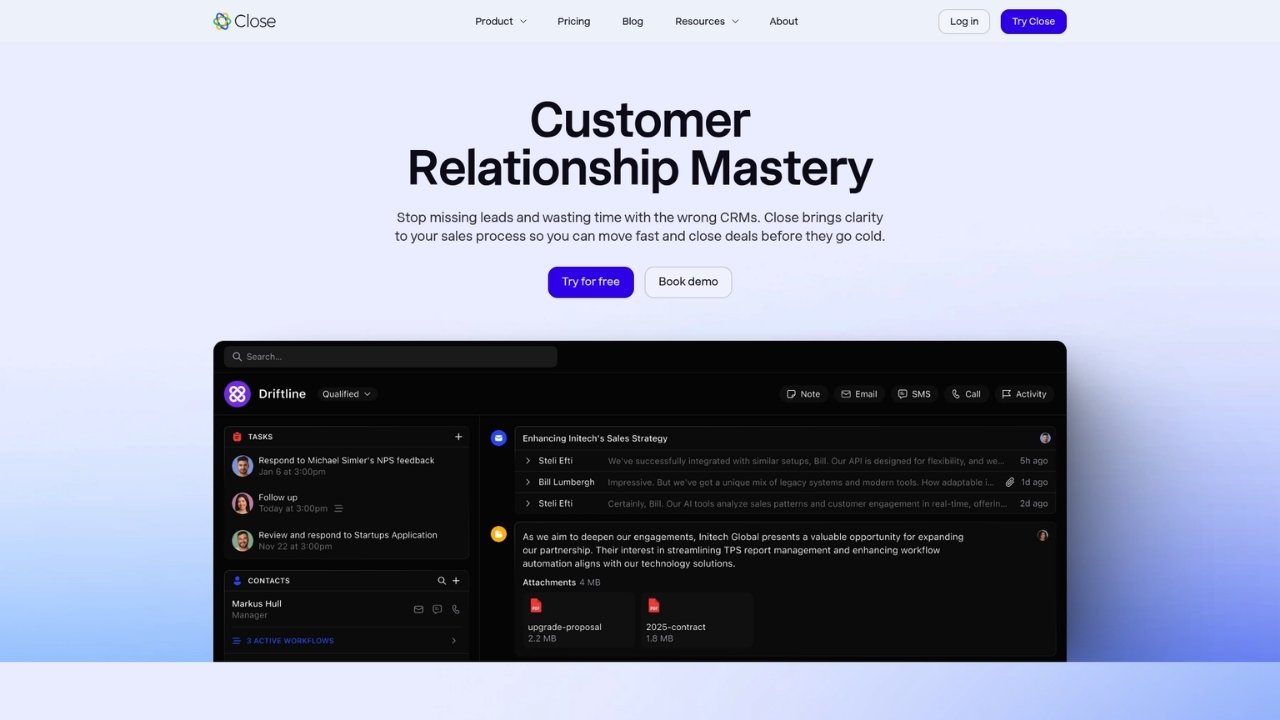
Close is a CRM built specifically for sales teams, with integrated power and predictive dialers that eliminate the need for separate tools. Unlike PhoneBurner, which operates as a dialer with light CRM features, Close is a complete sales platform where calling is one component of a unified workflow.
The platform automatically logs every call, email, and SMS to contact records. When you make a call, your CRM updates instantly. No manual data entry, no switching between apps, no integration headaches.
Key features:
- Built-in power and predictive dialers
- Automatic call logging to CRM records
- Email sequencing and SMS messaging
- Mobile app for managing deals on the go
- Visual sales pipeline
Pros:
- No integration needed between dialer and CRM
- Automatic data sync eliminates manual work
- Complete sales workflow in one platform
- Mobile app for remote teams
Cons:
- May be more than dialer-only teams need
- 3-user minimum on some plans
- Learning curve if you only need basic calling
Pricing: Starts at $49 per user per month for the Startup plan. Professional plan at $99 includes the power dialer. Premium phone numbers cost an additional $19 per month.
Verdict: Choose Close if you want to consolidate your tech stack and handle everything from prospecting to closing in one platform.
2. Kixie
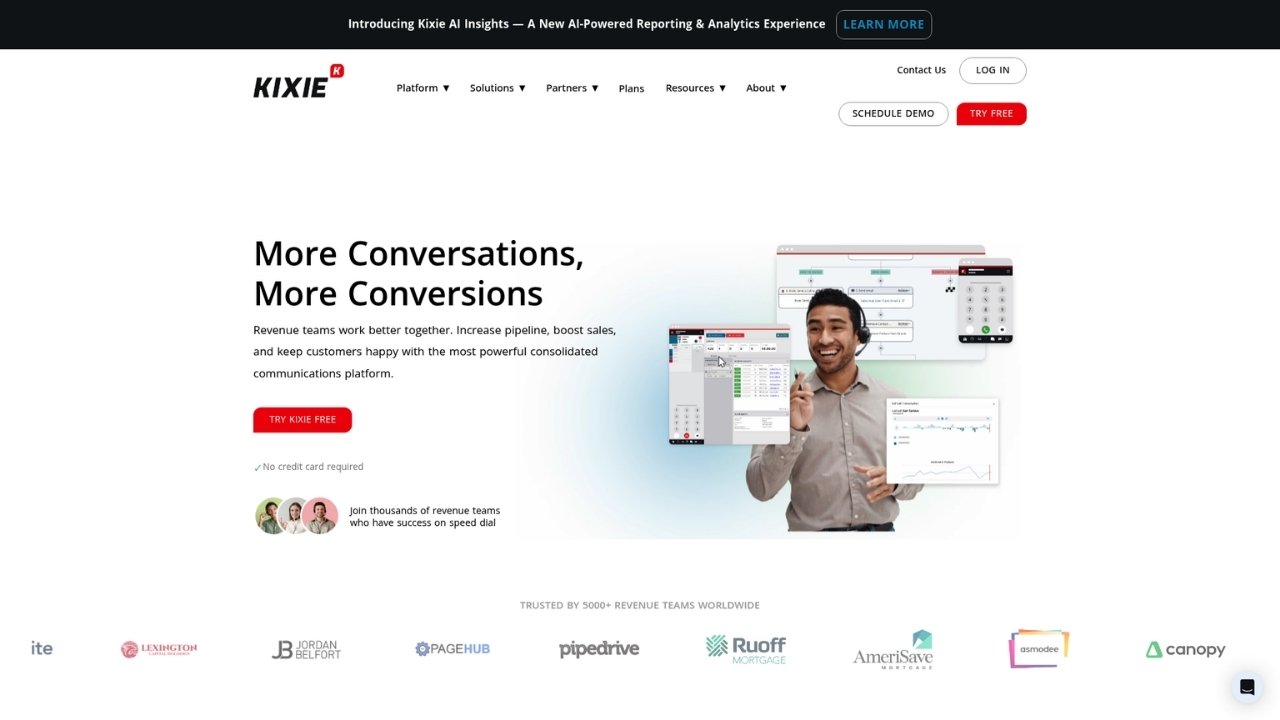
Kixie takes a different approach than Close. Instead of replacing your CRM, it enhances it. The platform sits on top of your existing Salesforce, HubSpot, or Pipedrive setup and adds advanced dialing capabilities without disrupting your current workflows.
The standout feature is multi-line dialing. While PhoneBurner dials one number at a time, Kixie can dial up to 10 lines simultaneously. When someone answers, you're connected instantly. The platform also includes AI-powered local area codes that automatically match your prospect's location, which can significantly improve answer rates.
Key features:
- Multi-line power dialer (up to 10 lines)
- AI local area codes for higher answer rates
- Live call coaching (listen, whisper, barge)
- Lifetime unlimited call recording storage
- Chrome extension for click-to-call from any webpage
Pros:
- Wide CRM integration options
- Advanced dialing features
- Unlimited call recording retention
- ConnectionBoost technology for better call quality
Cons:
- No native CRM (requires integration)
- Quarterly or annual billing only
- Pricing not transparent (contact sales required)
Pricing: Contact sales for pricing. Note that Kixie requires quarterly or annual commitments, there's no month-to-month option.
Verdict: Choose Kixie if you're happy with your current CRM and just need a more powerful dialer to layer on top.
3. Orum

Orum is built for one thing: maximizing conversations per hour. The platform uses AI-powered parallel dialing to call up to 5 numbers simultaneously. When someone answers, you're connected. The other lines drop automatically.
This approach eliminates the time spent listening to dial tones, voicemails, and busy signals. For high-volume SDR teams making hundreds of calls daily, this can translate to significantly more conversations and pipeline generated.
The platform also includes a Virtual Salesfloor feature that lets remote teams work together in real-time, hearing each other's calls and sharing energy like they would in a physical sales office.
Key features:
- Parallel dialing (up to 5 lines simultaneously)
- AI optimization for live connections
- Virtual Salesfloor for team collaboration
- Caller ID reputation monitoring
- Real-time analytics dashboard
Pros:
- Dramatically increases conversations per hour
- Strong integrations with major sales platforms
- Advanced caller ID management
- Built for high-volume outbound
Cons:
- 10-user minimum requirement
- Premium pricing (contact sales)
- Limited to 5 major CRM integrations
- No built-in CRM or email features
Pricing: Contact sales for pricing. Reports indicate annual contracts and higher per-user costs than most competitors.
Verdict: Choose Orum if you're running a high-volume SDR operation where conversations per hour is your primary metric.
4. AirCall

AirCall occupies a unique space in this list. It's not just a sales dialer, it's a complete cloud phone system that works equally well for sales and support teams. If your organization needs both functions, AirCall offers a unified solution.
The platform includes all the expected dialer features like power dialing and call recording, but adds call center capabilities like IVR, queueing, and advanced routing. You can set up toll-free numbers, international lines in 100+ countries, and sophisticated call flows.
Key features:
- Power dialer for outbound calling
- IVR and call routing
- Call recording and transcription
- Toll-free and international numbers
- Call analytics and monitoring
Pros:
- Works for both sales and support teams
- Strong international number coverage
- Advanced call center features
- 100+ integrations
Cons:
- No built-in CRM
- Some users report occasional call quality issues
- Power dialer only on higher-tier plans
Pricing: Essentials plan starts at $39 per user per month. Professional plan at $69 includes the power dialer and advanced features.
Verdict: Choose AirCall if you need a phone system that serves both sales and support, or if you want call center features beyond basic dialing.
5. CloudTalk
CloudTalk's biggest strength is international calling. The platform offers local phone numbers in over 160 countries, letting you establish a local presence virtually anywhere. This matters because prospects are more likely to answer calls from local numbers.
The pricing is also notably budget-friendly, starting at $25 per month. Even at this entry point, you get a power dialer, call recording, and IVR capabilities. Higher tiers add predictive dialing and more advanced analytics.
Key features:
- Local numbers in 160+ countries
- Power and predictive dialers
- Call recording and monitoring
- IVR and call routing
- Competitive international calling rates
Pros:
- Excellent global coverage
- Budget-friendly starting price
- Predictive dialing on higher tiers
- Strong for international sales teams
Cons:
- No native CRM (requires integration)
- Limited sales-specific features beyond dialing
- Some features tier-locked
Pricing: Starter plan at $25 per user per month. Essential at $35 adds more integrations. Expert at $55 includes predictive dialing.
Verdict: Choose CloudTalk if you make international calls regularly or want a capable dialer at a lower price point.
6. Dialpad Sell

Dialpad Sell focuses on conversation intelligence. The platform uses AI to analyze calls in real-time, providing coaching suggestions while you're still on the phone. It can detect sentiment, suggest responses, and automatically generate call summaries.
This is valuable for teams investing in rep development. Instead of reviewing calls after the fact, managers can use Dialpad's insights to coach in real-time or review AI-generated highlights instead of listening to entire recordings.
Key features:
- Real-time AI coaching (Live Coach)
- Automatic call transcription
- Sentiment analysis
- Call summary generation
- Power dialer and click-to-call
Pros:
- AI coaching improves rep performance
- Automatic transcription saves review time
- Native integration with Google Workspace and Microsoft 365
- Modern, intuitive interface
Cons:
- Can be complex for small teams
- Sell-specific pricing not clearly separated from standard Dialpad
- AI features require learning curve
Pricing: Standard Dialpad starts at $27 per user per month. Sell-specific pricing requires contacting sales, though it builds on the standard platform.
Verdict: Choose Dialpad Sell if call coaching and conversation intelligence are priorities for your team.
7. JustCall

JustCall combines voice calls with SMS and WhatsApp in one platform. For teams using multi-channel outreach strategies, this consolidation matters. You can trigger SMS follow-ups based on call outcomes, manage WhatsApp conversations alongside calls, and track everything in one place.
The platform is also notably affordable at $29 per month to start, making it accessible for smaller teams. Despite the lower price, you still get power dialing, call recording, and integrations with major CRMs.
Key features:
- Power dialer
- SMS and MMS messaging
- WhatsApp Business integration
- Call recording and transcription
- Sales analytics
Pros:
- Multi-channel communication (calls + SMS + WhatsApp)
- Affordable entry point
- Strong compliance certifications (SOC 2, ISO 27001, HIPAA)
- AI-powered transcription
Cons:
- Less advanced dialing than premium alternatives
- Some features require higher tiers
- Newer player with less market history
Pricing: Team plan starts at $29 per user per month. Pro at $49 adds more features. Business at $89 includes priority support.
Verdict: Choose JustCall if you want to combine calling with SMS and WhatsApp outreach, or if you're budget-conscious but need modern features.
How to choose the right PhoneBurner alternative
Selecting the right dialer depends on your specific situation. Here's a framework to help you decide:
Consider your CRM situation:
- If you need a CRM and dialer, Close is the clear choice
- If you love your current CRM, Kixie or Orum layer on top
Evaluate your call volume:
- Standard power dialing works for most teams
- If you need maximum conversations per hour, consider Orum's parallel dialing
Factor in your budget:
- Entry-level: CloudTalk ($25), Dialpad ($27), JustCall ($29)
- Mid-range: AirCall ($39-69), Close ($49-99)
- Enterprise: Kixie and Orum (contact sales, typically higher)
Think about compliance:
- If you're in healthcare or regulated industries, JustCall's HIPAA compliance matters
- All platforms support TCPA compliance, but verify specific features for your use case
Assess your international needs:
- CloudTalk's 160+ countries is best for global operations
- AirCall covers 100+ countries with strong call center features
Making the switch from PhoneBurner
If you decide to switch, plan the transition carefully to avoid disrupting your sales operations:
Data migration:
- Export all call recordings before canceling PhoneBurner
- Download contact lists and call history
- Document any custom workflows or dispositions you'll need to recreate
Parallel testing:
- Run the new system alongside PhoneBurner for 2-4 weeks
- Have a small team test with real calls before full rollout
- Compare metrics between systems to validate improvement
Team training:
- Schedule structured training sessions
- Identify power users who can help teammates
- Plan for a temporary productivity dip during the learning curve
Implementation timeline:
- Most alternatives take 1-4 weeks to fully implement
- CRM-integrated options like Close may take longer due to data migration
- Standalone dialers like Kixie can often be set up in days
Finding your ideal sales dialer
There's no single "best" PhoneBurner alternative, only the best fit for your specific needs. Close excels as an all-in-one solution. Kixie and Orum serve high-volume teams with existing CRMs. CloudTalk and JustCall offer budget-friendly entry points with modern features.
The right choice depends on your team size, existing tech stack, call volume, and budget. Start with free trials of your top 2-3 options and test them with real workflows. Most platforms offer 14-day trials, which is enough time to evaluate call quality, ease of use, and integration fit.
Looking for AI-powered phone support that handles inbound calls automatically? Try Ringly.io and let our AI agent the AI answer customer questions, look up orders, and handle returns 24/7.
Frequently Asked Questions
What are the best PhoneBurner alternatives for small teams?
For small teams, JustCall at $29/mo and CloudTalk at $25/mo offer the best value. Both include power dialing, call recording, and CRM integrations at budget-friendly prices. If you need an all-in-one solution, Close starts at $49/mo and includes a full CRM.
Which PhoneBurner alternative has the best CRM integration?
Close has the best CRM integration because it IS a CRM with built-in dialing. No integration needed, no data sync issues, no switching between apps. If you want to keep your existing CRM, Kixie offers the widest range of integrations with 1-click setup.
Are there any free PhoneBurner alternatives?
Most alternatives offer free trials (typically 14 days), but no major dialer offers a permanently free tier with meaningful features. For basic needs, some CRMs like HubSpot have limited free calling features, but they won't match the capabilities of dedicated dialers.
What is the cheapest alternative to PhoneBurner?
CloudTalk at $25/mo and Dialpad at $27/mo are the most affordable options with power dialing capabilities. JustCall at $29/mo is also budget-friendly and includes SMS and WhatsApp features.
Which PhoneBurner alternative is best for international calling?
CloudTalk is the best choice for international calling, with local numbers in 160+ countries and competitive international rates. AirCall is also strong with 100+ countries and additional call center features.
Do PhoneBurner alternatives offer AI features?
Yes, many alternatives now include AI features. Dialpad Sell offers real-time AI coaching during calls. Orum uses AI for parallel dialing optimization. JustCall includes AI-powered transcription. Kixie uses AI for local area code selection.