


Help Scout handles voicemail through email, and live phone calls come from an app or a phone provider you connect. The Standard plan's listed channels are live chat, SMS, WhatsApp, Instagram and Messenger, and a phone line is not among them. To get calls into the inbox you pick a dialer that logs them, or an AI phone agent that answers first and creates a conversation only when your team is needed.
Hear what AI support calls sound like for your store. Just paste your Shopify URL and get sample calls in under 20 seconds, no email required. Listen to demo calls for my store.
Does Help Scout have a phone channel?
The pricing page for the Standard plan lists live chat and SMS, WhatsApp, Instagram and Messenger. No phone line appears in that list.
So the short answer to "does Help Scout have phone support" is: it supports voicemail notifications, and it connects to phone tools. If you want a live call answered, something outside Help Scout has to do it.
That matters when you compare options. Whether you need a phone tool depends on who should pick up the phone in the first place.
How voicemail works in Help Scout
According to the docs, the Voicemail app works automatically with no installation required.
The setup is all on the phone provider's side:
- Point notifications at your inbox: you configure your voice or phone provider to send voicemail notifications to an email address that lands in a Help Scout Inbox.
- Matching emails become phone notes: notifications that match the rules, or that come from the listed providers, are classified as phone notes.
- Many providers are supported: the docs list Nextiva, Phone.com and RingCentral, among others.
Notice what this is. A caller leaves a message, your provider emails a voicemail notification, and Help Scout files it.
Phone apps in the Help Scout directory
For live calls you need an app. Here are four from the directory, and they do different jobs.
- Talkdesk: team members can take and route customer phone calls from their browser, per Help Scout's own docs.
- JustCall: you can make and receive calls and texts, and the activity is logged in Help Scout automatically.
- CloudTalk: it logs inbound and outbound calls into Help Scout tickets, with call details and timestamps.
- Aircall: agent tags and operational tags such as missed call and voicemail sync into Help Scout conversations.
If you want a phone line for a team that picks up calls, Talkdesk and JustCall both describe taking calls. If your priority is a clean record, CloudTalk logs calls into tickets and Aircall syncs tags into conversations. Read each vendor's page for what your plan includes.
Help Scout phone options by what each does with a call
| Option | What it does with a call |
|---|---|
| Help Scout Voicemail app | Turns voicemail notification emails into phone notes |
| Talkdesk | Lets your team take and route calls from the browser |
| JustCall | Makes and receives calls and texts, logs the activity in Help Scout |
| CloudTalk | Logs inbound and outbound calls into tickets with details and timestamps |
| Aircall | Syncs agent tags and tags like missed call and voicemail into conversations |
| AI phone agent | Answers the call, then sends calls that need your team to Help Scout with a summary, transcript and call link |
The AI phone agent row answers the call before a person gets involved. The dialer rows describe taking calls or logging them in Help Scout.
What a dialer does not fix for a Shopify store
A dialer solves the plumbing: calls show up next to your email and chat. It doesn't change who has to pick up.
Here's the deal. If your team takes every call through Talkdesk or JustCall, the phone queue is still a staffing question. The integration logs the work, and it doesn't reduce it.
Ask yourself which calls actually need a human. A caller who wants to know where an order is needs a lookup and a clear answer, and that job has little to do with which dialer logged the call. If most of your call volume looks like that, a better dialer is the wrong purchase.
If you're weighing the helpdesk itself rather than the phone layer, the Help Scout alternatives roundup covers competitors. For a wider view, the ecommerce helpdesk software comparison and the Shopify helpdesk app test cover tools built for stores.
Letting an AI phone agent answer first and create the Help Scout conversation
The other approach reverses the order. An AI phone agent answers the call, handles what it can, and Help Scout only sees the calls that need your team.
That's how this setup works with Help Scout. Customers call, the agent handles the conversation, and the calls that need your team land in Help Scout with a summary, the full transcript and a link to the call.
Inside Help Scout, the conversations work like this:
- Calls that need a person: when a caller asks for a person, or asks to cancel an order, the conversation lands active in your inbox.
- Every call, if you want it: turn on Create a ticket for every call and resolved calls come in too, already closed, as a record.
- A private note: it holds the summary, the caller's number, the time of the call, the transcript and a link to the call. Only your team sees it.
- Tags for Workflows: each conversation is tagged as an AI call, with the outcome (resolved, unresolved, escalated or cancellation request), the call category when there is one, and your store name.
- No email to the caller: the customer hears from you when your team replies.
Two requirements to check first. You need a paid Help Scout plan (Standard, Plus or Pro), because the Free plan has no API. And you sign in to Help Scout first, in the same browser, as a user who can see the inbox you want the calls in, since conversations are created as the user who connects.
How to pick a setup
Your answer depends on whether people or software should take the first call.
Choose the voicemail app alone if:
- Calls are rare: you only need messages to show up in the inbox.
- You already use a listed provider: the docs list Nextiva, Phone.com and RingCentral, among others.
Choose a dialer (Talkdesk, JustCall, CloudTalk or Aircall) if:
- Your team wants to talk live: people will pick up and make calls from the helpdesk.
- Logging matters most: you want calls, timestamps or tags attached to tickets.
Choose an AI phone agent if:
- Most calls are routine: you want them resolved on the call and only the exceptions in the inbox.
- You'd rather not staff the phone for every call: your team handles the conversations that land in Help Scout.
You can also run both. A dialer for your team's outbound and live calls, and an agent answering the inbound line. If you're still deciding on the helpdesk, the best ecommerce helpdesk software list is a good place to compare, and Zendesk alternatives and Freshdesk alternatives cover the other two big names.
How Ringly.io handles Help Scout calls on the phone
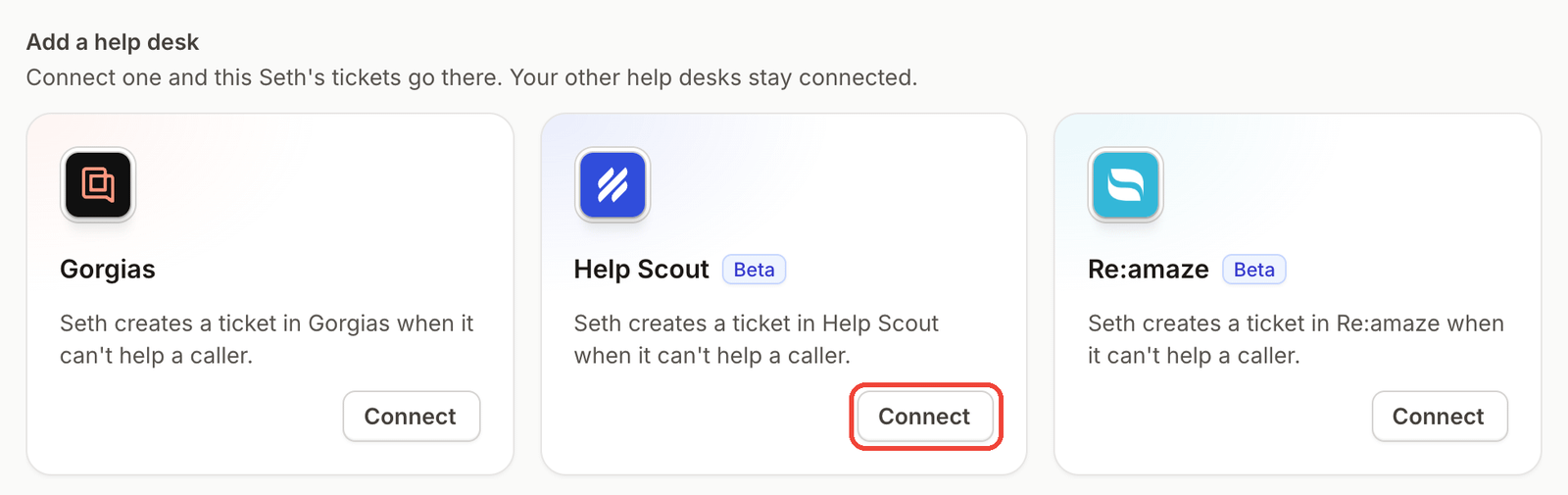
Ringly.io is AI phone support for Shopify brands. Seth answers the call, connects to Shopify to look up orders and verify the caller, and sends calls that need a person to Help Scout through the Help Scout connection. The Help Scout integration is in beta.
AI Coach is the part that makes the setup easier to live with. It's a chat assistant inside the Seth dashboard that reads your settings and real calls, tells you what to fix first, and makes most of those changes for you. It shows each change before anything is saved, and it's in beta, so it can be wrong.
A custom skill can call any API that your tool exposes. Ringly.io charges per phone conversation, and the details are on the pricing page.
Frequently asked questions
Does Help Scout have phone support?
Help Scout supports voicemail, and its Standard plan's listed channels don't include a phone line. For live calls you connect a phone app or provider.
Can Help Scout log calls automatically?
Through an integration, yes. CloudTalk logs inbound and outbound calls into tickets with call details and timestamps, and JustCall logs calling and texting activity in Help Scout.
Does Help Scout support voicemail?
Yes. The Voicemail app works automatically with no installation, and you point your provider's voicemail notifications at an email address that lands in a Help Scout Inbox.
Can I make calls from Help Scout?
Through an app, yes. JustCall lets you make and receive calls and texts, and Talkdesk lets team members take and route calls from their browser.
Which phone systems integrate with Help Scout?
The directory includes Talkdesk, JustCall, CloudTalk and Aircall. The voicemail docs also list many providers, including Nextiva, Phone.com and RingCentral.
Can an AI agent answer calls and send them to Help Scout?
Yes. Ringly.io answers the call and creates a Help Scout conversation for calls that need your team, with a summary, the full transcript and a link to the call. It needs a paid Help Scout plan, since the Free plan has no API.
More on Help Scout: best AI agents for Help Scout, Help Scout pricing, Help Scout Shopify integration, Help Scout review and how Ringly connects to Help Scout.