
Crisp's Shopify app puts the Crisp chatbox on your storefront and syncs your Shopify customers and orders into the Crisp inbox. Hugo, Crisp's AI agent, can use Shopify tools to look up orders. Phone calls are a separate question, covered near the end of this page.
Hear what AI support calls sound like for your store. Just paste your Shopify URL and get sample calls in under 20 seconds, no email required. Listen to demo calls for my store.
What the Crisp Shopify app does
The app displays the Crisp Chatbox on your Shopify storefront, and it creates or updates Crisp contacts using Shopify customer information. It also gives Hugo access to Shopify tools, which the table below covers.
If you're still choosing a helpdesk, our roundup of the best Shopify helpdesk apps compares the options. Crisp is one of several, and you can see where it sits against others in our Crisp Chat alternatives guide.
How to install Crisp on Shopify
Crisp's own Shopify help article is the reference for the Shopify app. Follow it if a third-party guide disagrees with what you see on screen.
Once the app is connected, check these four things:
- Check that the chatbox shows on your storefront.
- Check that contacts are created or updated from your Shopify customer information.
- Check that customers' order history is visible in the Crisp inbox.
- Check that Hugo can use the Shopify tools, such as order lookup and address update, on a test order.
Show the chatbox on your storefront
The app displays the Crisp Chatbox on your Shopify storefront.
Test it on a real product page and on mobile before you tell anyone it's live.
What syncs: customers, orders and the inbox
The second is order data. Crisp says you can view customers' order history straight in your inbox as you handle their requests. It also says you can activate advanced features, such as refunds, straight from Crisp.
Crisp's pricing page describes the same thing from the plan side. It says the Shopify plugin syncs e-commerce data with your Crisp Inbox, and that each conversation can sync with Shopify, Adobe, WooCommerce and Prestashop.
For an agent day to day, that means:
- Customer context: contacts are created or updated from Shopify customer information.
- Order history: Crisp lets you view a customer's order history in the inbox.
- Refund actions: advanced features such as refunds are reachable from Crisp.
If your team lives in the helpdesk all day, that's a real time saver. If you're weighing Crisp against bigger tools, our ecommerce helpdesk software comparison and the longer best ecommerce helpdesk software list cover what else is out there.
What Hugo can do with Shopify data
Hugo is Crisp's AI agent. Crisp's help article lists Shopify tools Hugo can use, including these two.
| Hugo's Shopify tool | What Crisp says it does | Why a store cares |
|---|---|---|
| Order lookup | "Retrieve information about a specific order, including its status, shipping details, and tracking information" | Handles where-is-my-order questions in chat |
| Address update | "Update selected shipping address fields while the order is still eligible for modification" | Fixes a wrong address while the order can still be modified |
Both quotes come from Crisp's Shopify help article. The address tool works on selected fields and only while the order is still eligible for modification.
Hugo also has a cost. Featurebase's Crisp pricing breakdown says Hugo draws credits down as it handles conversations, at roughly $0.05 to $0.10 each. It says that works out to around 90, 450 and 1,350 conversations per month.
Check that against your own chat volume before you turn Hugo on for everything.
What the Shopify integration does not cover: phone calls
Everything above is chat. The Shopify app puts a chatbox on your storefront, syncs contacts and orders, and gives Hugo order tools. Phone calls are a separate channel.
Crisp does list a Phone feature on its pricing page: "Answer phone calls and trigger outbound calls right from Crisp." That's a way for your team to take calls. It's a different job from having every inbound call answered and resolved before a person gets involved.
If you want calls to show up in Crisp next to chat and email, Ringly.io's Crisp integration is built for that. Its help article describes it as for Shopify brands that use Crisp for customer support and want phone calls in the same inbox as chat and email.
Calls that need a person arrive as conversations. When a caller asks for a person or asks to cancel an order, the conversation lands in your Main Inbox, unread and waiting for your team.
Checklist before you go live
Run through this once before you announce chat to customers:
- Install check: the Crisp app is set up following Crisp's Shopify help article.
- Contact sync check: open a test customer in Crisp and confirm the Shopify details came across.
- Order history check: open a conversation from a real customer and confirm their orders show in the inbox.
- Hugo check: test an order lookup and an address change on a test order.
- Cost check: estimate monthly chat volume against Hugo's credit draw.
- Phone check: decide where calls go. If they have no home in Crisp yet, that's your gap.
If this stack doesn't fit, you can compare other helpdesks in our guides to Zendesk alternatives and Freshdesk alternatives.
How Ringly.io handles phone calls alongside Crisp
Ringly.io is AI phone support for Shopify brands. A caller who asks about an order gets an answer on the call, and calls that need your team go to Crisp. Ringly.io charges per phone conversation, and the details are on the pricing page.
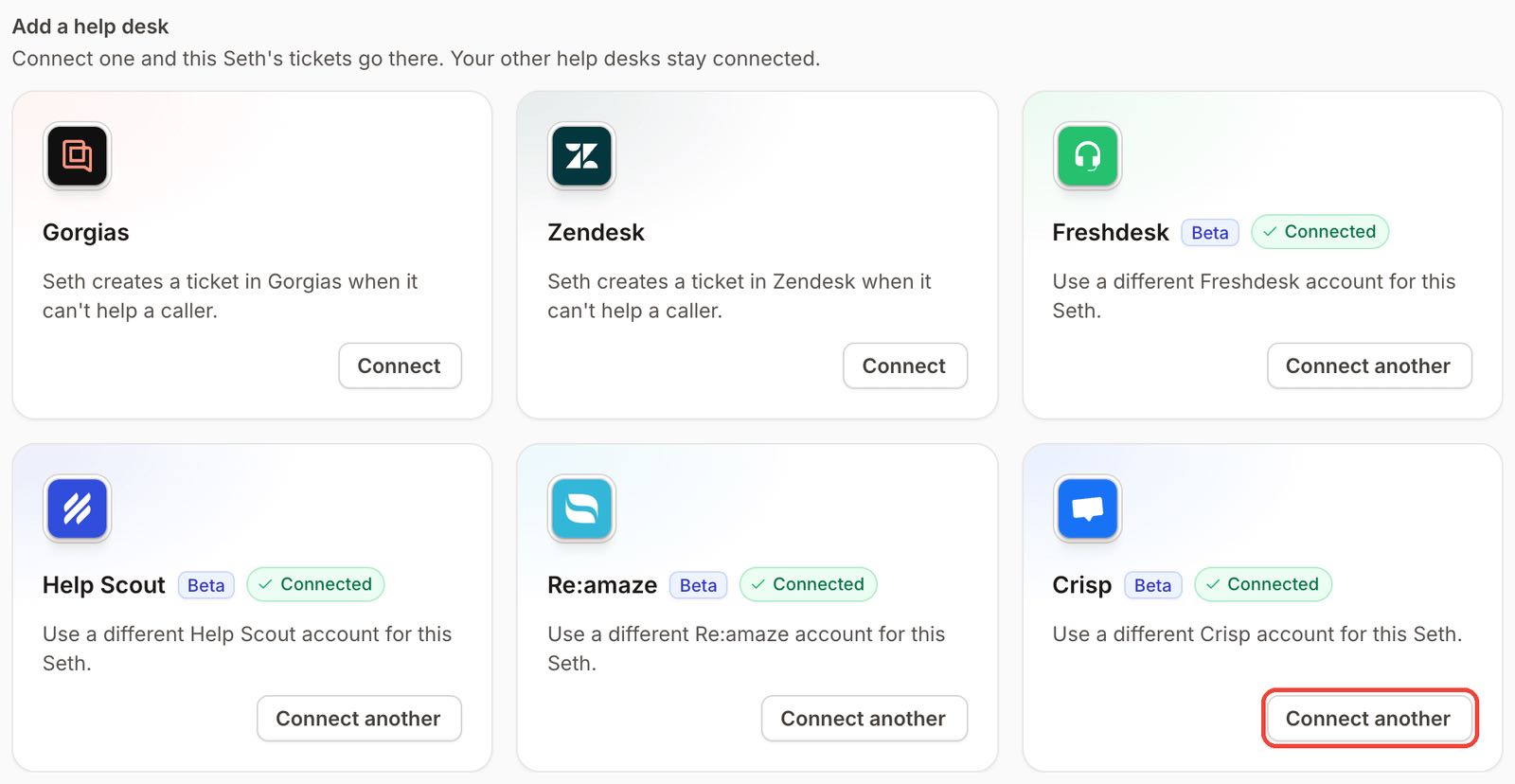
The Crisp integration is in beta. On the Crisp side, calls that need a person arrive in the Main Inbox as a conversation with a private note holding the transcript. You need a Crisp plan with private notes, Mini or above, and an owner or admin of the workspace has to approve the connection. Setup is covered in the Connect Crisp to Ringly help article.
AI Coach is a chat assistant inside the dashboard. It reads your settings and real calls, tells you what to fix first, and makes most of those changes for you. It's in beta, and it shows every change before anything is saved. Here's how to use Coach.
Ringly.io also connects to Shopify, Gorgias, Zendesk and Twilio, plus carrier tracking through TrackingMore. Any tool with an API can be connected through a custom skill.
Frequently asked questions
How do I install Crisp on Shopify?
Follow Crisp's Shopify help article for the install steps. Then confirm the chatbox shows on your storefront and that contacts and orders reach the inbox. Crisp's Shopify help article is the reference if an older guide doesn't match what you see.
What does the Crisp Shopify app sync?
It creates or updates Crisp contacts using Shopify customer information, and it brings order data into the inbox. Crisp says you can view customers' order history there while you handle their requests.
Can Crisp's AI agent look up Shopify orders?
Yes. Crisp's help article says Hugo can retrieve a specific order's status, shipping details and tracking information through a Shopify tool.
Can I update a shipping address from Crisp?
Hugo can update selected shipping address fields while the order is still eligible for modification. That covers selected fields only.
Does Crisp handle phone calls for a Shopify store?
Crisp lists a Phone feature on its pricing page for answering calls and starting outbound calls from Crisp. The Shopify app itself covers chat, contacts and orders. For calls that arrive in your Crisp inbox with a summary and transcript, Ringly.io has a Crisp integration for Shopify brands.
More on Crisp: Crisp phone integration, best AI agents for Crisp chat, Crisp chat pricing and how Ringly connects to Crisp.