

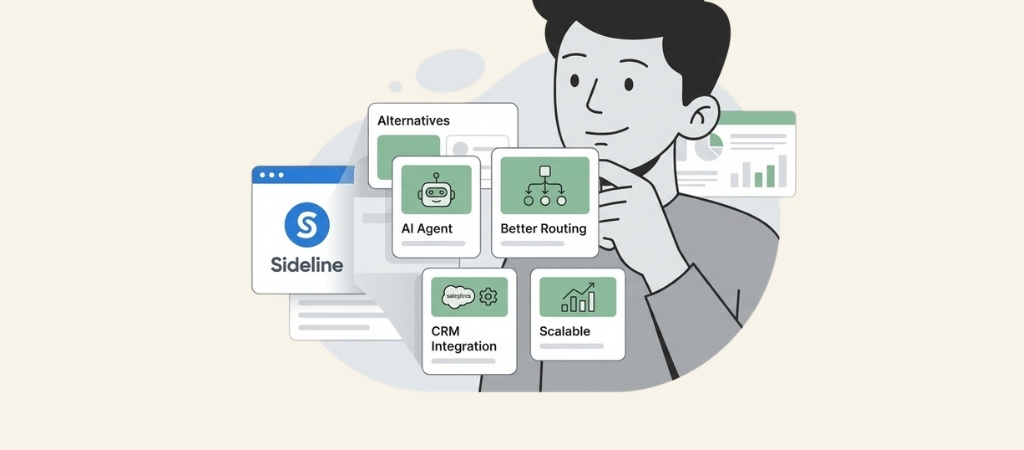
Sideline was a decent starting point for separating work and personal calls.
But when the company discontinued its Enterprise plan in June 2025, many businesses found themselves stuck with a basic second-number app that couldn't grow with them.
If you're searching for sideline alternatives that offer more than just an extra phone line, you're in the right place.
We've tested and compared the 7 best options for 2026, from simple VoIP solutions to AI-powered phone agents that can handle your calls automatically.
Editor’s note: Want to hear some sample AI support calls made for your Shopify store?
- Just paste your store URL
- Hear sample calls for your store (no email required)
- Listen to demo calls for my store
What is Sideline and why look for alternatives?
Sideline provides a second phone number that runs through your existing cell service. It's not a true VoIP system (which uses internet calling). Instead, it piggybacks on your carrier's network.
This approach has some significant drawbacks:
- No auto-attendant or call routing callers can't press 1 for sales, 2 for support
- No analytics or integrations you can't see call patterns or connect to your CRM
- Enterprise features gone the discontinued plan removed multi-user support and international calling
- Reliability issues users report dropped calls, high spam volume, and texts that don't go through
One Capterra reviewer put it bluntly: "Randomly and without warning, your account may be blocked due to them thinking you are spam, and you are not notified."
If you're running a real business, you need a phone system that looks professional and scales with you. Here's how we evaluated the alternatives.
How we evaluated these sideline alternatives
We looked at six key criteria to find the best options:
- Pricing transparency clear plans without hidden fees
- Business features voicemail, custom greetings, call routing, analytics
- Scalability can it grow from solopreneur to small team?
- Call and text reliability consistent quality across devices
- Customer support responsive help when you need it
- Setup ease how quickly can you get started?
We selected these 7 alternatives because they represent the most-mentioned solutions across review sites and user discussions, each serving different business needs.
Quick comparison: all 7 sideline alternatives
| Provider | Starting Price | Best For | Key Features | Trustpilot Rating |
|---|---|---|---|---|
| OpenPhone | $15/month | Small teams, remote work | Shared inboxes, AI agent, CRM integrations | 4.1/5 |
| Google Voice | $10/month | Google Workspace users | Cross-device sync, voicemail transcription | 3.1/5 |
| Grasshopper | $14/month | Solopreneurs | Business texting, custom extensions | 1.9/5 |
| Ringly.io | $99/mo for the first 50 conversations, then $1.99 per conversation | E-commerce stores | AI phone agent, Shopify integration, 24/7 support | 4.8/5 |
| Nextiva | $20/month | Growing businesses | 99.999% uptime, 40+ features, video conferencing | 4.5/5 |
| Dialpad | $15/month | AI-focused teams | Real-time transcription, AI Recaps | 4.4/5 |
| iPlum | $13.99/month | Healthcare/legal | HIPAA compliance, encrypted texting | 4.1/5 |
The 7 best sideline alternatives
1. OpenPhone
.jpeg)
OpenPhone (recently rebranded as Quo after raising $105M) is a modern VoIP phone system built for startups and small teams.
Key features:
- Unlimited calling and texting to US and Canada
- One local or toll-free number per user (additional numbers $5/month)
- Shared phone numbers and inbox for team collaboration
- Auto-attendant (IVR) and call transfers on Business plans
- AI agent "Sona" included on all plans (1,000 free credits = 10 calls)
- Integrations with Slack, HubSpot, Salesforce, and Zapier
Pricing:
| Plan | Monthly Price | Key Features |
|---|---|---|
| Starter | $15/user/month | Basic features, manual recording, email support |
| Business | $23/user/month | AI summaries, CRM integrations, phone menus, live chat |
| Scale | $35/user/month | AI call tags, dedicated onboarding, priority support |
Pros: Clean, modern interface; excellent collaboration tools; scalable for growing teams
Cons: Virtual numbers don't work with all 2FA systems (common issue across VoIP providers)
Best for: Small teams and remote-first businesses that need shared inboxes and collaboration features.
2. Google Voice
Google Voice integrates seamlessly with Google Workspace, offering a familiar interface for businesses already in the Google ecosystem.
Key features:
- Call forwarding and voicemail transcription using Google AI
- Cross-device sync (mobile, laptop, desk phones)
- Three-way calling and call transfers
- Ring groups and auto attendants on Standard+ plans
- Integration with Google Meet, Calendar, and Gmail
- Available in 14 countries with Workspace plans
Pricing:
| Plan | Monthly Price | Users | Key Features |
|---|---|---|---|
| Starter | $10/user/month | Up to 10 | Unlimited US calling, voicemail transcription |
| Standard | $20/user/month | Unlimited | Auto attendants, ring groups, on-demand recording |
| Premier | $30/user/month | Unlimited | Automatic recording, advanced reporting |
Pros: Low cost, familiar Google interface, reliable infrastructure
Cons: Limited business features on lower tiers, requires Google Workspace, US/Canada focused
Best for: Budget-conscious freelancers and small teams already using Google Workspace.
3. Grasshopper

Grasshopper has been a go-to virtual phone system for small businesses for years, with over 400,000 customers.
Key features:
- Business phone numbers (local or toll-free)
- Unlimited calling minutes
- Business texting (registration required)
- Custom extensions and call forwarding
- Mobile and desktop apps
- 24/7 support included
Pricing:
| Plan | Monthly Price | Users | Numbers | Extensions |
|---|---|---|---|---|
| True Solo | $14/month | 1 | 1 | 1 |
| Solo Plus | $25/month | Unlimited | 1 | 3 |
| Small Business | $55/month | Unlimited | 4 | Unlimited |
Pros: Established brand, simple setup, affordable entry point
Cons: Limited integrations compared to competitors, no shared inboxes on lower tiers
Best for: Solopreneurs who want a professional phone setup without complexity.
4. Ringly.io

\Ringly.io takes a different approach from traditional phone systems. Instead of just routing calls, we provide an AI phone agent named an AI agent that handles customer conversations automatically.
Key features:
- AI agent "the AI" answers calls 24/7 in 40+ languages
- Native Shopify integration for order lookups and returns
- Handles FAQs, exchanges, and refunds automatically
- Escalates complex issues to your team when needed
- Call recordings, transcripts, and analytics
- Resolves up to 90% of calls without human intervention
Pricing:
| Plan | Monthly Price | Conversations | Key Features |
|---|---|---|---|
| Pay as you go | $99/mo | First 50 included, then $1.99 per conversation | Self-learning AI, store data integration, insights |
| Custom | Custom | 1,000+ calls a month | Private Slack channel, custom integrations |
Spam calls, hang-ups and wrong numbers are not billed (see Ringly's pricing).
Pros: True automation that scales without hiring, handles repetitive calls so you can focus on growth, works with existing phone numbers
Cons: Higher starting price than basic VoIP, optimized for e-commerce use cases
Best for: E-commerce stores and businesses that want to automate phone support rather than just manage it.
5. Nextiva

Nextiva offers enterprise-grade reliability with a 99.999% uptime guarantee and over 40 business phone features.
Key features:
- 40+ business phone features
- Video conferencing and team messaging included
- Advanced call routing and auto attendants
- 24/7 technical support
- CRM integrations
- Mobile and desktop apps
Pricing:
| Plan | Starting Price | Key Features |
|---|---|---|
| Essential | ~$20/user/month | Basic phone features, unlimited calling |
| Professional | ~$25/user/month | Video conferencing, CRM integration |
| Enterprise | Custom | SSO, unlimited locations, advanced analytics |
Pros: Highly reliable, extensive feature set, excellent customer support
Cons: Higher cost than entry-level options, may be overkill for solo operators
Best for: Growing businesses that need enterprise reliability and advanced features.
6. Dialpad

Dialpad combines voice, video, and messaging with built-in AI that transcribes calls in real time.
Key features:
- AI-powered call transcription and summaries (AI Recaps)
- Voice intelligence with real-time insights
- Video meetings included with all plans
- Shared lines and advanced call routing
- Integrations with Salesforce, HubSpot, and major CRMs
- Local numbers in 50+ countries
Pricing:
| Plan | Monthly Price | Key Features |
|---|---|---|
| Standard | $15/user/month | Unlimited calls, AI meetings, messaging |
| Pro | $25/user/month | CRM integrations, 24/7 support, multi-office |
| Enterprise | Contact sales | SSO, unlimited locations, 99.9% uptime SLA |
Pros: Cutting-edge AI features, modern interface, strong mobile experience
Cons: SMS limited to US/Canada, AI features have a learning curve
Best for: Teams that want AI-powered insights and transcription from their phone system.
7. iPlum

iPlum focuses on secure, compliant communication for professionals in regulated industries.
Key features:
- Encrypted calling and texting
- HIPAA and HITECH compliant (BAA available)
- Call recording with optional consent messages
- Voicemail transcriptions
- Auto text replies with signatures
- Business hours and out-of-office settings
- Phone tree (auto-attendant) support
Pricing:
- Starting at $13.99/month for individual plans
- Team and enterprise pricing available
Pros: Strong security and compliance, mobile-first design, affordable for individuals
Cons: Fewer third-party integrations than competitors
Best for: Healthcare providers, legal professionals, and anyone needing secure, compliant communication.
Which sideline alternative should you choose?
The right choice depends on your specific situation:
Just need a simple business line? Google Voice or Grasshopper offer affordable entry points with essential features.
Running a small team? OpenPhone provides excellent collaboration tools and shared inboxes.
Want AI-powered support? Ringly.io automates your phone support so you can focus on growing your business.
Need enterprise reliability? Nextiva delivers 99.999% uptime and comprehensive features.
Want AI call features? Dialpad offers real-time transcription and intelligent call summaries.
In healthcare or legal? iPlum provides the compliance and security you need.
Tips for switching from Sideline
Moving to a new phone system doesn't have to be disruptive. Here's how to make the transition smooth:
- Port your number Most providers support number porting. Keep your Sideline account active during the transfer (usually takes a few days).
- Test before going live Set up your new system and make test calls before updating your business listings.
- Update your listings Once the port is complete, update your website, Google Business Profile, and any directories.
- Set up business hours Configure your new system to handle after-hours calls appropriately.
Most modern phone systems take under 10 minutes to set up. The porting process is usually the longest part.
Start your search for the right business phone
Sideline served a purpose as a basic second-number app. But if you're serious about your business, you need a phone system that projects professionalism and grows with you.
The alternatives we've covered range from simple VoIP solutions to AI-powered automation. Most offer free trials, so you can test before committing.
Think about where your business will be in 1-2 years, not just what you need today. The right phone system should solve your current problems without creating new ones as you scale.
Ready to upgrade your phone support? Try Ringly.io for free and see how an AI phone agent can handle your calls while you focus on growing your business.
Frequently Asked Questions
Can I keep my Sideline number when switching?
Yes, most providers support number porting. You'll need to keep your Sideline account active during the transfer process, which typically takes 3-7 business days. Ask your new provider for specific porting instructions.
What's the best free alternative to Sideline?
Google Voice offers a free personal plan, though business features require a Workspace subscription. TextNow and 2ndLine offer free options but lack business features like team sharing and professional greetings.
Are sideline alternatives more reliable than Sideline?
Generally yes. True VoIP providers like OpenPhone, Nextiva, and Dialpad use dedicated infrastructure rather than piggybacking on your cell carrier. This typically results in more consistent call quality and fewer dropped calls.
Do I need a separate phone for these alternatives?
No. All the alternatives we reviewed work on your existing smartphone through mobile apps. Many also offer desktop apps and web interfaces for computer use.
What's the difference between a second-line app and a business phone system?
Second-line apps (like Sideline) give you an extra number but limited features. Business phone systems include professional features like auto-attendants, call routing, voicemail transcription, analytics, and team collaboration tools.
Can I use these alternatives for 2FA and verification codes?
Most virtual phone numbers don't work with 2FA systems from banks and major services. It's best to keep a personal cell number for account verification and use your business number for customer communication.



