

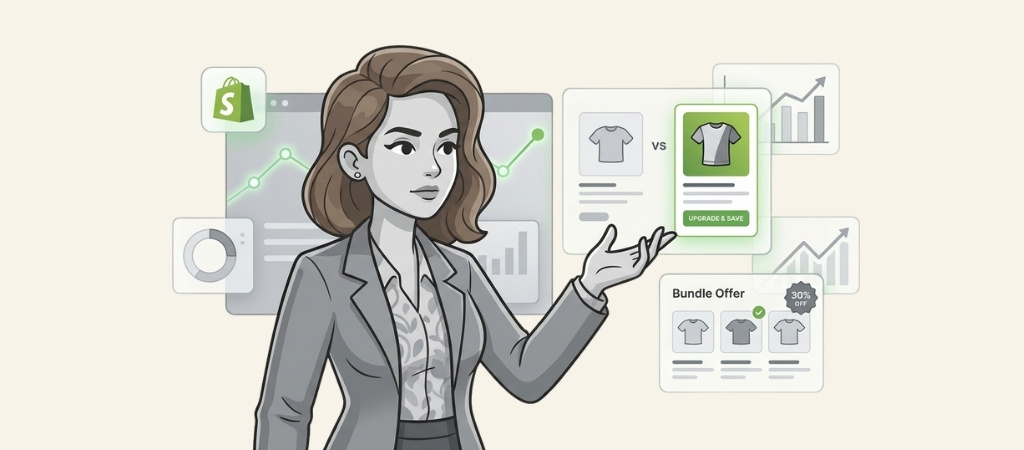
Increasing your average order value (AOV) is one of the fastest ways to grow revenue without acquiring new customers.
A Shopify upsell app helps you do exactly that by suggesting complementary products, upgrades, or bundles at strategic moments in the buying journey.
I tested seven of the top-rated upsell apps to see which ones actually deliver results.
This guide breaks down what each app does, how much it costs, and which type of store it's best suited for.
Editor’s note: Want to hear some sample AI support calls made for your Shopify store?
- Just paste your store URL
- Hear sample calls for your store (no email required)
- Listen to demo calls for my store
What is a Shopify upsell app?
A Shopify upsell app is a tool that suggests additional products to customers during their shopping experience. These suggestions appear at key moments: on product pages, in the cart, at checkout, or after a purchase is complete.
There are three main types of upsells:
- True upsells suggest a higher-priced version of what the customer is already buying (like a larger size or premium model)
- Cross-sells recommend complementary products (like a phone case with a new phone)
- Bundles group related items together at a discounted price
The math is simple. If your current AOV is $50 and an upsell app helps you increase it by just 10%, that's an extra $5 per transaction. At 100 orders per month, that's $500 in additional monthly revenue without spending more on ads.
How I evaluated these Shopify upsell apps
I focused on criteria that matter to real store owners:
- Ease of setup Can you get it running without a developer?
- Pricing transparency Are the costs clear before you install?
- Merchant reviews What do actual users say about results?
- Feature set Does it cover the upsell types you need?
- Theme compatibility Will it work with your existing store design?
All apps on this list have a "Built for Shopify" badge, meaning they meet Shopify's standards for performance and security.
Quick comparison table
| App | Rating | Starting Price | Best For | Key Strength |
|---|---|---|---|---|
| Selleasy | 4.9 stars | Free (50 orders) | Amazon-style recommendations | Multi-language support |
| Essential Upsell | 5.0 stars | Free ($100 revenue) | Beginners | Drag-and-drop editor |
| SellUp | 4.3 stars | Free (500 views) | AI automation | ROI tracking |
| ReConvert | 4.8 stars | $15.99/month | Post-purchase focus | Thank-you page customization |
| iCart | 4.8 stars | Free (100 orders) | Cart enhancement | Slide drawer design |
| Bold Upsell | 4.3 stars | $9.99/month | Advanced rules | Flexible triggers |
| HoneyComb | 4.8 stars | $8.99/month | Gamified experiences | Easy setup |
The 7 best Shopify upsell apps
1. Selleasy

Selleasy tops this list with 4.9 stars from over 2,160 reviews. It replicates Amazon's "frequently bought together" experience on your Shopify store.
Key features:
- Bundle offers with card and Amazon-style layouts
- Product add-ons with four widget layout options
- Cart add-ons through pop-ups
- Upsell funnels based on customer responses
- Post-purchase one-click upsells
- Thank-you page add-ons
- AI-powered recommendations (ChatGPT-powered on Pro plan)
Pricing:
| Plan | Price | Order Limit |
|---|---|---|
| Free | $0 | Up to 50 orders/month |
| Tier II | $9/month | Up to 500 orders/month |
| Tier III | $19/month | Up to 1,000 orders/month |
| Tier IV | $29/month | 1,000+ orders/month |
| Pro | $49/month | Unlimited + AI features |
Pros:
- Generous free tier for small stores
- Multi-language support (English, German, French, Spanish, Dutch, Portuguese, Chinese)
- Multi-currency compatible
- Free setup assistance via Zoom
Cons:
- Pricing jumps based on total store orders (not just upsell orders)
- AI features only available on Pro plan
Best for: Stores wanting Amazon-style recommendations with international customer bases.
2. Essential Upsell & Cross Sell

Essential Upsell holds a perfect 5.0-star rating from nearly 2,000 reviews. Essential Apps, the developer behind it, powers over 200,000 Shopify stores.
Key features:
- Frequently bought together recommendations
- Post-purchase upsells and cross-sells
- Automatic discount promotions
- Product page one-click upsells
- Cart drawer upsells
- Drag-and-drop editor for customization
- BOGO bundle creation
Pricing:
| Plan | Price | Revenue Limit |
|---|---|---|
| Free | $0 | Up to $100 additional revenue |
| Starter | $9.99/month | Up to $500 additional revenue |
| Essential | $19.99/month | Up to $1,000 additional revenue |
| Professional | $39.99/month | Unlimited |
Pros:
- Perfect 5.0 rating
- Intuitive drag-and-drop interface
- Revenue-based pricing means you pay as you grow
- 14-day free trial on all paid plans
Cons:
- Revenue limits may require frequent plan upgrades
- Fewer advanced targeting options than competitors
Best for: Beginners who want an easy setup process and stores that prefer revenue-based pricing.
3. SellUp
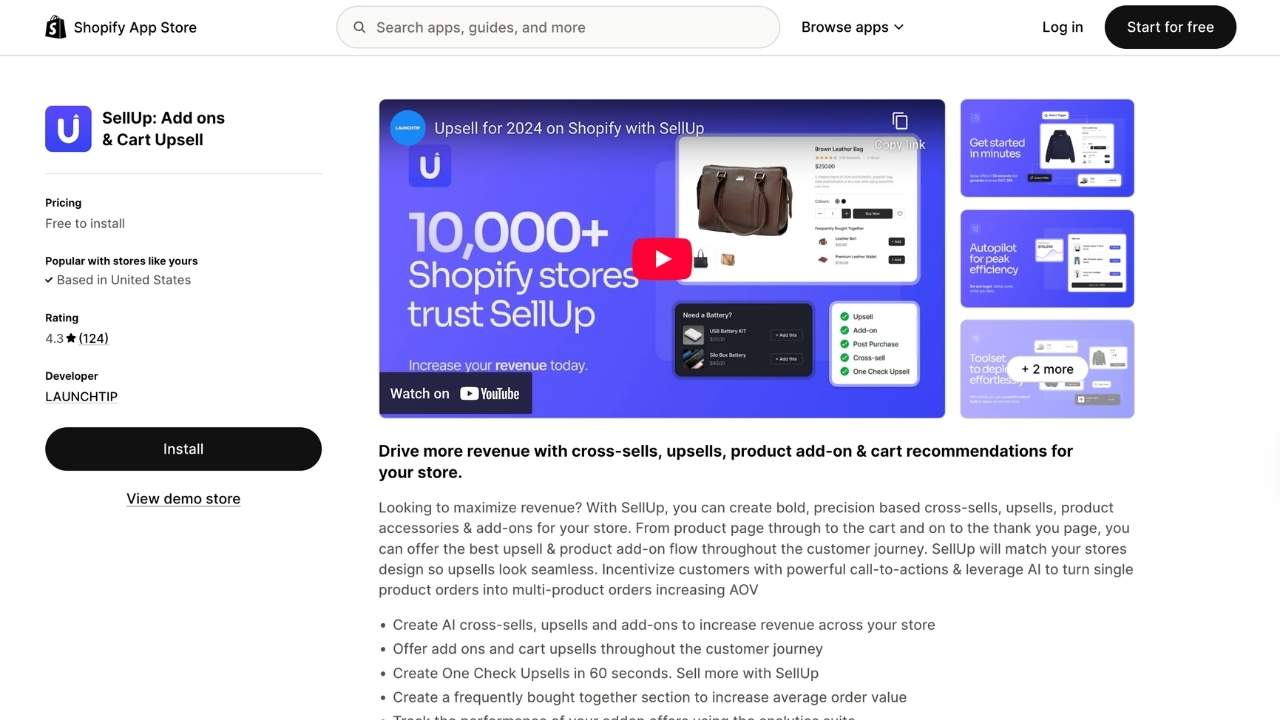
SellUp focuses on AI-powered recommendations that work across the entire customer journey. With 124 reviews and a 4.3-star rating, it's smaller than some competitors but offers unique features.
Key features:
- AI cross-sells and upsells
- Cart upsells and recommendations
- Thank-you page offers
- Post-purchase upsells
- Analytics suite with ROI tracking
- Customizable design to match your theme
Pricing:
| Plan | Price | View Limit |
|---|---|---|
| Free | $0 | Up to 500 offer views/month |
| Tier 1 | $14.99/month | Up to 5,000 views |
| Tier 2 | $29.99/month | Up to 10,000 views |
| Tier 3 | $49.99/month | Up to 25,000 views |
| Unlimited | $199.99/month | Unlimited |
SellUp tracks revenue directly attributed to the app, not total order value. Some merchants report ROI of over 3000%.
Pros:
- AI automation reduces manual work
- Strong analytics and conversion tracking
- Works across the full customer journey
Cons:
- Smaller user base means fewer community resources
- View-based pricing can be unpredictable
- Some merchants report confusion about view counting
Best for: Stores wanting AI-powered automation with detailed ROI tracking.
4. ReConvert
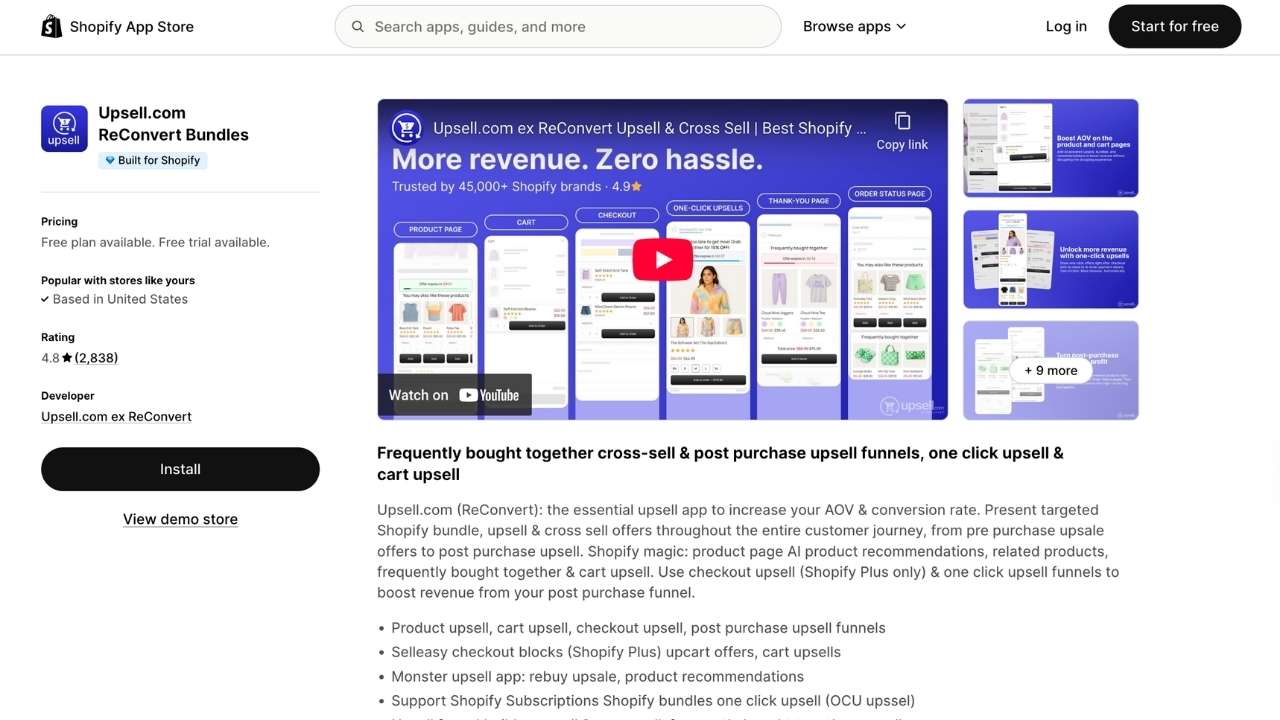
ReConvert specializes in post-purchase upsells with 4.8 stars from 2,836 reviews. It's built to maximize revenue after the initial sale completes.
Key features:
- Post-purchase upsell funnels
- Thank-you page customization
- One-click upsells (no re-entry of payment info)
- AI-powered product recommendations
- Customizable funnel design
Pricing:
| Plan | Price | Features |
|---|---|---|
| Free | $0 | Basic features |
| Paid | From $15.99/month | Full funnel customization |
Pros:
- Excellent for thank-you page optimization
- One-click upsells don't disrupt checkout flow
- High merchant satisfaction ratings
Cons:
- Primarily focused on post-purchase (limited cart features)
- Higher starting price than some competitors
Best for: Stores focused on maximizing post-purchase revenue and optimizing thank-you pages.
5. iCart Cart Drawer

iCart transforms your standard Shopify cart into a slide-out drawer with built-in upsell capabilities. It has a 4.8-star rating and offers a unique approach to cart-based upselling.
Key features:
- Sticky cart drawer design
- In-cart upsells and cross-sells
- Progress bar for free shipping goals
- Volume discounts
- Smart product recommendations
- Drag-and-drop widget editor
Pricing:
| Plan | Price | Features |
|---|---|---|
| Free | $0 | First 100 orders free |
| Starter | $9/month | Basic features |
| Growth | $12.99/month | Full features |
Pros:
- No-code setup
- Highly customizable design
- Improves cart experience while adding upsells
- Free for small stores
Cons:
- Primarily cart-focused (limited post-purchase features)
- May require theme adjustments
Best for: Merchants wanting to enhance their cart experience while adding upsell functionality.
6. Bold Upsell
Bold Upsell is an established name in the Shopify upsell space. With a 4.3-star rating, it offers extensive customization for stores with complex needs.
Key features:
- Product page upsells
- Cart upsells and cross-sells
- Customizable display rules
- Advanced trigger conditions
- Multiple upsell campaign types
Pricing:
| Plan | Price | Features |
|---|---|---|
| Starter | $9.99/month | Basic upsell features |
| Higher tiers | Varies | Advanced rules and customization |
Pros:
- Established, reliable platform
- Highly flexible trigger rules
- Extensive customization options
Cons:
- Interface can overwhelm beginners
- Learning curve for advanced features
Best for: Stores needing advanced upsell rules and merchants with complex trigger requirements.
7. HoneyComb

HoneyComb offers a gamified approach to upselling with a 4.8-star rating. It's designed for merchants who want engaging, interactive upsell experiences.
Key features:
- Targeted cart upsells
- Smart pop-ups
- Funnel design tools
- Gamified upsell experiences
- Easy setup process
Pricing:
| Plan | Price |
|---|---|
| Basic | $8.99/month |
| Silver | $49.99/month |
| Gold | $99.99/month |
| Platinum | $149.99/month |
Pros:
- Easy setup with minimal configuration
- Gamified elements increase engagement
- Good value at entry-level pricing
Cons:
- Fewer advanced features than competitors
- Higher tiers get expensive quickly
Best for: Stores wanting gamified upsell experiences and merchants prioritizing ease of use.
Key features to look for in a Shopify upsell app
When choosing an upsell app, prioritize these features:
One-click upsells reduce friction by letting customers add items without re-entering payment information.
Customization options ensure upsell widgets match your brand's look and feel.
Analytics and A/B testing help you understand what's working and optimize your offers.
Multi-currency and language support is essential if you sell internationally.
Theme compatibility ensures the app works with your existing store design without breaking anything.
Mobile responsiveness matters because over 70% of Shopify traffic comes from mobile devices.
Pricing models explained
Shopify upsell apps use different pricing structures. Understanding them helps you choose the right fit:
| Model | How It Works | Best For |
|---|---|---|
| Order-based | Price scales with your total monthly orders | Growing stores with predictable volume |
| Revenue-based | Price based on upsell revenue generated | Stores testing upsells for the first time |
| View-based | Price based on offer impressions | High-traffic stores with lower conversion |
| Flat rate | Fixed monthly fee regardless of usage | Established stores with consistent volume |
Tips for maximizing upsell performance
Getting an app installed is just the start. Here's how to actually drive results:
- Offer relevant products. Random suggestions annoy customers. Use data to recommend items that complement what's already in the cart.
- Keep upsell prices reasonable. Offers under 25% of the cart value convert best. A $20 upsell on a $100 cart works. A $75 upsell doesn't.
- Test different placements. Cart upsells work differently than post-purchase offers. Test both to see what your customers prefer.
- Use urgency sparingly. Countdown timers and "limited time" messaging can work, but overuse trains customers to ignore you.
- Monitor your analytics. Check which offers convert and which don't. Kill underperformers and double down on winners.
Which Shopify upsell app should you choose?
The right app depends on your store's specific needs:
Choose Selleasy if: You want Amazon-style recommendations and serve international customers.
Choose Essential Upsell if: You're new to upselling and want the easiest possible setup.
Choose SellUp if: You want AI automation and detailed ROI tracking.
Choose ReConvert if: Your focus is maximizing post-purchase revenue.
Choose iCart if: You want to enhance your cart experience specifically.
Choose Bold Upsell if: You need advanced rules and have complex upsell strategies.
Choose HoneyComb if: You want gamified experiences and easy setup.
While you're optimizing your store's revenue, consider how you handle customer support too. Ringly.io offers AI phone support that handles order inquiries, returns, and FAQs automatically. It integrates seamlessly with Shopify and can resolve up to 73% of calls without human intervention. You can try Ringly.io for free.
Frequently Asked Questions
Do I need a paid plan to test a Shopify upsell app?
Most apps on this list offer free plans or trials. Selleasy, Essential Upsell, SellUp, and iCart all have free tiers you can use to test before committing.
Can I use multiple upsell apps at once?
Technically yes, but it's not recommended. Multiple apps can conflict with each other and create a confusing customer experience. Choose one comprehensive app instead.
How quickly will I see results from a Shopify upsell app?
Most merchants see results within the first week if the app is configured correctly. Selleasy users report 8% of sales coming from upsells within a month. Tooth Be Told increased AOV by 10-30% shortly after installation.
Will upsell apps slow down my store?
All apps on this list have the 'Built for Shopify' badge, meaning they meet performance standards. However, any additional app adds some load. Monitor your store speed after installation.
Can I customize how upsell offers look?
Yes, all major upsell apps offer customization options. Essential Upsell has a drag-and-drop editor. Selleasy offers custom CSS. Most apps can match your brand colors and fonts automatically.
What's the difference between an upsell and a cross-sell?
An upsell suggests a higher-priced version of the same product (upgrade to the premium model). A cross-sell suggests a complementary product (add a case to your phone purchase). Both increase AOV but serve different purposes.
Looking for data to back up your strategy? Check out our latest research: 50 ecommerce cart abandonment statistics for 2026 and 45 customer retention statistics for 2026.



