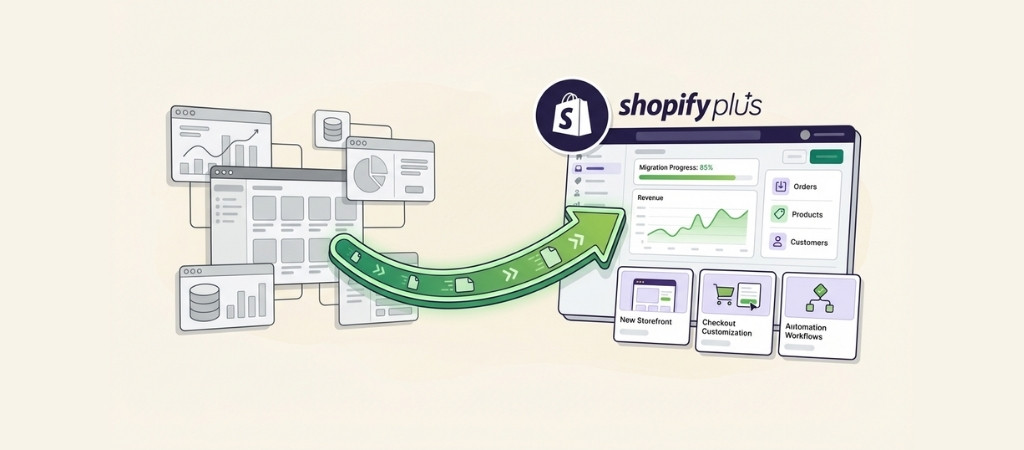
Moving your entire e-commerce operation to a new platform feels like performing surgery on a beating heart.
Your store is live, orders are coming in, and somehow you need to rebuild everything without customers noticing.
That's the reality of a Shopify Plus migration.
The good news? Thousands of stores have made this move successfully.
The bad news? A poorly executed migration can cost you months of lost traffic, broken customer experiences, and revenue you'll never recover.
This guide walks you through exactly how to migrate to Shopify Plus the right way, from deciding if it's even the right move to executing a flawless launch.
Editor’s note: Want to hear some sample AI support calls made for your Shopify store?
- Just paste your store URL
- Get sample calls in under 20 seconds (no email required)
- Listen to demo calls for my store
What Shopify Plus migration actually costs
Migration isn't cheap, and anyone who tells you otherwise is selling something. Let's break down the real numbers.
Platform pricing
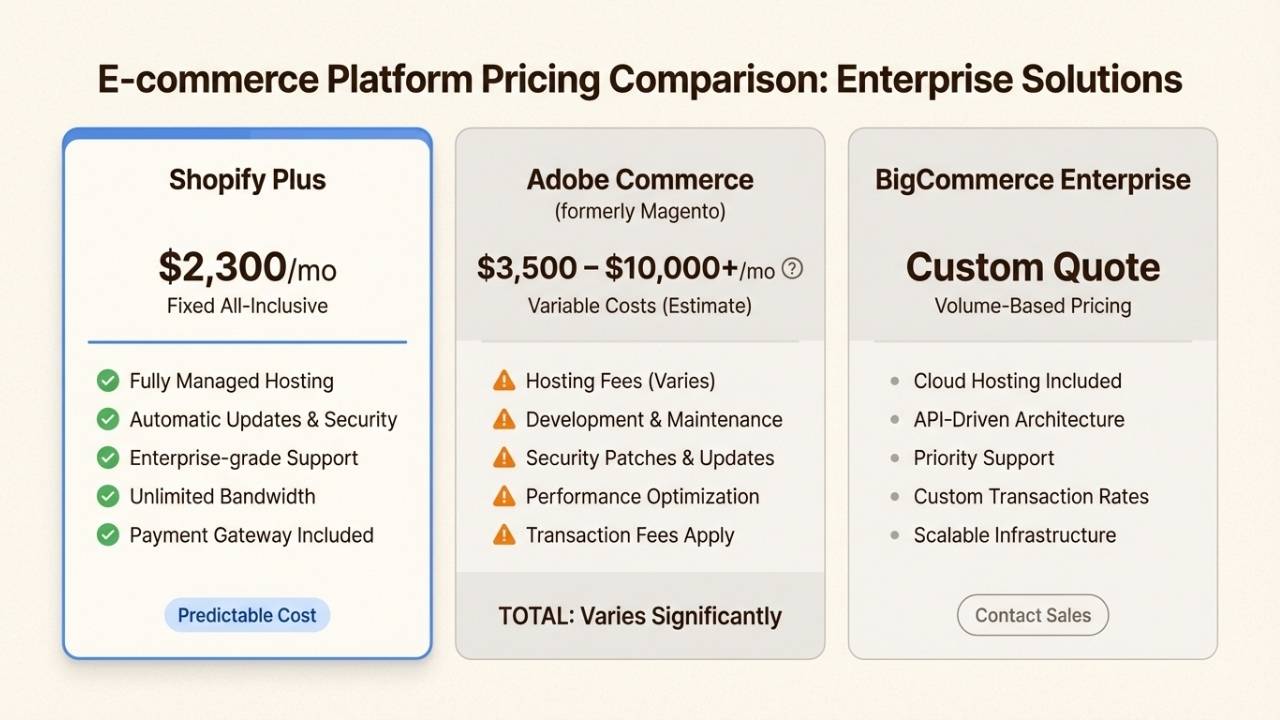
Shopify Plus starts at $2,300 per month if you commit to a 3-year term, or $2,500 per month for a 1-year term.
On top of that, you'll pay 0.5% per transaction. That sounds steep until you compare it to Salesforce Commerce Cloud, which charges 1% of GMV minimum.
On $5 million in annual sales, that's $50,000 versus $25,000 plus platform fees.
The real savings come from what's included: hosting, security, CDN, and updates are all handled. No more emergency server fixes at 2 AM.
Migration service costs
| Approach | Cost Range | Best For |
|---|---|---|
| DIY with apps | $500 - $2,000 | Simple stores, technical teams |
| Freelancer + apps | $3,000 - $10,000 | Mid-size stores with some complexity |
| Full-service agency | $10,000 - $50,000 | Complex catalogs, custom integrations |
What drives costs up? Catalog size (50,000 SKUs take longer than 500), custom integrations with ERPs or warehouse systems, international setup with multiple currencies, and design complexity.
A Magento migration typically costs more than WooCommerce because the data structures are messier and require more cleanup.
The complete Shopify Plus migration timeline
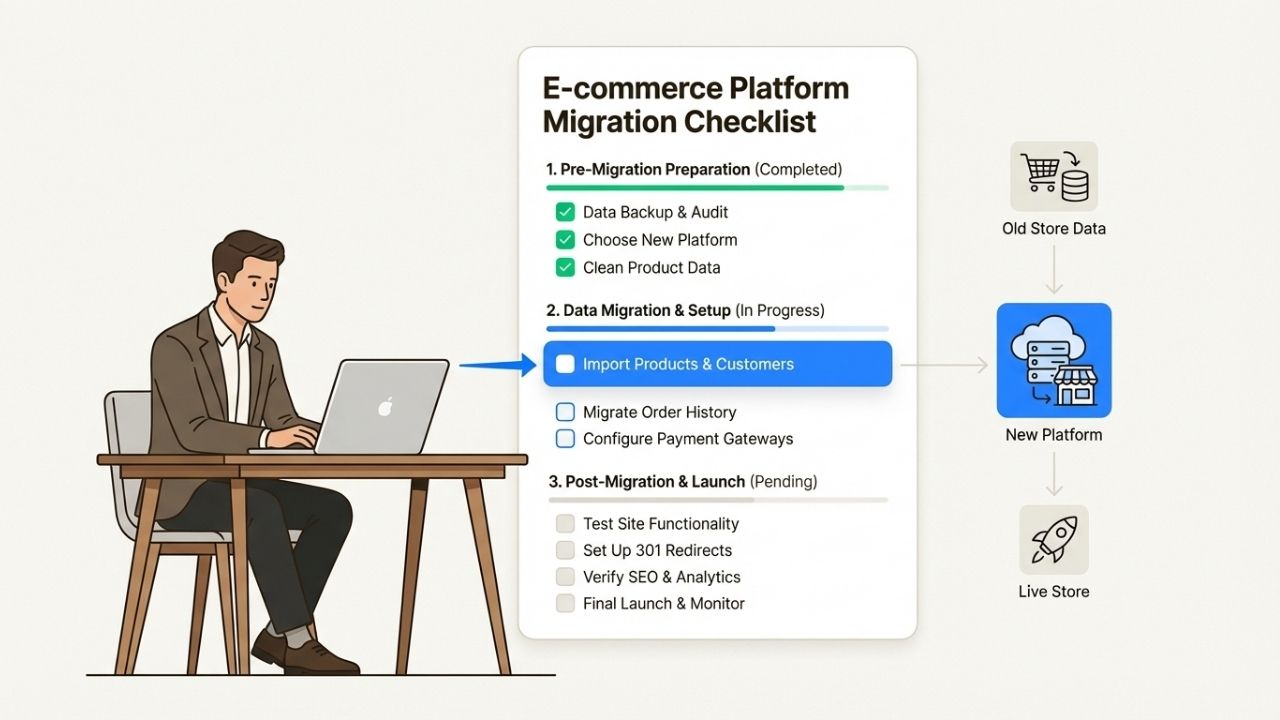
Most migrations take 6 to 12 weeks from kickoff to launch. Rush it and you'll miss critical issues.
Drag it out and your team loses momentum.
Here's how a typical timeline breaks down:
Weeks 1-2: Discovery and auditYour migration team (internal or agency) maps your current store architecture, documents all integrations, and creates a detailed migration plan. This phase catches problems before they become expensive surprises.
Weeks 3-6: Design and developmentWhether you're recreating your existing design or taking the opportunity to refresh, this is where the new store takes shape. Shopify Plus offers checkout customization that standard plans don't, so use this time to optimize your conversion flow.
Weeks 5-8: Data migration and testingData moves in stages: products first, then customers, then order history. Each import gets tested before proceeding.
This is also when you set up and verify all your 301 redirects.
Week 9+: Launch and monitoringGo live, watch everything closely, and fix issues as they surface. The first two weeks post-launch require daily attention.
Factors that compress the timeline: clean data exports, clear design direction, and fast feedback. Factors that extend it: messy data, changing requirements, and slow approvals.
Step-by-step Shopify Plus migration process
Let's walk through the actual execution. Each step builds on the last, and skipping any of them creates risk.
Step 1: Audit your current store
Before moving anything, document what you have.
Export a complete list of every URL that ranks in search, every page with backlinks pointing to it, and your current URL structure.
Tools like Screaming Frog can crawl your site and generate this inventory automatically.
Inventory your integrations too: email marketing, inventory management, accounting software, and any custom apps.
Not everything will have a direct Shopify equivalent, so you'll need migration plans for each.
Finally, export complete backups of all your data. Store these somewhere safe. If migration goes wrong, these backups are your insurance policy.
Step 2: Plan your data migration
Almost everything can move to Shopify Plus: products with variants and SKUs, customer accounts with addresses, complete order histories, blog content, and SEO metadata like title tags and meta descriptions.
What doesn't migrate? Raw payment data stays with your payment processor for security reasons.
Customer payment methods remain tokenized, which is actually a good thing for PCI compliance.
You have four options for moving data:
- CSV import: Best for small catalogs, free but manual
- Migration apps: Cart2Cart and similar tools automate the process for a few hundred dollars
- Shopify API: For custom needs and large catalogs
- Agency handling: Hands-off but expensive
Step 3: Design and build your new store
This is your chance to fix the design debt you've been living with. Shopify Plus gives you access to the checkout.liquid file for customizing the checkout experience, something standard plans restrict.
Choose between recreating your existing design (faster, familiar to customers) or a complete redesign (better long-term, but adds weeks).
Most agencies recommend a middle path: keep the familiar elements that work, improve the pain points you've identified.
Mobile performance deserves special attention. Google uses mobile-first indexing, and Shopify themes generally perform well out of the box.
But customizations can slow things down, so test thoroughly.
Step 4: Execute data migration
Move data in stages, not all at once. Start with products, verify everything imported correctly, then move customers, then orders.
This staged approach makes problems easier to spot and fix.
Common issues to watch for:
- Product variants that don't map cleanly to Shopify's structure
- Customer accounts where password migration isn't possible (customers will need to reset)
- Order histories with custom fields that don't have Shopify equivalents
- Image files that need reformatting or reuploading
Test after every import. Check that products display correctly, inventory numbers match, and customer accounts work.
Step 5: Protect your SEO during migration
This is where migrations fail most often. A store that loses 40% of its organic traffic because of missed redirects isn't a hypothetical scenario.
It happens regularly.
Your redirect strategy needs to cover:
- Every product page, including discontinued items
- All collection and category pages
- Blog posts and content pages
- Any URL with existing backlinks
Use a spreadsheet to map old URLs to new ones. Every old URL gets a 301 redirect to its new equivalent. Test every redirect before launch.
Transfer all meta descriptions and title tags. Reimplement structured data for products, reviews, and breadcrumbs.
Submit your new XML sitemap to Google Search Console immediately after launch.

Step 6: Testing and quality assurance
Test everything. Then test it again.
Your testing checklist should include:
- Browse and search functionality across all device types
- Add-to-cart and checkout flows with real test transactions
- Customer account creation and login
- Order tracking and history access
- All payment gateways processing correctly
- Shipping calculations for different regions
- Email notifications triggering properly
- Google Analytics and conversion tracking firing
Load testing matters for high-volume stores. Shopify Plus handles traffic spikes well, but your specific theme and apps might not.
Use tools like LoadNinja or GTmetrix to simulate heavy traffic.
Step 7: Launch and post-migration monitoring
Coordinate your launch during low-traffic periods. Have your team ready to respond to issues immediately.
Monitor these metrics daily for the first two weeks:
- Organic traffic levels
- Conversion rates
- Page load speeds
- 404 errors and broken redirects
- Google Search Console for crawl errors
Be prepared for a temporary rankings fluctuation. Google needs time to process all the changes.
But traffic should stabilize within 2-4 weeks if you've done everything right.
Platform-specific migration considerations
Your current platform determines how complex this gets.
From standard Shopify
This is the easiest path. You're essentially just upgrading your plan.
The migration can happen in as little as 24 hours, and Shopify Plus provides priority support to guide you through it. Your existing theme, apps, and data all transfer seamlessly.
From Adobe Commerce (Magento)
This is the most common migration path, and also one of the most complex.
Magento stores are typically heavily customized with extensions and custom code that don't have direct Shopify equivalents. You'll rebuild most functionality using Shopify apps or custom development.
The payoff is significant: lower total cost of ownership, less technical debt, and a platform that doesn't require constant maintenance.
But expect a full rebuild, not a simple data transfer.
From BigCommerce
Similar complexity to Magento, though often with fewer custom code complications. The main challenge is URL structure differences.
BigCommerce and Shopify use different URL patterns, so your redirect mapping will be extensive.
From WooCommerce
Export your data via CSV or API, then import into Shopify. WooCommerce migrations are generally straightforward because the data structures are simpler.
The main benefit you'll notice immediately is not having to manage hosting, security patches, and plugin updates anymore.
Common Shopify Plus migration mistakes to avoid
Learn from others' failures so you don't repeat them.
Incomplete redirect mapping is the big one. Stores have lost 40% of organic traffic because someone didn't map every old URL.
Don't assume your main pages are enough. Every product, collection, and blog post needs a redirect if its URL changes.
Changing URL structures without purpose is another trap. Some agencies recommend "cleaning up" URLs during migration.
Unless there's a compelling reason, keep your existing structure. It eliminates redirect dependency and preserves link equity more effectively.
Skipping load testing has killed launches during high-traffic sales events. Your store might work fine with ten concurrent users and collapse under a thousand.
Poor timing means launching right before Black Friday without buffer time to fix issues. Give yourself at least a month between launch and major sales events.
Inadequate post-launch monitoring lets problems fester. That 404 error on a high-traffic collection page won't fix itself.
Forgetting password migration creates customer friction. When possible, migrate customer passwords so they don't all need to reset.
When not possible, communicate the reset requirement clearly before launch.
Choosing your Shopify Plus migration approach
You have three main paths, and the right one depends on your complexity and budget.
DIY with migration apps works for simple stores under $500K annual revenue with standard product catalogs and minimal custom functionality.
Budget $500-2,000 for apps and plan to spend significant personal time on the project.
Hybrid approach using apps plus a freelancer for customization hits the sweet spot for many mid-size stores.
You automate the data migration but get professional help with theme customization and tricky integrations. Expect $3,000-10,000 total cost.
Full-service agency is the right call for complex catalogs (50,000+ SKUs), heavy custom integrations, or stores doing $1M+ annually where downtime is expensive. Costs run $10,000-50,000, but you get expertise that prevents costly mistakes.
When evaluating agencies, look for:
- Specific experience with your source platform
- Transparent pricing without hidden fees
- Dedicated post-launch support included
- Clear communication about timeline and process
- References from similar migrations
Scale your Shopify Plus store with better customer support
Once your migration is complete and traffic is flowing, you'll face a new challenge: handling increased support volume without proportional headcount growth.
This is where Ringly.io becomes valuable.
Their AI phone agent, the AI, handles inbound customer calls 24/7, answering questions, looking up orders, processing returns, and only escalating when necessary.
It resolves around 73% of calls without human intervention.
For Shopify Plus stores scaling rapidly, this means you can handle 3x the support volume without hiring 3x the staff.
the AI integrates directly with your Shopify store, pulls real-time order data, and speaks 30 languages.
Setup takes about 3 minutes. You can try it free for 14 days at https://app.ringly.io/onboarding-2.
Frequently Asked Questions
How long does a typical Shopify Plus migration take?
Most migrations take 6 to 12 weeks from start to finish. Simple upgrades from standard Shopify can happen in 24 hours, while complex migrations from Magento or custom platforms might extend to 16 weeks.
Will I lose SEO rankings during a Shopify Plus migration?
Not if you do it right. Proper 301 redirects, maintaining URL structures where possible, and transferring all meta data should preserve your rankings. Many stores actually see improvements due to better page speed and mobile experience on Shopify Plus.
What data can be migrated to Shopify Plus?
Products, customers, orders, blog content, pages, and SEO metadata can all migrate. Payment data stays tokenized with your processor for security. Some custom fields may need remapping to Shopify's structure.
How much does Shopify Plus migration cost?
Platform fees start at $2,300 per month. Migration services range from $500-2,000 for DIY apps to $10,000-50,000 for full-service agency migrations, depending on catalog size and complexity.
Can I migrate from any e-commerce platform to Shopify Plus?
Yes. Shopify Plus has established migration paths for Magento, BigCommerce, WooCommerce, Salesforce Commerce Cloud, and many others. The complexity varies by platform, but data migration is possible from virtually any source.
What happens to my customer accounts during migration?
Customer data including names, addresses, and order history transfers successfully. Passwords may require customer resets depending on your source platform's encryption. Communicate this clearly to minimize confusion.
Do I need a migration agency or can I do it myself?
DIY works for simple stores with technical teams. Agencies are recommended for complex catalogs, custom integrations, or high-revenue stores where mistakes are costly. Many stores choose a hybrid approach: apps for data, freelancers for customization.