
Searching for HappyDesk alternatives can be confusing.
You might be looking for help desk software for customer support, but "HappyDesk" is actually a real estate management platform.
Most people typing "happydesk alternatives" into Google are really looking for help desk software to manage customer support tickets.
Let's clear that up right away. This guide covers the best help desk software alternatives for teams that need to handle customer inquiries, support tickets, and service requests.
Whether you're switching from an existing platform or setting up your first help desk, these seven options cover every budget and use case.
Editor’s note: Want to hear some sample AI support calls made for your Shopify store?
- Just paste your store URL
- Get sample calls in under 20 seconds (no email required)
- Listen to demo calls for my store
What to look for in HappyDesk alternatives
Before diving into the tools, let's establish what actually matters when choosing help desk software.
Pricing transparency tops the list. Some vendors hide enterprise pricing behind "contact sales" forms, while others advertise low entry prices that quickly jump as you add features. Look for clear per-agent pricing with no surprise fees.
Ease of setup matters more than most vendors admit. A powerful tool that takes weeks to configure won't help if your team abandons it. Cloud-based solutions typically deploy in hours, not days.
Automation capabilities separate modern help desks from basic ticketing systems. AI-powered routing, suggested responses, and workflow automation can reduce manual work significantly.
Integration ecosystem determines whether your help desk becomes a central hub or an isolated tool. Check for native integrations with your CRM, e-commerce platform, and communication tools.
For e-commerce businesses specifically, consider whether you need phone support alongside your help desk.
Tools like Ringly.io offer AI phone agents that integrate with Shopify, handling order lookups and returns while your help desk manages email and chat.
HappyDesk alternatives comparison
| Tool | Starting Price | Free Trial | Best For | Standout Feature |
|---|---|---|---|---|
| Zendesk | $19/agent/month | 14 days | AI-powered support | 1,800+ integrations |
| Freshdesk | Free / $18/agent/month | 21 days | Small teams starting out | Generous free tier |
| Help Scout | $25/user/month | 15 days | Relationship-focused support | Customer-centric design |
| HappyFox | $9/agent/month | Not available | Custom workflows | Affordable entry point |
| Jira Service Management | Free / $23.80/agent/month | 7 days | IT and dev teams | Deep Atlassian integration |
| HubSpot Service Hub | Free / $15/seat/month | Not available | HubSpot CRM users | Native CRM connection |
| Spiceworks | Free | N/A | Zero-budget teams | Completely free |
1. Zendesk

Zendesk has dominated the help desk market for years, and for good reason.
It's a comprehensive platform that handles everything from basic ticketing to AI-powered customer service.
The platform shines with its automation capabilities.
Zendesk AI comes pre-trained on billions of customer service interactions, so it works out of the box without requiring technical setup.
The AI can suggest responses, route tickets intelligently, and even resolve simple inquiries autonomously through AI agents.
Key features:
- Omnichannel support (email, chat, phone, social, messaging)
- AI-powered ticket routing and suggested responses
- Knowledge base and help center builder
- 1,800+ app integrations
- Advanced analytics and reporting
Pricing:
| Plan | Price | Key Features |
|---|---|---|
| Support Team | $19/agent/month | Basic ticketing, email, social |
| Support Professional | $49/agent/month | AI features, custom workflows, SLAs |
| Support Enterprise | $99/agent/month | Advanced security, sandbox, dedicated support |
Pros:
- Extensive integration ecosystem
- Powerful AI that actually works
- Scales from small teams to enterprise
Cons:
- Can feel impersonal (you're "ticket #1234" to customers)
- Pricing escalates quickly with advanced features
- Steep learning curve for administrators
Zendesk works best for growing teams that need enterprise-grade features and don't mind paying for them. If you're planning to scale significantly, the investment pays off. For smaller teams, the complexity might be overkill.
2. Freshdesk

Freshdesk offers the most generous free tier of any major help desk platform, making it the natural starting point for teams new to customer support software.
The interface feels intuitive from day one.
Tickets are organized clearly, automation rules are straightforward to set up, and the mobile app actually works well for managing tickets on the go.
Freshdesk also includes ITIL-compliant features like problem management and change management, which larger organizations require.
Key features:
- Multichannel ticketing (email, phone, chat, social)
- Automation and workflow rules
- Self-service portal with knowledge base
- Collision detection (prevents multiple agents responding)
- SLA management
Pricing:
| Plan | Price | Key Features |
|---|---|---|
| Free | $0 | Unlimited agents, basic ticketing, knowledge base |
| Growth | $18/agent/month | Automation, SLAs, custom fields |
| Pro | $59/agent/month | Advanced reporting, custom roles, multilingual |
| Enterprise | $95/agent/month | Sandbox, IP restrictions, audit logs |
Pros:
- Excellent free tier for small teams
- Easy to set up and use
- Good balance of features and simplicity
Cons:
- Reporting features feel underdeveloped
- Can feel restrictive for complex workflows
- Some integrations require workarounds
Freshdesk suits teams that want solid help desk functionality without enterprise complexity.
The free tier handles basic needs surprisingly well, and paid plans remain affordable as you grow.
3. Help Scout

Help Scout takes a different approach from most help desks. Instead of treating customers like ticket numbers, it emphasizes personal, human-centered support.
The shared inbox feels more like email than a ticketing system.
Customers never see ticket numbers or robotic responses. Behind the scenes, your team gets collision detection, internal notes, and workflow automation, but customers just see helpful replies from real people.
Help Scout's workflow automation deserves special mention.
You can create rules that trigger based on virtually any condition, from due dates to customer tags. The manual workflow feature lets agents trigger multiple actions with a single click.
Key features:
- Shared inbox that feels like email
- Knowledge base (Docs) with Beacon embed
- Live chat with expectation matching
- Advanced workflow automation
- Customer profiles with full history
Pricing:
| Plan | Price | Key Features |
|---|---|---|
| Standard | $25/user/month | 5 mailboxes, 1 docs site, basic workflows |
| Plus | $50/user/month | 25 mailboxes, unlimited docs, advanced features |
| Pro | Custom | Unlimited everything, enterprise security |
Pros:
- Customers feel like people, not tickets
- Collision detection prevents embarrassing double-replies
- Workflow automation is genuinely powerful
Cons:
- No free tier (only a 15-day trial)
- Limited reporting compared to competitors
- Chat functionality can feel throttled
Help Scout fits teams that view customer support as relationship-building, not ticket resolution. If your brand emphasizes personal service, Help Scout reinforces that positioning.
4. HappyFox
.jpeg)
HappyFox positions itself as the customizable mid-market option, offering more flexibility than entry-level tools without Zendesk's enterprise pricing.
The ticketing system adapts to your workflows rather than forcing you into predefined processes.
Custom ticket forms, flexible SLA rules, and extensive automation options let you build a help desk that matches how your team actually works.
HappyFox also includes asset management and change management features, making it suitable for IT service management use cases, not just customer support.
Key features:
- Highly customizable ticket workflows
- SLA management with escalation rules
- Asset management and CMDB
- Canned responses and templates
- Multi-brand support
Pricing:
| Plan | Price | Key Features |
|---|---|---|
| Mighty | $9/agent/month | Basic ticketing, knowledge base, email |
| Fantastic | $24/agent/month | Automation, SLAs, custom fields |
| Enterprise | $49/agent/month | Advanced features, API access |
| Enterprise Plus | $69/agent/month | Unlimited everything, premium support |
Pros:
- Most affordable entry point on this list
- Highly customizable without coding
- Good for both customer support and ITSM
Cons:
- Fewer integrations than Zendesk
- Mobile app lacks some features
- No free trial for most plans
HappyFox works well for teams with specific workflow requirements that don't fit standard help desk molds. The low starting price makes it accessible, and the customization options let you grow without switching platforms.
5. Jira Service Management

If your team already lives in the Atlassian ecosystem, Jira Service Management is the obvious choice.
It integrates seamlessly with Jira Software, Confluence, and other Atlassian tools.
The platform excels at IT service management. Incident management, change management, and problem management workflows come built-in and follow ITIL best practices.
Development teams appreciate that service requests can link directly to Jira Software issues.
The catch? Jira Service Management assumes technical users.
The learning curve is steep for non-technical teams, and you'll need a Confluence subscription for the knowledge base integration.
Key features:
- ITIL-aligned service management
- Incident and change management
- Service catalog
- Native Jira Software integration
- Asset and configuration management
Pricing:
| Plan | Price | Key Features |
|---|---|---|
| Free | $0 | Up to 3 agents, basic features |
| Standard | $23.80/agent/month | Unlimited agents, basic ITSM |
| Premium | $47.60/agent/month | Advanced features, asset management |
| Enterprise | Custom | Unlimited sites, 24/7 support |
Pros:
- Perfect for technical teams
- Deep integration with development workflows
- Highly customizable
Cons:
- Steep learning curve
- Requires Confluence for knowledge base
- Overkill for simple customer support
Jira Service Management suits IT departments and development teams that need formal service management processes. For general customer support, it's probably more complex than necessary.
6. HubSpot Service Hub
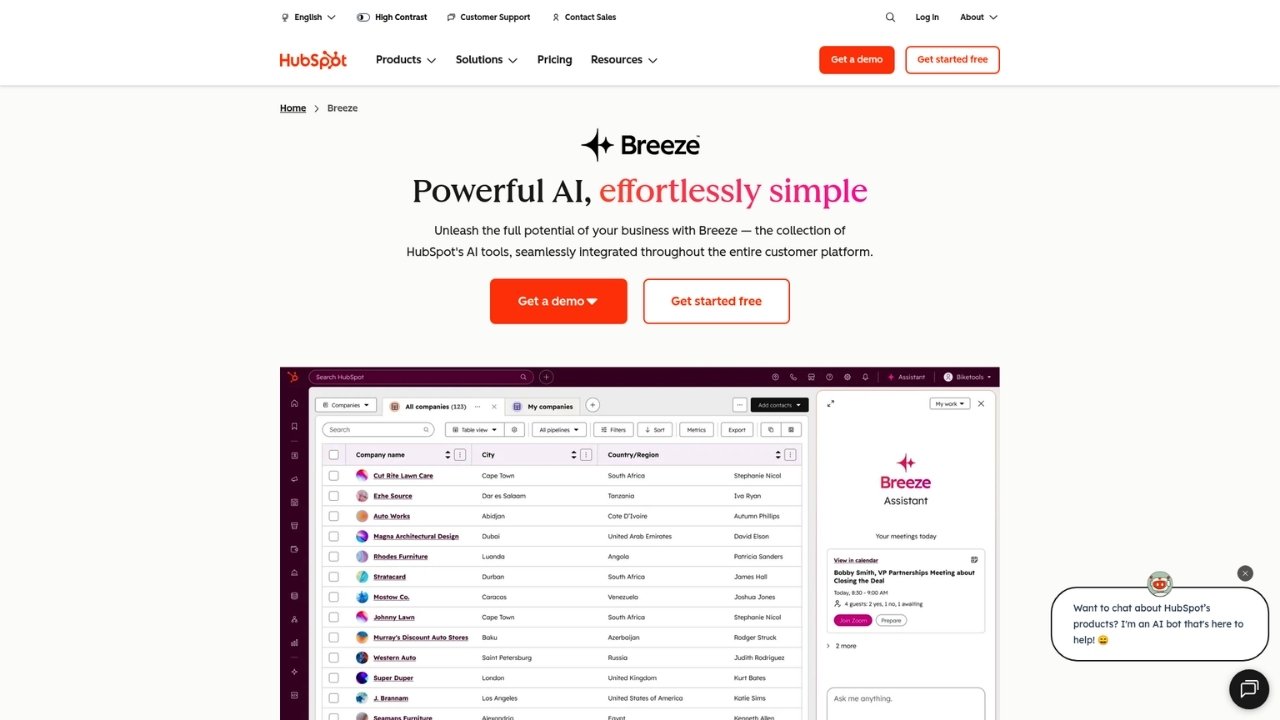
HubSpot Service Hub makes the most sense if you're already using HubSpot CRM.
The integration is seamless, giving support agents full visibility into customer history, deals, and marketing interactions.
The conversational ticketing system routes inquiries through a shared inbox while maintaining context from the CRM.
When a customer emails support, the agent immediately sees their purchase history, website activity, and previous interactions across all HubSpot tools.
Service Hub includes customer feedback tools, knowledge base functionality, and automation features.
However, it feels less mature than dedicated help desk platforms, and the full value requires committing to the broader HubSpot ecosystem.
Key features:
- Native CRM integration
- Conversational ticketing
- Customer feedback and surveys
- Knowledge base
- Automation and routing
Pricing:
| Plan | Price | Key Features |
|---|---|---|
| Free | $0 | Limited features, basic ticketing |
| Starter | $15/seat/month | Simple automation, basic SLAs |
| Professional | $60/seat/month | Advanced automation, knowledge base |
| Enterprise | $120/seat/month | Advanced permissions, playbooks |
Pros:
- Seamless CRM integration
- 360-degree customer view
- Unified with marketing and sales data
Cons:
- Less mature than dedicated help desks
- Full value requires HubSpot commitment
- Customization limitations
HubSpot Service Hub fits teams already invested in HubSpot who want unified customer data.
If you're not using HubSpot CRM, other options offer better standalone value.
7. Spiceworks Cloud Help Desk
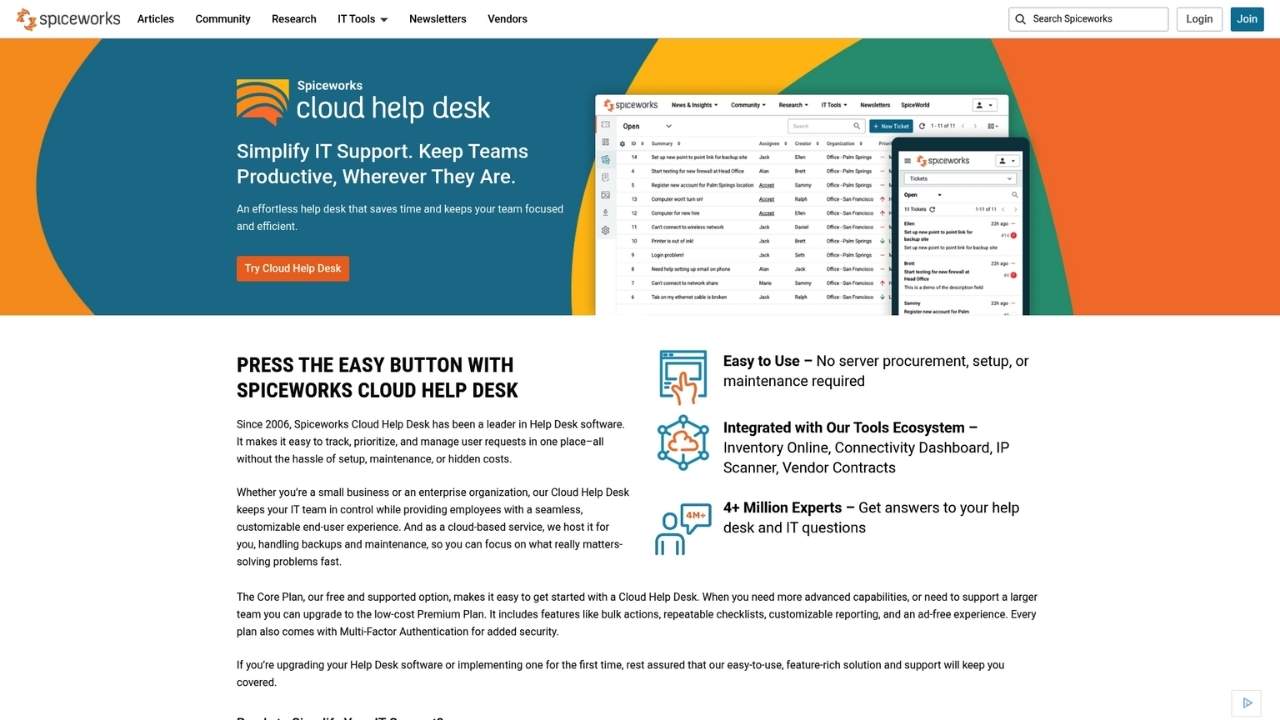
Spiceworks is completely free, which makes it worth considering for teams with zero budget or those testing whether a help desk makes sense for their workflow.
The platform covers basics: ticketing, asset management, knowledge base, and reporting. It won't compete with paid tools on features or polish, but it handles core functionality without costing anything.
The trade-off is ads. Spiceworks displays advertising to support the free model, and you'll encounter limitations like no SSO/LDAP integration and restricted customization options.
Key features:
- Ticket management
- Asset tracking
- Knowledge base
- Basic reporting
- Community support
Pricing:
| Plan | Price | Key Features |
|---|---|---|
| Cloud Help Desk | Free | Full feature set, ad-supported |
Pros:
- Completely free
- Easy to set up
- Active community for support
Cons:
- Advertisements throughout
- Limited functionality
- No SSO or LDAP
- Minimal customization
Spiceworks works for proof-of-concept projects, very small teams, or organizations that genuinely cannot spend on support software. Most growing teams will outgrow it quickly.
How to choose the right HappyDesk alternative
With seven solid options, how do you decide? Let's break it down by your situation.
If budget is your primary concern: Start with Freshdesk's free tier or Spiceworks. Both handle basic ticketing without cost. Upgrade when you need automation or advanced features.
If you're scaling rapidly: Zendesk offers the most room to grow.
The feature set expands with your needs, and the integration ecosystem means you won't outgrow it.
If you prioritize customer relationships: Help Scout's human-centered approach aligns with brands that treat support as relationship-building, not ticket resolution.
If you're in the Atlassian ecosystem: Jira Service Management integrates seamlessly with your existing tools.
The ITIL alignment also suits formal IT service management.
If you use HubSpot CRM: Service Hub's native integration provides unified customer data that standalone help desks can't match.
If you need custom workflows: HappyFox offers the most flexibility at an affordable price point.
Beyond tickets: adding phone support to your help desk
Help desks excel at managing email, chat, and social media inquiries.
But many businesses still field significant phone calls, especially for urgent issues or complex problems.
For e-commerce stores, phone support often involves repetitive queries: "Where's my order?" "How do I return this?" "Is this item in stock?"
These don't require human agents, but they do need a system that can access order data and handle natural conversations.
Ringly.io offers AI phone agents that integrate directly with Shopify. The AI agent handles inbound calls 24/7, looks up orders, processes returns, and escalates complex issues to your team.
With a 73% resolution rate without human intervention, it can significantly reduce your phone support workload while your help desk manages digital channels.
The combination works well: your help desk handles tickets through email and chat, while AI manages phone calls.
Both systems can reference the same customer data, creating a unified support experience across channels.
Frequently Asked Questions
What is the best HappyDesk alternative for small businesses?
Freshdesk offers the best starting point for small businesses with its generous free tier and intuitive interface. As you grow, you can upgrade to paid plans without switching platforms.
Are there any free HappyDesk alternatives?
Yes, several options offer free tiers. Freshdesk has a free plan for unlimited agents with basic features. Spiceworks is completely free (ad-supported). HubSpot Service Hub and Jira Service Management also offer limited free tiers.
Which HappyDesk alternative has the best AI features?
Zendesk leads in AI capabilities with pre-trained models that work out of the box, intelligent routing, and AI agents that can resolve tickets autonomously. Help Scout also offers thoughtful AI features focused on summarization and assistance rather than automation.
Can I migrate my existing tickets to a HappyDesk alternative?
Most platforms offer migration tools or services. Zendesk, Freshdesk, and Help Scout all provide data import capabilities. For complex migrations, third-party services like Help Desk Migration specialize in transferring data between platforms.
What HappyDesk alternative works best for e-commerce?
For e-commerce, consider your sales volume and support channels. Zendesk and Freshdesk offer strong Shopify integrations. If you handle many phone orders, pairing your help desk with Ringly.io for AI phone support creates a complete solution.
How long does it take to set up a HappyDesk alternative?
Cloud-based help desks typically deploy within hours. Simple configurations with email forwarding work immediately. Full setups with automations, integrations, and knowledge bases usually take 1-3 days. Complex enterprise deployments might take 1-2 weeks.
Do HappyDesk alternatives include phone support?
Most help desk platforms can integrate with phone systems, but they typically focus on ticketing and routing rather than handling calls directly. For AI-powered phone support that integrates with your help desk, Ringly.io offers specialized phone agents for e-commerce businesses.