


Discover the 7 best Cirrus Insight alternatives for 2026. Compare HubSpot, Salesforce, Zoho, and more to find the perfect CRM for your sales team.
Cirrus Insight has built a solid reputation as a Salesforce email integration tool.
It syncs your emails, calendar events, and tasks directly to Salesforce, which eliminates manual data entry and keeps your CRM up to date.
But it's not the right fit for every team.
Some sales teams find Cirrus Insight's modular pricing adds up quickly. Others want a full CRM rather than just a Salesforce add-on.
And many are looking for alternatives that work better with Gmail, offer more affordable pricing, or include built-in prospecting tools.
If you're evaluating options, this guide breaks down seven of the best Cirrus Insight alternatives for 2026.
We've researched each tool's features, pricing, and ideal use cases to help you find the right fit.
Editor’s note: Want to hear some sample AI support calls made for your Shopify store?
- Just paste your store URL
- Hear sample calls for your store (no email required)
- Listen to demo calls for my store
What is Cirrus Insight?
Cirrus Insight is a sales enablement platform that connects your email inbox (Gmail or Outlook) directly to Salesforce. It lets you log emails, sync calendar events, track email opens, and manage Salesforce records without leaving your inbox.
The platform also includes newer AI features like Meeting AI (which automates pre-meeting research) and Conversation Intelligence (which transcribes and analyzes calls). It's designed for sales teams that live in Salesforce and want to reduce administrative work.
Cirrus Insight uses modular pricing, meaning you pay per feature per user. The core Salesforce Sync starts at $5 per user per month, but most teams will need multiple features. A typical setup with Sidebar ($11), Calendar Scheduling ($7), and Buyer Signals ($12) runs around $30-40 per user monthly.
How we evaluated these Cirrus Insight alternatives
To make this comparison useful, we looked at several key factors:
- Email integration quality How well does it sync with Gmail and Outlook?
- CRM capabilities Is it a full CRM or just an email add-on?
- Pricing transparency Are costs predictable or do they scale unexpectedly?
- Ease of use How steep is the learning curve?
- Unique strengths What does each tool do better than the others?
We focused on tools that serve similar use cases to Cirrus Insight: sales teams needing email tracking, pipeline management, and automation.
Quick comparison: Cirrus Insight alternatives at a glance
| Tool | Starting Price | Free Tier | Best For |
|---|---|---|---|
| HubSpot Sales Hub | $9/month | Yes (2 users) | All-in-one CRM |
| Salesforce Sales Cloud | $25/month | No | Enterprise customization |
| Zoho CRM | $14/month | Yes (3 users) | Budget-conscious teams |
| monday CRM | $9/month | Yes (2 users) | Visual workflow management |
| Pipedrive | $14/month | No | Pipeline-focused sales |
| Apollo.io | $49/month | Yes (limited) | Outbound prospecting |
| Copper | $9/month | No | Google Workspace users |
1. HubSpot Sales Hub
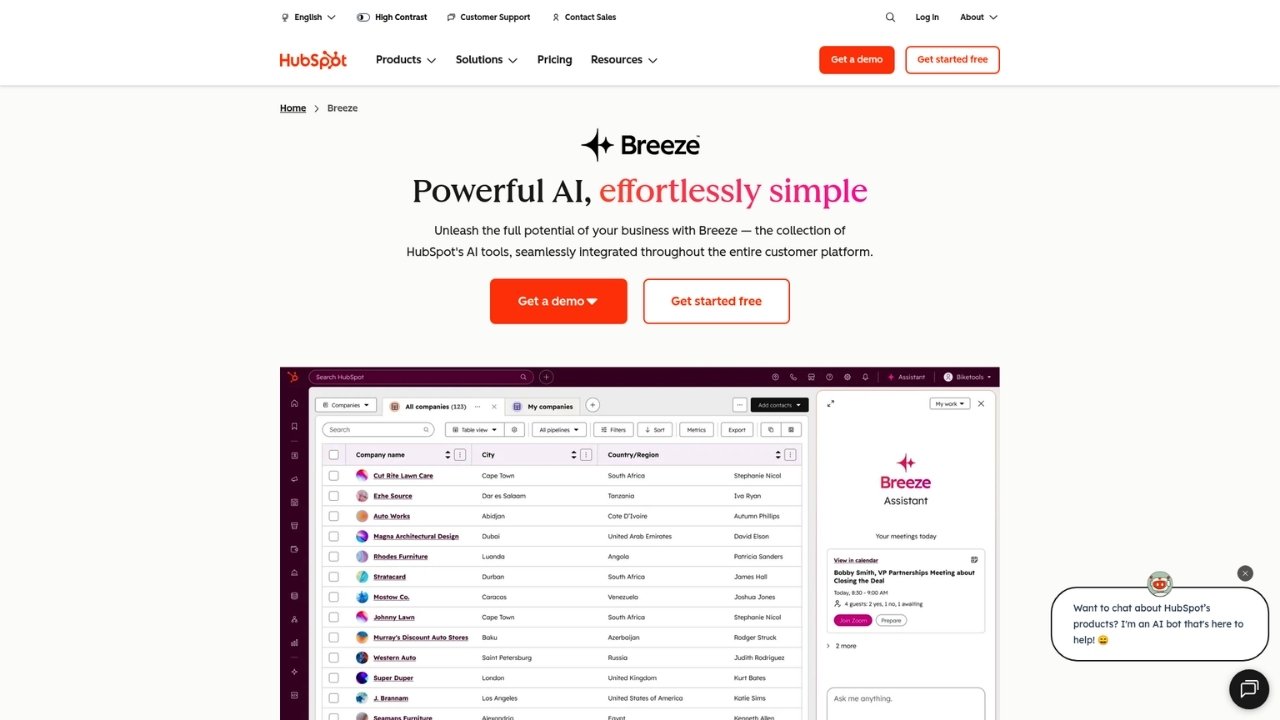
HubSpot Sales Hub is the sales component of HubSpot's broader CRM platform. Unlike Cirrus Insight, which is primarily a Salesforce add-on, HubSpot offers a complete CRM with native email integration.
The free tier is genuinely useful. You get contact management, email tracking, meeting scheduling, and deal pipelines for up to two users. This makes it easy to test before committing. Paid plans add sequences, automation, forecasting, and AI-powered tools like call transcription.
Key features:
- Email tracking and templates
- Meeting scheduler with calendar sync
- Deal pipeline management
- Sales automation and sequences (paid plans)
- AI Meeting Assistant for call coaching
Pros:
- Generous free plan
- Intuitive interface with minimal learning curve
- Seamless integration with HubSpot Marketing Hub
- Over 1,500 app integrations
Cons:
- Advanced features get expensive quickly
- Can feel bloated if you only need basic CRM
- Professional and Enterprise plans require onboarding fees ($1,500-$3,500)
Pricing: Free for up to 2 users; Starter at $9/month per seat (promotional pricing); Professional at $90/month; Enterprise at $150/month.
Best for: Teams wanting a complete CRM with strong email integration and marketing alignment.
2. Salesforce Sales Cloud
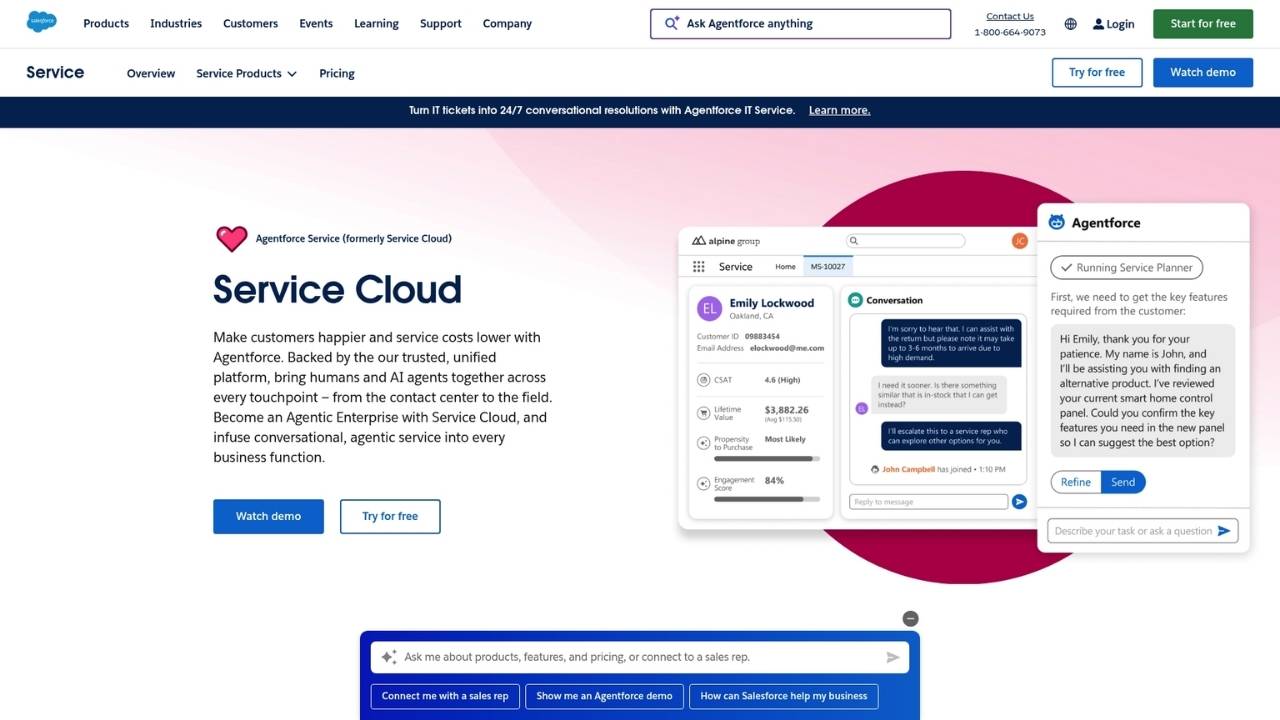
Salesforce Sales Cloud is the CRM that Cirrus Insight was built to enhance. If you're already invested in Salesforce but want more native capabilities rather than third-party add-ons, Sales Cloud itself might be the answer.
Sales Cloud offers everything you'd expect from an enterprise CRM: opportunity management, workflow automation, advanced reporting, and AI-powered insights through Einstein. The platform is highly customizable, which is both its strength and its weakness. You can configure it to match almost any sales process, but that flexibility comes with complexity.
Key features:
- Opportunity and lead management
- Workflow and approval automation
- Einstein AI for predictive insights
- Advanced reporting and dashboards
- Territory management (Enterprise+)
Pros:
- Unmatched customization options
- Massive ecosystem of apps and integrations
- Scales from small teams to enterprise
- Industry-standard reporting capabilities
Cons:
- Steep learning curve for new users
- Expensive for small teams
- Implementation can be time-consuming
- Many features require higher-tier plans
Pricing: Starter at $25/month; Professional at $80/month; Enterprise at $165/month; Unlimited at $330/month; Einstein 1 Sales at $500/month.
Best for: Large teams needing advanced customization and enterprises already committed to the Salesforce ecosystem.
3. Zoho CRM

Zoho CRM is a budget-friendly alternative that doesn't skimp on features. It offers AI-powered sales assistance, workflow automation, and email integration at a fraction of the cost of competitors.
The platform includes Zia, an AI assistant that provides insights, predictions, and recommendations. Zoho also offers journey orchestration for building customer experiences, territory management, and custom functions for advanced automation. The free tier supports up to three users with basic CRM features.
Key features:
- Zia AI for sales insights and predictions
- Workflow and process automation
- Email integration with Gmail and Outlook
- Journey orchestration for customer experiences
- Territory management
Pros:
- Affordable pricing with generous free tier
- Strong AI features at lower price points
- Part of larger Zoho ecosystem (finance, marketing, support)
- 28 language support
Cons:
- Interface feels dated compared to newer tools
- Customer support can be slow
- Learning curve for advanced features
- Less polished than premium competitors
Pricing: Free for up to 3 users; Standard at $14/month; Professional at $23/month; Enterprise at $40/month; Ultimate at $52/month.
Best for: Budget-conscious teams that want AI features and don't mind a less polished interface.
4. monday CRM

monday CRM builds on the popular monday.com work management platform. It offers a highly visual, customizable approach to CRM that emphasizes collaboration and workflow automation.
The platform uses boards to track deals, contacts, and activities. You can customize columns, views, and automations to match your sales process. The visual pipeline makes it easy to see deal status at a glance, and the automation builder lets you create workflows without coding.
Key features:
- Visual deal pipelines with Kanban views
- Email sync and tracking
- Automation builder (250-250K actions/month depending on plan)
- AI Sidekick for task management
- Custom dashboards and reporting
Pros:
- Highly visual and intuitive interface
- Strong collaboration features
- Flexible customization options
- Good free tier for small teams
Cons:
- Limited advanced sales features compared to dedicated CRMs
- Pricing jumps significantly for automation
- Can feel like a project management tool with CRM features added on
Pricing: Free for up to 2 seats; Basic at $9/month; Standard at $12/month; Pro at $19/month; Enterprise (custom pricing).
Best for: Teams that prioritize visual workflow management and collaboration over traditional CRM features.
5. Pipedrive
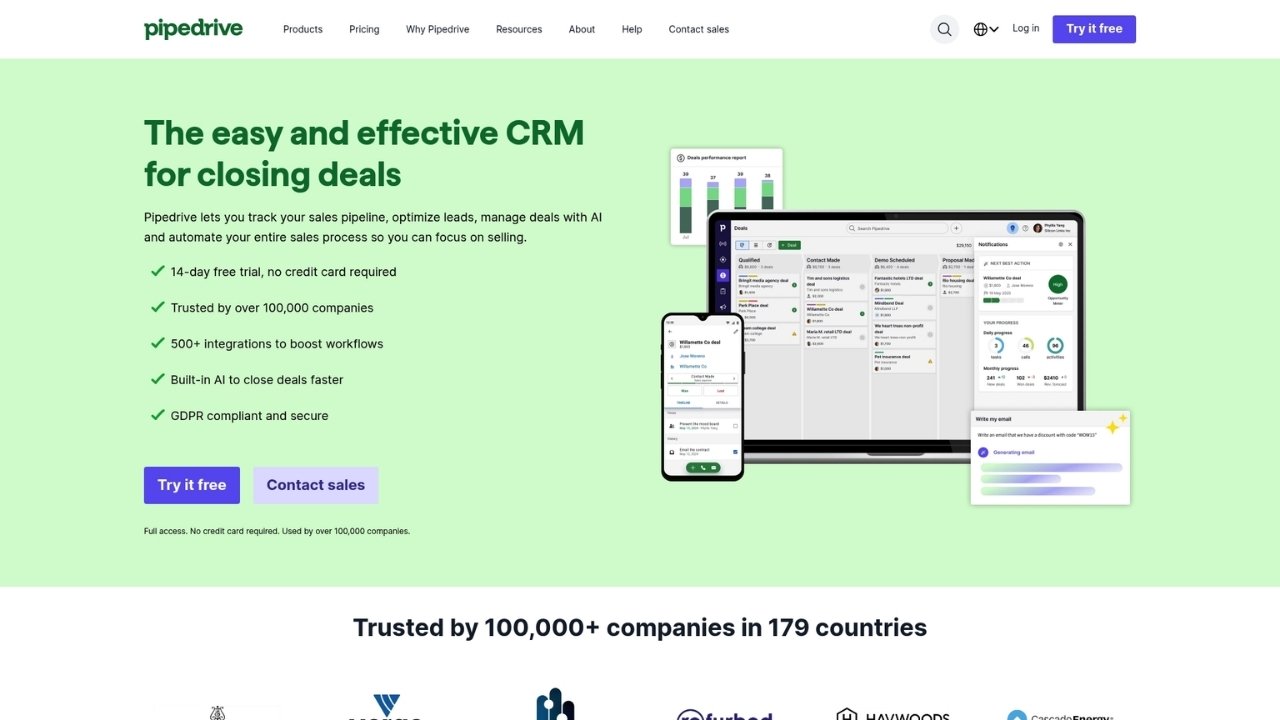
Pipedrive was designed by salespeople for salespeople. Its core focus is pipeline management, and it executes that focus exceptionally well.
The visual pipeline is the heart of Pipedrive. You can drag deals between stages, set activities, and track progress with minimal friction. Email integration syncs with Gmail and Outlook, and the AI Sales Assistant provides tips and alerts to keep deals moving.
Key features:
- Visual sales pipeline with drag-and-drop
- Email sync and tracking
- Activity reminders and scheduling
- AI Sales Assistant for recommendations
- Revenue forecasting
Pros:
- Intuitive pipeline-focused design
- Easy to set up and use
- Strong mobile app
- Affordable entry-level pricing
Cons:
- Limited marketing features
- Fewer integrations than larger competitors
- Advanced features require higher tiers
- Add-ons can increase costs
Pricing: Lite at $14/month; Growth at $39/month; Premium at $59/month; Ultimate at $79/month. Add-ons available for lead generation, projects, and campaigns.
Best for: Sales teams focused on pipeline visibility and deal flow who want a simple, effective tool.
6. Apollo.io

Apollo.io is different from the other tools on this list. It's not just a CRM or email integration tool. It's an all-in-one sales intelligence platform that combines a massive B2B database with engagement tools.
With Apollo.io, you get access to over 200 million contacts and companies. You can build targeted lists, enrich data, run email sequences, and make calls, all within one platform. This makes it particularly valuable for outbound sales teams that need both data and outreach capabilities.
Key features:
- B2B database with 200M+ contacts
- Email sequencing and automation
- AI Research for prospect insights
- Lead scoring and intent data
- Built-in dialer with call recording
Pros:
- Built-in prospecting database eliminates need for separate data provider
- Powerful sequencing and outreach tools
- AI-powered research and personalization
- Generous free tier with 900 credits/year
Cons:
- Credit-based pricing can be confusing
- Data accuracy varies (as with any database)
- Learning curve for advanced features
- More expensive than basic CRMs
Pricing: Free (900 credits/year); Basic at $49/month (30K credits); Professional at $79/month (48K credits); Organization at $119/month (72K credits, minimum 3 users).
Best for: Outbound sales teams that need prospecting data and engagement tools in one platform.
7. Copper
Copper is built specifically for Google Workspace users. If your team lives in Gmail, Google Calendar, and Google Drive, Copper offers the most seamless integration of any CRM.
Unlike other CRMs that require you to switch contexts constantly, Copper works directly within your Google apps. It automatically syncs emails, creates contacts from Gmail threads, and lets you manage deals without leaving your inbox. The learning curve is minimal because it feels like a natural extension of Google Workspace.
Key features:
- Native Google Workspace integration
- Automatic email and contact sync
- Visual pipeline management
- Task automation
- Project management features
Pros:
- Seamless Gmail integration
- Minimal learning curve for Google users
- Clean, modern interface
- Good mobile experience
Cons:
- Limited customization compared to other CRMs
- Fewer features than enterprise competitors
- Only works well if you're all-in on Google
- Contact limits on lower tiers
Pricing: Starter at $9/month (1,000 contacts); Basic at $23/month (2,500 contacts); Professional at $49/month (15,000 contacts); Business at $349/month (unlimited contacts).
Best for: Teams fully committed to Google Workspace who want a CRM that feels like a native Google app.
How to choose the right Cirrus Insight alternative
With seven solid options, how do you pick the right one? Here's a simple framework:
Choose HubSpot if you want a generous free plan and may need marketing tools later.
Choose Salesforce if you need enterprise-grade customization and have complex sales processes.
Choose Zoho if budget is your primary concern but you still want AI features.
Choose monday CRM if visual workflow management and team collaboration are priorities.
Choose Pipedrive if you want a simple, pipeline-focused CRM that's easy to use.
Choose Apollo.io if outbound prospecting is a major part of your sales process.
Choose Copper if your team lives in Google Workspace and wants minimal friction.
Migrating from Cirrus Insight: what to expect
If you're currently using Cirrus Insight and switching to one of these alternatives, here are a few tips:
- Data export: Cirrus Insight stores data in Salesforce, so your contact and deal data stays there. You'll primarily need to recreate email templates and sequences in your new tool.
- Integration changes: If you're switching from Salesforce to another CRM entirely, plan for a data migration. Most platforms offer import tools.
- User training: Teams familiar with Cirrus Insight's inbox-centric approach may need time to adjust to full CRM interfaces.
- Trial periods: Take advantage of free trials to test email integration quality before committing.
Choosing the best Cirrus Insight alternative for your sales team
Cirrus Insight fills a specific niche: Salesforce users who want better email integration. But many sales teams need more than that. Some want a full CRM. Others need better pricing. And some want tools that work seamlessly with Gmail rather than just Salesforce.
The alternatives we've covered each solve different problems. HubSpot offers the best free plan. Salesforce provides unmatched enterprise power. Zoho delivers AI features on a budget. monday CRM excels at visual workflows. Pipedrive keeps things simple. Apollo.io combines data with outreach. And Copper is perfect for Google Workspace devotees.
The right choice depends on your team's specific needs, existing tools, and budget. Start with the free trials, test the email integration quality, and see which one fits your workflow best.
Frequently Asked Questions
What should I look for in Cirrus alternatives when switching from Salesforce email integration?
Look for tools that offer native email sync with your email provider, not just Salesforce. Check if they support email tracking, template management, and calendar integration. Test how well they handle contact and activity sync during your trial.
Are there any free Cirrus alternatives that work with Gmail?
Yes. HubSpot offers a free plan for up to 2 users with Gmail integration. Zoho CRM has a free tier for 3 users. Apollo.io offers a free plan with limited credits. These can be good starting points if budget is tight.
How do Cirrus alternatives compare for teams that need both email tracking and CRM?
Most alternatives on this list offer both. HubSpot and Copper have the most seamless email-CRM integration. Apollo.io adds prospecting data. Pipedrive focuses on pipeline management. Consider whether you need a full CRM or just email enhancement.
Which Cirrus alternatives offer the best value for small sales teams?
For small teams, Zoho CRM ($14/month) and Pipedrive ($14/month) offer excellent value. HubSpot's free tier works well for very small teams. Copper's Starter plan ($9/month) is affordable if you're on Google Workspace.
Do any Cirrus alternatives include built-in prospecting or lead databases?
Apollo.io is the standout here, with over 200 million contacts in its database. Other tools focus on CRM and email integration but require separate data providers for prospecting. If outbound sales is important, Apollo.io's built-in database is a major advantage.
How does pricing for Cirrus alternatives compare when you need multiple features?
Cirrus Insight's modular pricing can add up ($5-40+ per feature). Most alternatives offer tiered pricing that includes bundled features. HubSpot and Zoho become expensive at higher tiers. Pipedrive and monday CRM offer more predictable scaling. Calculate total cost based on the specific features you need.



