


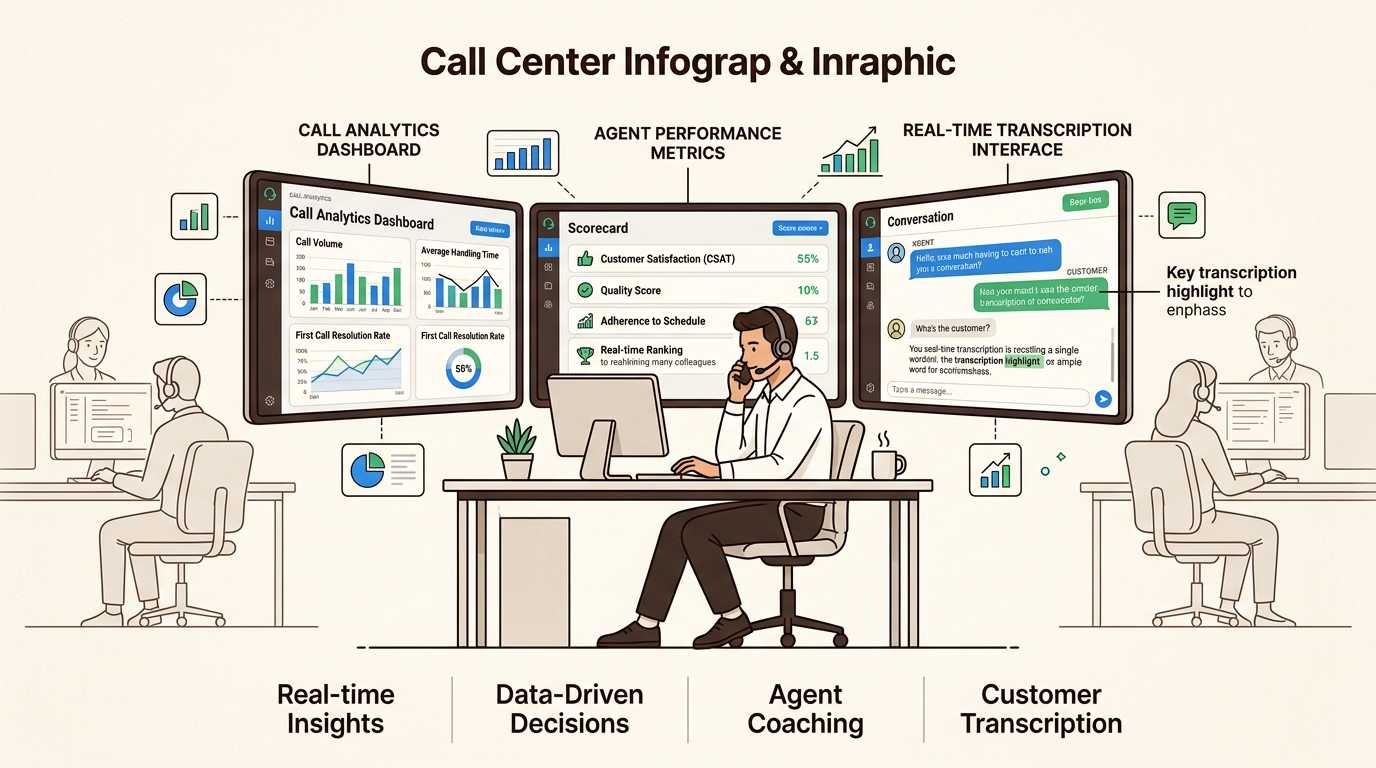
Call monitoring software lets you listen to live calls, review recordings, score agent performance, and pull analytics out of every conversation. If you run support, sales, or a marketing team that lives on the phone, the tool you pick decides how fast you can coach people, catch compliance problems, and figure out which calls actually move revenue.
Phone support that pays for itself. Ringly answers your store's calls and resolves at least 65% of them, backed by a guarantee. Book a call to see it run on your store.
This guide names our top pick first, then breaks down the best call monitoring software options for 2026. Each tool is rated on features, pricing, ease of use, and the specific job it does best, so you can match the platform to your actual workflow instead of a feature list. The clear #1 for Shopify brands is Ringly.io, because it resolves the call itself and still logs every transcript for review.
If your phone volume is mostly customer support and you would rather an AI resolve calls than just record them for review later, start with the #1 pick below. If you need classic listen, whisper, and barge tools for a human team, the list that follows covers the strongest options.
How We Evaluated These Tools
We selected the platforms below based on:
- Core functionality: Recording, live listening, whisper, barge, analytics, and reporting
- AI features: Transcription accuracy, coaching tools, sentiment analysis, and automation
- Integrations: Connectivity with CRM, helpdesk, and marketing platforms
- Pricing transparency: Clear pricing tiers without hidden fees
- Ease of use: Setup time and learning curve
Each tool on this list serves a slightly different need, from enterprise contact centers to small marketing agencies. Below the list we cover how to pick between them.
Comparison Table
| Tool | Best For | Starting Price | Key Features |
|---|---|---|---|
| Ringly.io | Shopify support, calls resolved by AI | By call (Resolution Promise) | 73% autonomous resolution, full transcripts, 40+ languages |
| Zendesk | AI-powered customer experience | $55/agent/month | AI agents, omnichannel, QA tools, whisper and barge |
| CallRail | Marketing attribution | $50/month | Conversation intelligence, Voice Assist AI |
| Talkdesk | Enterprise call centers | $85/agent/month | Workforce management, 900+ metrics, screen recording |
| Dialpad | Real-time AI coaching | $15/agent/month | Live transcription, AI Live Coach, barge |
| CloudTalk | Global sales teams | $20/agent/month | 160+ countries, smart dialer, call flow designer |
| CallTrackingMetrics | Integration flexibility | $65/month | AskAI, HIPAA compliant, omnichannel tracking |
| Aircall | Team collaboration | $30/agent/month | Shared contacts, live feed, call comments |
The Best Call Monitoring Software Options
1. Ringly.io: Best for Shopify Support Calls Resolved by AI
Most call monitoring tools assume a human is on the call and you are watching to coach or correct. Ringly.io takes a different position: it is a done-for-you AI phone agent for Shopify brands that answers the call itself, and gives you a full transcript, recording, and resolution outcome for every conversation. So instead of monitoring agents you are reviewing an agent that already handled the call.
That matters for ecommerce support, where a large share of inbound calls are repetitive: where is my order, can I change my address, how do returns work, is this product right for me. Ringly answers those in 40+ languages, looks up the order, and only escalates the calls that genuinely need a human. You get the monitoring layer (transcripts, recordings, resolution data) without staffing a room of agents to monitor in the first place.
Key Features:
- AI phone agent that resolves about 73% of inbound calls on its own
- Full transcript, recording, and resolution outcome logged for every call
- Order lookups, returns, and address changes handled live, not just summarized after
- Speaks 40+ languages on the same line
- Built for Shopify with native order and customer context
- Escalation to a human only on the calls that need it
- Done-for-you build, so the playbook and call flows are set up for you
Pricing: Ringly.io is sold through a call rather than a public per-seat price, because it is set up for your store specifically. The Resolution Promise means you only pay once it resolves at least 65% of your calls, and it goes live within 14 days. It is trusted by 50+ Shopify brands, and has recovered $22k for one store by catching and saving calls that would otherwise have been missed.
Pros: Resolves calls instead of just recording them, no per-seat math, Resolution Promise removes the risk, every call still produces a reviewable transcript
Cons: Built specifically for Shopify support, so it is not a fit for outbound sales dialing or marketing attribution use cases
Best for: Shopify brands drowning in repetitive support calls who want the calls resolved and logged, not just monitored after the fact
2. Zendesk: Best for AI-Powered Customer Experience

Zendesk Voice is built natively into the Zendesk platform, making it ideal for teams already using Zendesk for ticketing and support. The standout feature is end-to-end AI across the entire call journey.
Key Features:
- AI agents that can resolve a meaningful share of customer issues autonomously
- Zendesk Copilot provides real-time suggestions during live calls
- Automatic post-call summaries and transcription
- Quality assurance tools that evaluate 100% of conversations
- Call monitoring, whisper mode, and barging
- Omnichannel support integrating voice with messaging, email, and chat
Pricing: Suite Team starts at $55 per agent per month, which includes phone support, call routing, and voicemail. Suite Professional at $115 adds IVR, skills-based routing, and call monitoring capabilities. Quality Assurance is a $35 add-on per agent.
Pros: Deep integration with Zendesk ecosystem, strong AI capabilities, comprehensive quality tools
Cons: Voice features require Suite plans, not ideal for high-volume outbound campaigns
Best for: Mid-sized teams already using Zendesk or those needing integrated support across channels
3. CallRail: Best for Marketing Attribution

CallRail connects marketing efforts to revenue by tracking which campaigns drive phone calls. It is the go-to choice for marketing agencies and small businesses focused on ROI.
Key Features:
- Call tracking with campaign attribution for PPC, SEO, and offline ads
- Voice Assist AI answers calls 24/7 and books appointments
- Conversation Intelligence with automatic transcription and keyword analysis
- Lead scoring to prioritize high-value opportunities
- Form tracking to attribute web submissions to marketing sources
Pricing: Lead Tracking starts at $50 per month including 5 numbers, 250 minutes, and call transcription. Lead Conversion at $150 adds Premium Conversation Intelligence with sentiment analysis. Voice Assist AI starts at $95 per month.
Pros: Strong marketing focus, 700+ integrations, easy campaign attribution
Cons: Limited scalability for enterprise call centers, primarily inbound-focused
Best for: Marketing agencies and small businesses tracking campaign ROI
4. Talkdesk: Best for Enterprise Call Centers

Talkdesk is built for large organizations that need sophisticated workforce management and industry-specific solutions. It offers one of the most comprehensive feature sets for complex contact center operations.
Key Features:
- Talkdesk Copilot provides real-time agent guidance
- Talkdesk Autopilot handles voice and digital interactions with AI
- Workforce Engagement Management with scheduling and forecasting
- Screen recording for complete quality assurance
- Industry Experience Clouds tailored for Financial Services, Healthcare, Retail, and more
- 900+ customizable metrics for deep analytics
Pricing: Digital Essentials starts at $85 per user per month. Voice Essentials at $105 adds voice engagement and speech recognition. Elite at $165 includes workforce management and screen recording. Industry clouds start at $225.
Pros: Comprehensive enterprise features, industry-specific solutions, strong workforce tools
Cons: Higher price point, may require IT support for setup
Best for: Large contact centers with complex routing and compliance needs
5. Dialpad: Best for Real-Time AI Coaching

Dialpad stands out for its real-time transcription and AI Live Coach features. It delivers enterprise-grade AI at a price point accessible to smaller teams.
Key Features:
- Real-time call transcription with high accuracy
- AI Live Coach provides proactive suggestions during calls
- Sentiment analysis to gauge caller mood
- Call barging for supervisor intervention
- AI agents that autonomously handle complex workflows
- Unified communications with voice, video, and messaging
Pricing: Standard plan starts at $15 per user per month with basic calling. Pro at $25 adds CRM integrations and multi-office support. AI Agent uses conversation-based pricing where you pay only when the AI delivers value.
Pros: Most affordable entry point, powerful AI features at lower tiers, unlimited domestic calling
Cons: Standard plan limited to one office, Pro requires 3+ seats
Best for: Small to mid-sized teams wanting AI features without enterprise pricing
6. CloudTalk: Best for Global Teams and Sales
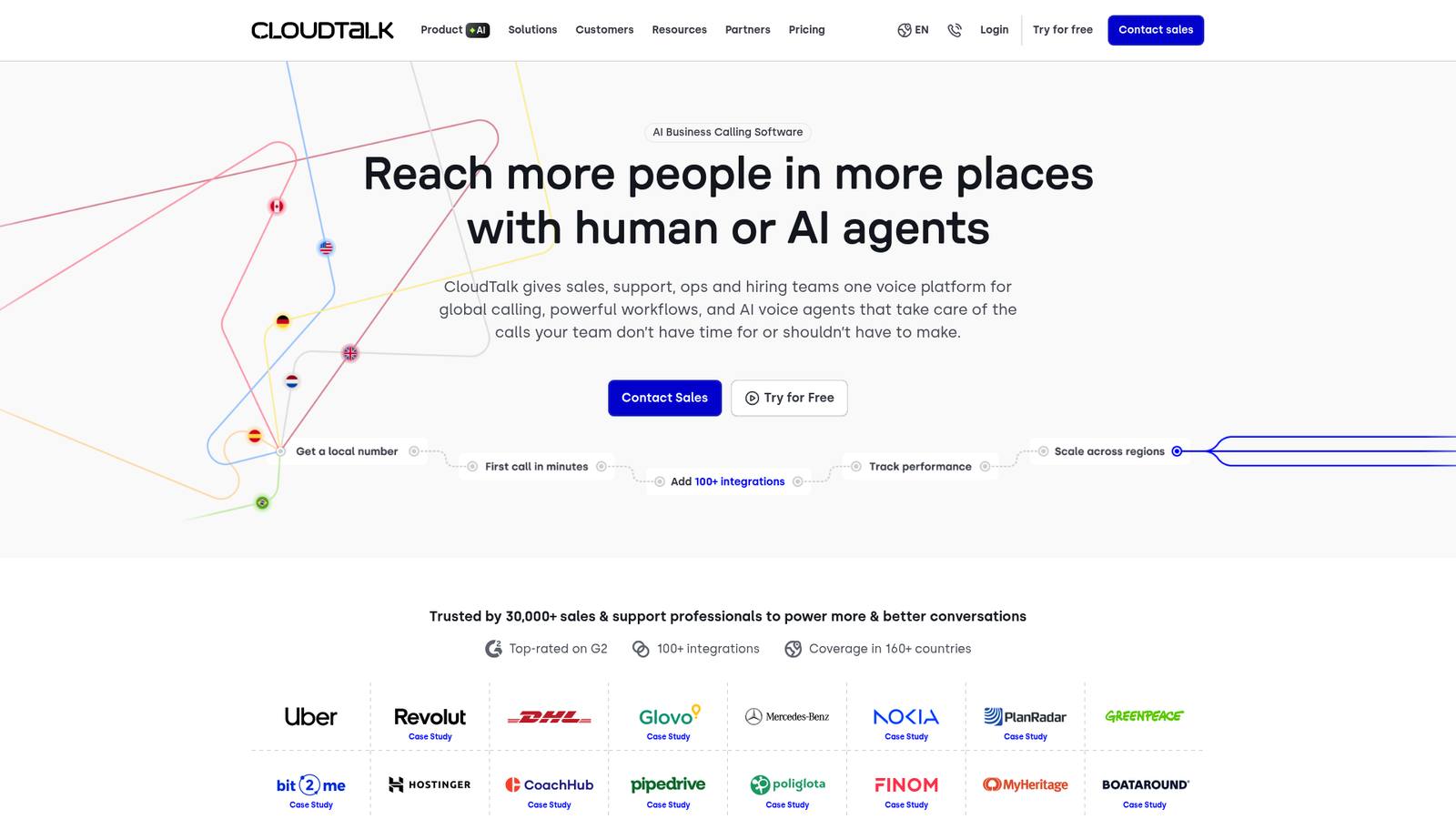
CloudTalk excels for international operations with coverage in 160+ countries and features designed for sales teams.
Key Features:
- AI call summaries and sentiment analysis
- Smart dialer for automated outbound calling
- Call flow designer for visual routing setup
- Local numbers in 160+ countries
- Real-time dashboards and analytics
- Power dialer for sales efficiency
Pricing: Lite starts at €19 (approximately $20) per user per month. Starter at €25 adds unlimited inbound calls. Essential at €29 includes the smart dialer. Expert at €49 adds Salesforce integration and priority support.
Pros: Excellent global coverage, user-friendly interface, strong sales features
Cons: Voice quality varies by region, integration setup can take time
Best for: International teams and sales-focused organizations
7. CallTrackingMetrics: Best for Integration Flexibility

CallTrackingMetrics offers deep conversation analytics with extensive compliance certifications, making it ideal for regulated industries.
Key Features:
- AskAI for deep conversation analysis
- Automated call flows with smart routing
- Voice agents for handling calls automatically
- Omnichannel tracking across calls, texts, forms, and chats
- HIPAA and GDPR compliance
- Custom reporting dashboards
Pricing: Marketing Lite starts at $65 per month with 10 numbers and 500 minutes. Marketing Pro at $149 adds conversation intelligence. Sales Engage at $274 includes advanced routing and voice agents.
Pros: Extensive compliance certifications, powerful AskAI feature, customizable routing
Cons: Dashboard can be complex for beginners, higher starting price
Best for: Marketing teams in regulated industries needing detailed attribution
8. Aircall: Best for Team Collaboration

Aircall prioritizes team collaboration with features like shared contacts, call comments, and a live activity feed.
Key Features:
- Live feed showing real-time team activity
- Shared contacts and call assignments
- Call comments for team collaboration
- IVR for call routing
- Call recording with up to 1 year storage
- 100+ integrations with CRM and helpdesk tools
Pricing: Essentials starts at $30 per user per month with a 3-user minimum. Professional at $50 adds advanced analytics and unlimited recording storage. Custom plans available for 25+ users.
Pros: Strong collaboration features, intuitive interface, quick setup
Cons: 3-user minimum, some monitoring features only in higher tiers
Best for: Distributed teams prioritizing collaboration over advanced analytics
The Three Core Call Monitoring Features Explained
Most tools above describe their monitoring in the same three terms. Knowing what each one does makes the comparison easier.
- Listen (silent monitoring): A supervisor listens to a live call without the agent or caller hearing them. Used for scoring and spotting problems in real time.
- Whisper: The supervisor speaks only to the agent during the call. The caller does not hear it. Used to coach a rep mid-conversation without interrupting the customer.
- Barge: The supervisor joins the call so all three parties can hear each other. Used when a call is going sideways and a manager needs to step in.
These three plus call recording and transcription are the backbone of human-agent monitoring. The difference with an AI-first approach like Ringly.io is that there is no agent to whisper to: the AI handles the call, and you review the transcript and resolution afterward.
How to Choose the Right Call Monitoring Software

Start by defining your primary use case. If you want the AI to resolve repetitive Shopify support calls and still log every one for review, start with Ringly.io. If you need marketing attribution, CallRail or CallTrackingMetrics are strong choices. For customer support quality assurance on a human team, consider Zendesk or Talkdesk. Sales teams should look at CloudTalk or Dialpad.
Consider your team size and growth plans. Some tools like Aircall have minimum user requirements, while others like Dialpad offer affordable entry points for small teams. If the goal is to avoid adding headcount entirely, an AI agent removes the per-seat math.
Evaluate integration requirements. Check whether the tool connects with your existing CRM, helpdesk, or marketing platforms. Most tools on this list offer integrations with Salesforce, HubSpot, and Zendesk.
Check compliance needs. If you are in healthcare or financial services, prioritize tools with HIPAA compliance like CallTrackingMetrics, Talkdesk, or Zendesk.
Factor in total cost including add-ons. Base pricing is just the starting point. Consider costs for additional numbers, transcription, AI features, and overage fees. With a tool priced on resolution rather than seats, the cost tracks the value delivered.
Take advantage of free evaluations. Most tools offer free trials ranging from 7 to 14 days, and Ringly.io offers a call so you can see exactly how your own calls would be handled before committing.
Improve Your Customer Calls with Better Monitoring
Call monitoring software has evolved from simple recording to AI-powered analytics that change how businesses understand and act on voice conversations. The right tool helps you coach agents, optimize marketing spend, and deliver better customer experiences. Strong call center quality assurance starts with seeing what actually happens on every call.
AI is making these capabilities accessible to teams of all sizes. Features that were once enterprise-only, like real-time transcription and sentiment analysis, are now standard. The newest shift is AI that does not just monitor the call but resolves it, while still handing you a transcript and outcome for every conversation.
If you run a Shopify brand and your phone volume is mostly repetitive support, the most useful version of call monitoring is one where the calls get handled for you. Ringly.io resolves about 73% of inbound calls on its own, speaks 40+ languages, is trusted by 50+ Shopify brands, and only charges once it resolves at least 65% of your calls. The fastest way to see it on your own line is a call.
Related Reading:
- What is an AI Phone Agent?
- Best AI Tools for E-commerce Customer Service
- How to Reduce Support Ticket Volume
Frequently Asked Questions
What is call monitoring software?
Call monitoring software lets you listen to, record, and analyze phone conversations. It serves two main purposes: call center quality assurance (evaluating agent performance, ensuring compliance) and marketing attribution (tracking which campaigns drive calls and analyzing customer intent). AI-first tools add a third option: resolving the call automatically and logging the transcript for review.
What is the best call monitoring software?
It depends on the job. For Shopify brands that want repetitive support calls resolved by AI and still logged for review, Ringly.io is our #1 pick. For human-team monitoring, Zendesk leads on AI-powered customer experience, CallRail on marketing attribution, Talkdesk on enterprise call centers, Dialpad on real-time AI coaching, CloudTalk on global sales teams, CallTrackingMetrics on integration flexibility, and Aircall on team collaboration.
How much does call monitoring software cost?
Pricing varies widely. Entry-level options like Dialpad start at $15/user/month, while enterprise solutions like Talkdesk start at $85/user/month. Usage-based plans like CallRail start at $50/month for 5 numbers and 250 minutes. Ringly.io is priced on a Resolution Promise, so you only pay once it resolves at least 65% of your calls.
What is the difference between listen, whisper, and barge?
Listen means a supervisor silently monitors a live call. Whisper means the supervisor speaks only to the agent, not the caller. Barge means the supervisor joins the call so everyone can hear each other. They are the three standard ways a manager supports a live human agent.
Does call monitoring software include AI features?
Yes, modern call monitoring software includes AI-powered features like real-time transcription, sentiment analysis, automated call summaries, AI coaching for agents, and autonomous AI agents that can handle calls without human intervention. Ringly.io is an example of the autonomous category, resolving about 73% of inbound calls on its own.



